Creative embroidering
184
Editing words/sentences
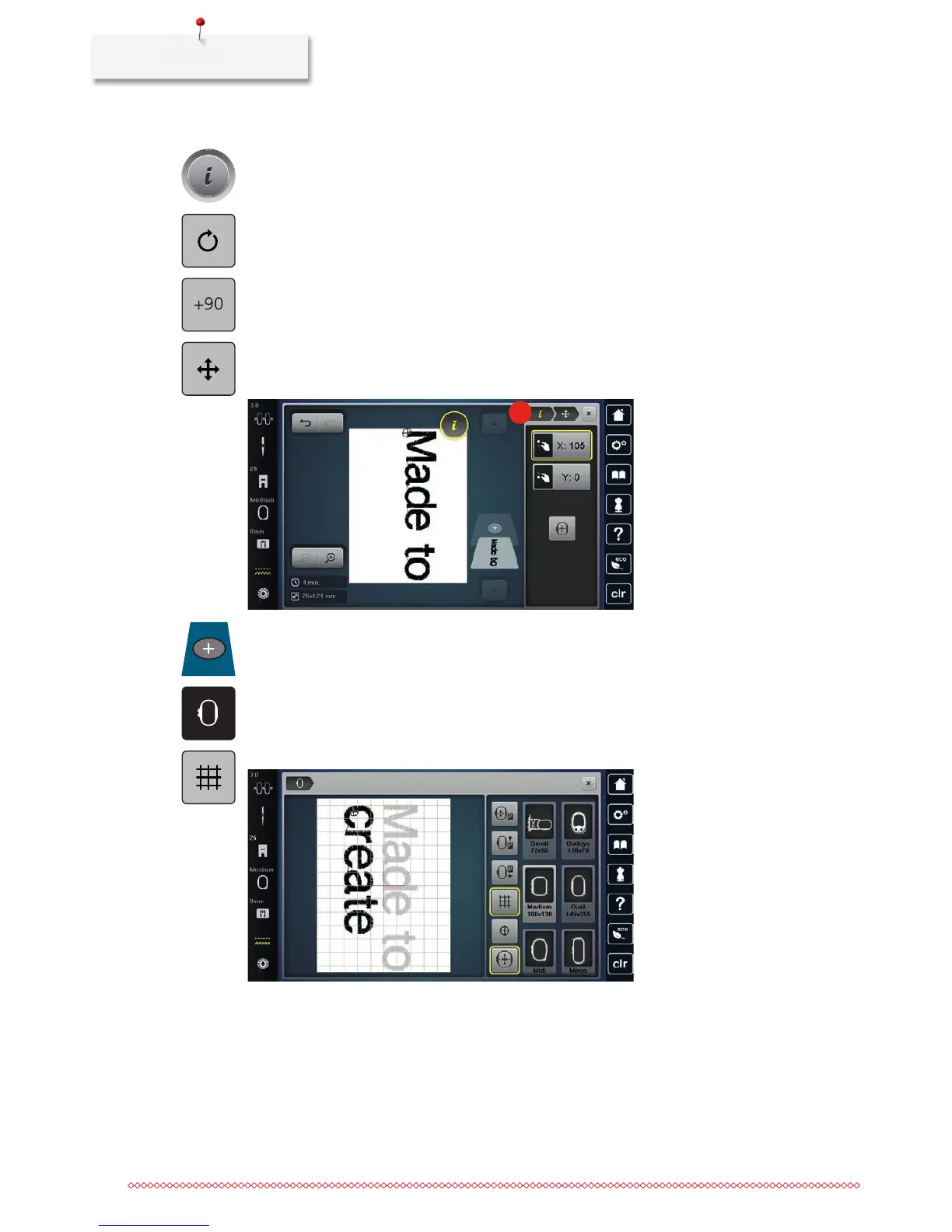
> Touch the icon «i»-Dialog.
> Touch the icon «Rotate the motif».
> Touch the icon «+90» to rotate the text by 90°.
> Touch the icon «i» (1).
> Touch the icon «Move the stitch pattern».
> Turn the «Upper Multifunctional knob» to move the embroidery motif horizontally.
> Turn the «Lower Multifunctional knob» to move the embroidery motif vertically.
1
> Touch the icon «Add motif».
> Enter and also rotate the text «create».
> Touch the icon «Embroidery hoop display/Embroidery hoop selection».
> Touch the icon «Grid on/off» to position the text lines more exactly.



 To Next Page