Setup Program
64
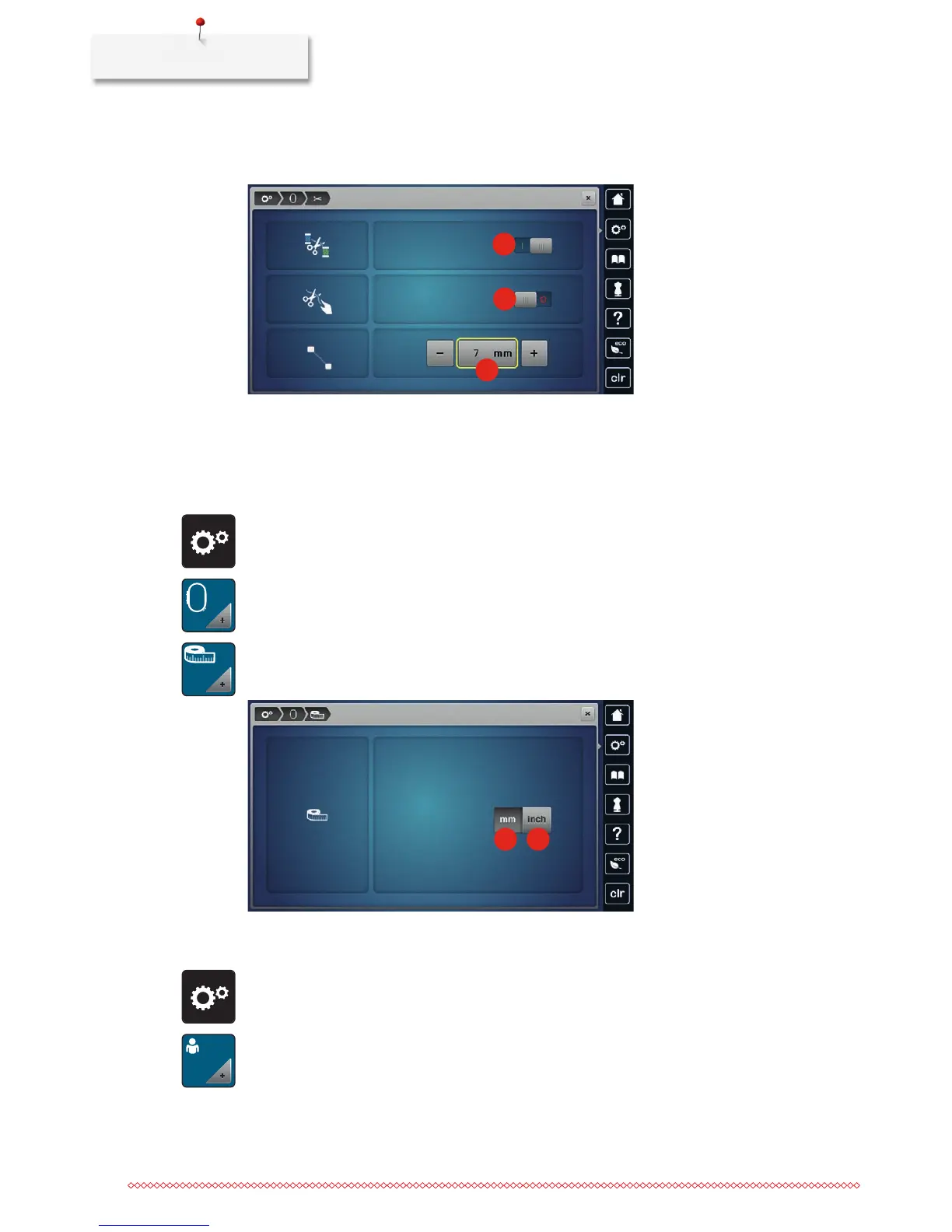
> Touchtheswitchinthemiddlesectionofthedisplay(2)againandthemachinewon'tstopforamanual
thread cut.
> Touch the icons «-» or «+» (3) to adjust the length from where the connecting stitches are cut.
1
2
3
> Touch the yellow-framed icon to reset the alteration to default setting.
Changing the measuring unit
The measuring unit in the embroidery mode can be changed from mm to inch. The standard setting is in
mm.
> Touch the icon «Setup Program».
> Touch the icon «Embroidery settings».
> Touch the icon «Change measuring unit».
> Touch the icon «Inch» (2) to change the measuring unit in the embroidery mode to inch.
> Touch the icon «mm» (1) to change the measuring unit in the embroidery mode to mm.
1
2
3.3 Selecting personal settings
> Touch the icon «Setup Program».
> Touch the icon «Personal settings».
> Select the desired color of the display and the background.



 To Next Page