Creative embroidering
174
> Touch the icon «Confirm».
1
2
3
4
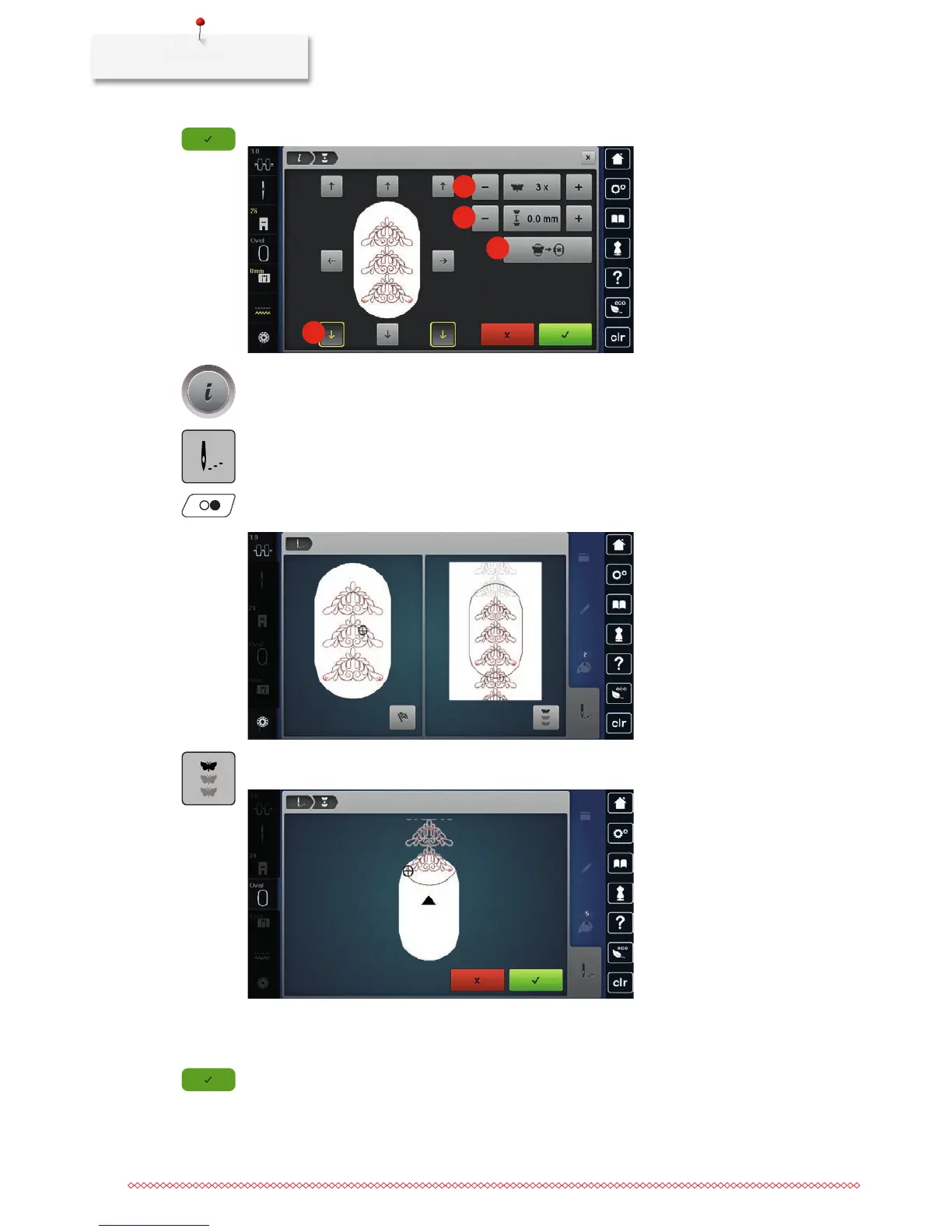
> Touch the icon «i»-Dialog.
> Touch the icon «Embroidering».
> Push the button «Start/Stop» and embroider the border.
– The embroidery motif must be embroidered completely.
> Touch the icon «Endless Embroidery» when the reference points have been embroidered.
– An animation indicates that the fabric must be rehooped.
> Remove the hoop and rehoop the fabric so that the stitched out reference points are in the upper part of
the embroidery area and at least 3 cm (1.18 inch) from the top edge of the hoop.
> Attach the hoop.
> Touch the icon «Confirm».
– The embroidery hoop is moved automatically close to the reference point.
– The icon «AUTO» is activated and the hoop moves automatically near the last reference point.



 To Next Page