Chapter 3 Parameters
Mini-Switch LB 471
Reading-in the zero count rate:
Go to code 32
Push "Enter" to get to the edit mode
Push „Cal“ button
As soon as the counting time is over, the new count rate is
stored. The counting time can be set in code 37.
See page 12 for more information on reading in count rates.
If the value is changed, then you have to carry out a new calibra-
tion for the change to become effective!
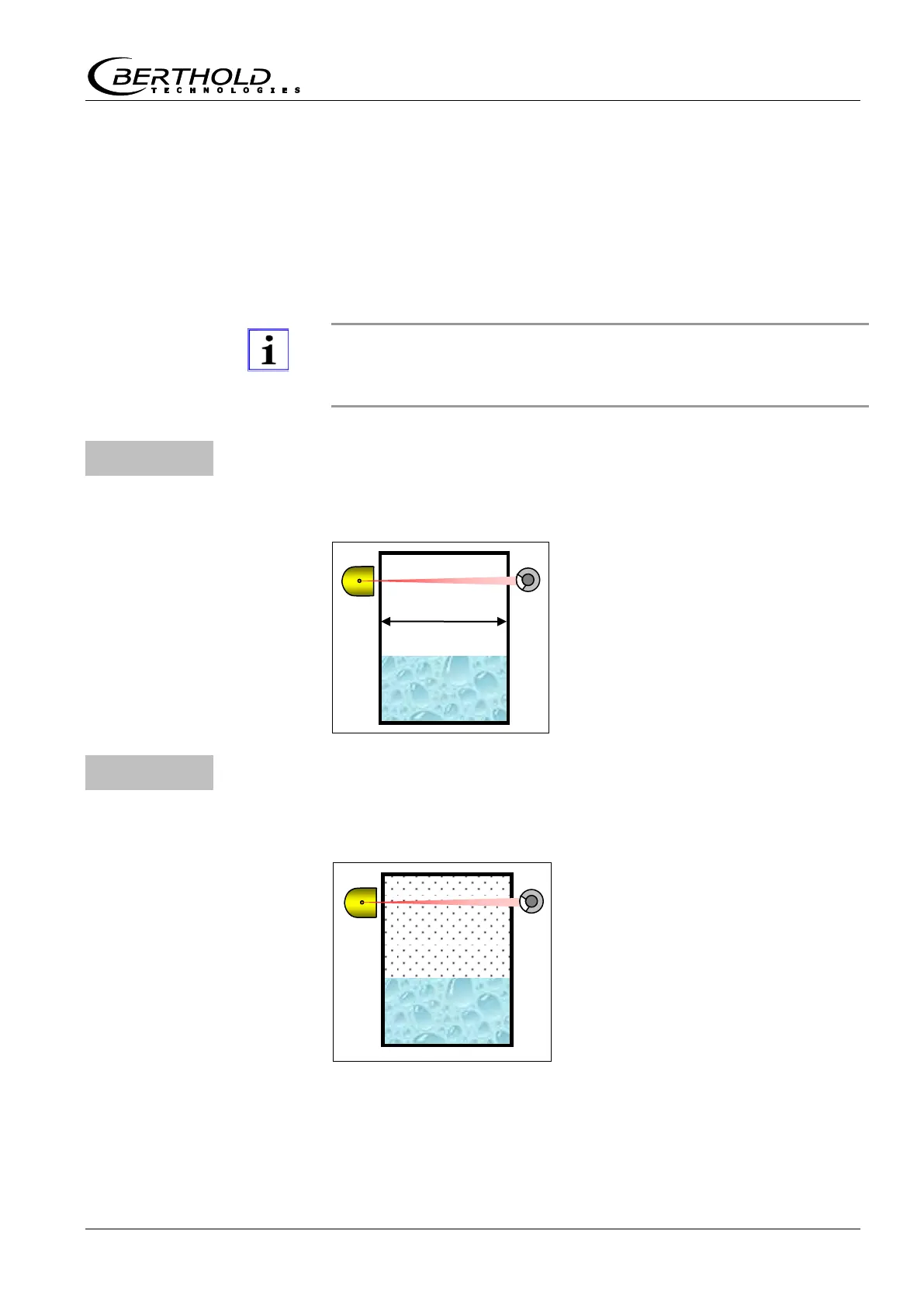
Measuring path (in mm)
Enter container diameter or measuring path in the product
(Only in the professional mode)
This parameter is needed only in
connection with code 34 or 35.
Enter here the distance covered by
the radiation inside the container
(in mm). Typically, this is the inter-
nal diameter of the container.
If you enter "0" the function is disa-
bled.
Gas density (in kg/m³)
Enter gas density at high operating pressures
(Only in the professional mode)
If high gas pressures are expected in
the container under operating condi-
tions and you can carry out the
empty calibration only in a state
without pressure, the empty count
rate in code 30 has to be corrected
accordingly, because the empty
count rate is decreasing as the gas
pressure is rising.
You can carry out automatic correc-
tion with code 34.
If you enter "0" the function is disa-
bled.
Figure 3:
Measuring path
in container
Figure 4:
Container with
gas pressure



 To Next Page