Plates
48
Experiment Settings Window
To open the Experiment Settings window, follow one of these options:
• In the Plate Editor, click the Experiment Settings button
• While analyzing data in the Data Analysis window, click the Experiment Settings
button in the Gene Expression tab
Open the Experiment Settings window to view or change the list of Targets and Samples
(Figure 41) or to set the gene expression analysis sample group to be analyzed if Collection
Names have been added to the wells.
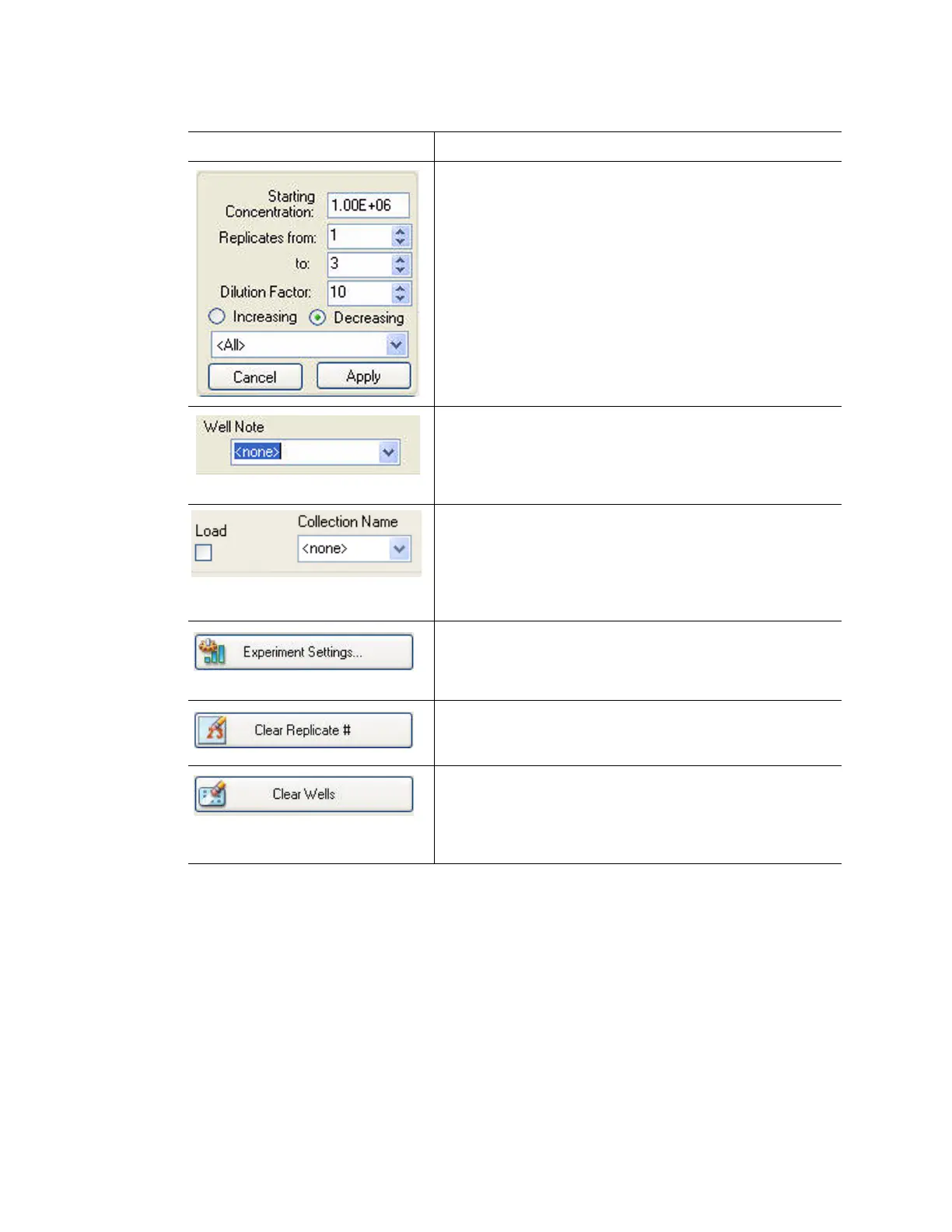
Click the Dilution Series button to enter a dilution series
for the concentration of Standard samples, and load a
standard curve
Enter the Starting Concentration for the dilution series,
the Replicates from (starting replicate number) and to
(ending replicate number), and the Dilution Factor
(amount to change the concentration with each replicate
group). Select Increasing for a dilution series that
increases, or select Decreasing for a dilution series that
decreases. Finally, select the fluorophore used for the
dilution series from the pull-down menu and click Apply
Select Tools > Show Well Notes to show this pane. Enter
notes about one or more wells by selecting the wells and
typing the notes in the pull-down menu. Any notes you
add appear in the spreadsheet on the Quantitation Data
tab (page 78)
Select Tools > Show Collection Name to show this
pane. Enter sample collection information about one or
more wells by selecting the wells and typing a collection
name in the pull-down menu. Any collection name you
add to wells appear in the Gene Expression Analysis
window and enables sample grouping options
Click the Experiment Settings button to open the
Experiment Settings window to manage the lists of
Targets and Samples, and to set up a gene expression
experiment
Click the Clear Replicate # button to clear the replicates
numbers in the selected wells
Click the Clear Wells button to clear all content in the
selected wells
NOTE: Clicking the Clear Wells button permanently
removes the content of the wells.
Table 17. Options for loading the plate and wells in the Plate Editor (continued)
Option Function



 To Next Page