15
.
4
5
6
.
.
F
LL L
T
L T T F
1. SYSTEM SETTING:
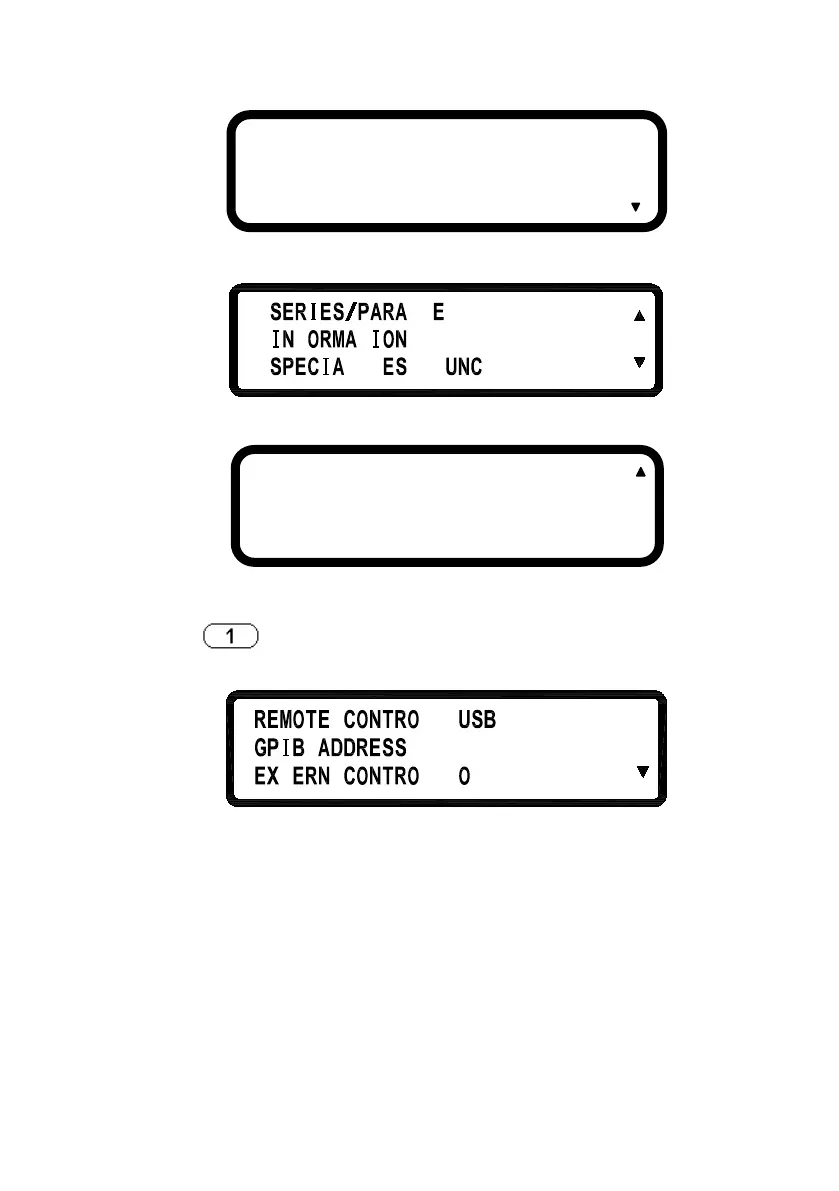
Pressing
key in the first page of Menu Setting will enter the
following “SYSTEM SETTING” menu.
REMOTE CONTROL:
Choose the remote interface
(
USB/GPIB/ETHERNET)
*GPIB and ETHERNET available only
with on models with “-GL” suffix
*USB control requires installing USB
drivers first.
*
USB interface is a virtual COM port. The settings are:
Baudrate : 57600 bps
1 . SYSTEM SETTING
2 . OUTPUT SETTING
3 . PROTECTION
7 . TIMER CONTROL
8 . CALIBRATION
9 . CHAIN SETTING












 To Next Page