16
Data bit : 8
Parity check : none
Stop bit : 1
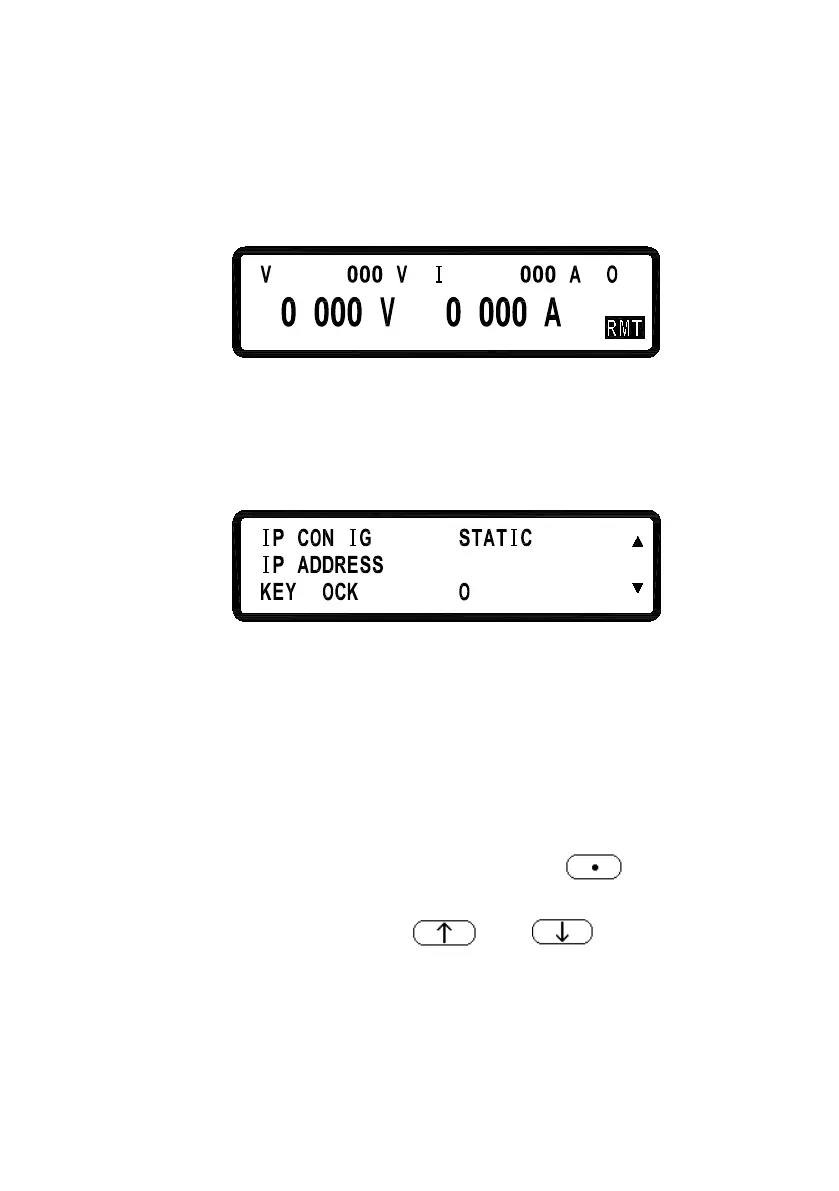
*When entering the Remote mode, screen will present RMT indicator as
shown in the following picture.
GPIB ADDRESS:
Set up GPIB ADDRESS (1-30)
EXTERN CONTROL:
Set up the external
control (VOLT 0-10 V or 0-5 V), res
control (RES 0-5K) or off (OFF).
=
5
F
52=
= F
552. 552. 552
.
F
L
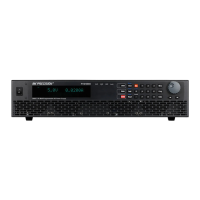
IP CONFIG:
STATIC : User can input IP address
IP ADDRESS:
If IP CONFIG is set to STATIC, users can enter
static IP address here.
Note:
If you are not sure of the IP settings, consult
your network administrator.
KEY LOCK:
While exiting the setting screen after en
LOCK, all keys except the key
Only this key can disable KEY LOCK.
*Simultaneously pressing both and keys in the main
screen can also lock keys.
*While entering KEY LOCK state, screen will present LCK indicator in
the bottom right corner.












 To Next Page