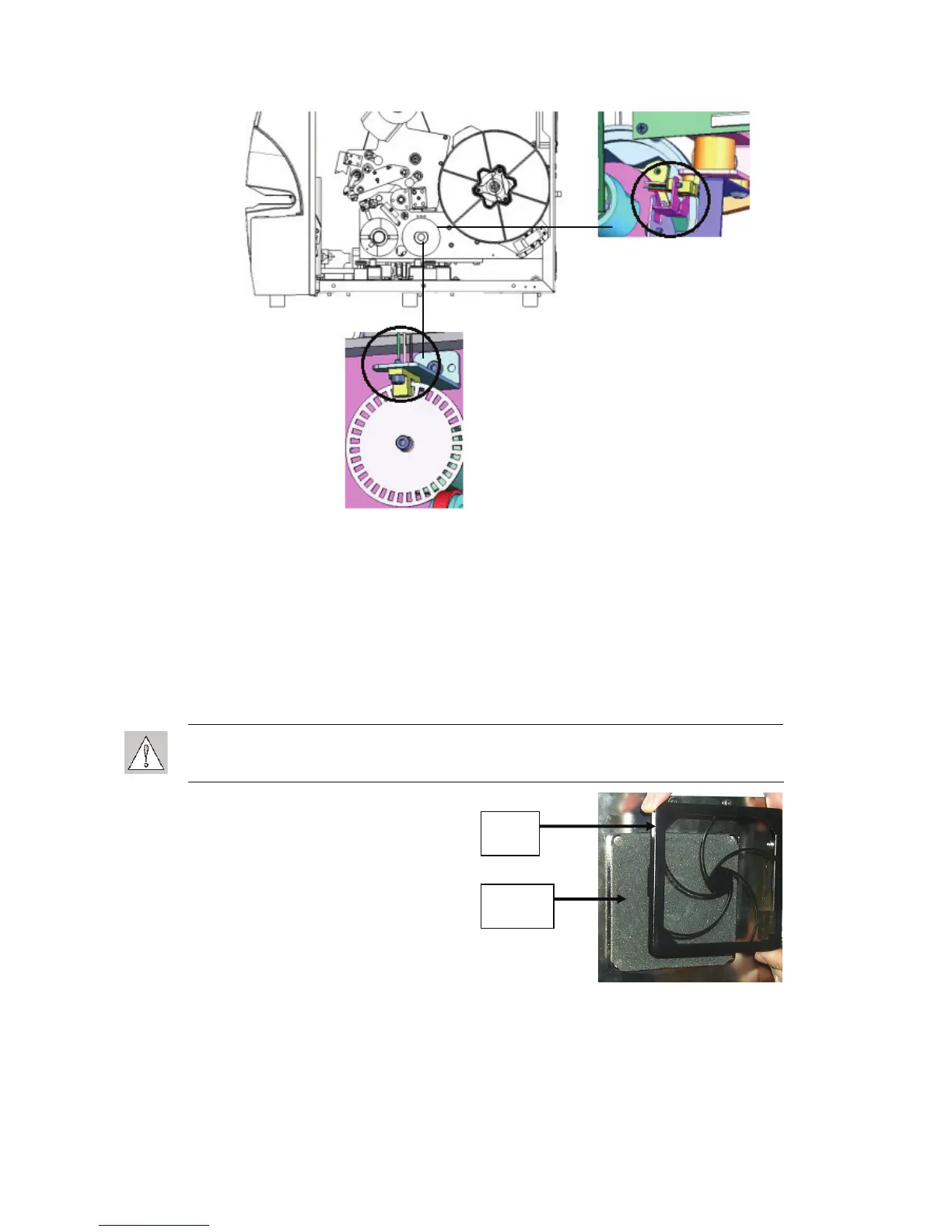
Figure 41. Tilt and Ribbon Out Sensors
The tilt sensor is located behind the printer mechanism on the upper right-hand side.
The ribbon out sensor is located behind the ribbon path. The ribbon sensor should rarely,
if ever, require cleaning.
6. Close the unit doors.
7.1.7 Cleaning the Fan Filter
CAUTION: You must clean the fan filter of accumulated dust.
To clean the fan filter:
1. Remove (pull off) the grate from the fan
located on the back of the Wraptor.
2. Remove the filter.
3. Clean the filter by using either of these
methods:
Blow clean air through it.
Wash it with a mild detergent and
allow it to dry.
grate
filter
4. Replace the clean filter over the fan.
5. Snap the grate back into place over the filter.
The fan filter is a replacement part that you can order. See
Accessories on page 72.
Wraptor™ User’s Guide 63



 To Next Page