7.2 Lubrication
Some Wraptor parts will need occasional lubrication in order to keep the unit running smoothly. It is
recommended that you check the following items for proper lubrication every 6 months to one year.
NOTE: Do not over-lubricate any of the parts. Make sure to wipe off any excess oil or
grease.
NOTE: The following procedures require that you remove the label material and/or
ribbon prior to performing the maintenance. Remember to reload material before
attempting to print/wrap labels.
7.2.1 Oiling the Slide Track
The slide track carries the printer back and forth. Although it comes pre-oiled, you should inspect it and re-
oil as needed.
1. Press the Load Labels button on the Setup tab menu. This shuttles the printer to the “shuttle-back”
position.
2. Power off and unplug the Wraptor.
WARNING: You must power off and unplug the Wraptor
prior to performing any cleaning or maintenance!
3. Open the side door on the Wraptor.
4. Remove the ribbon.
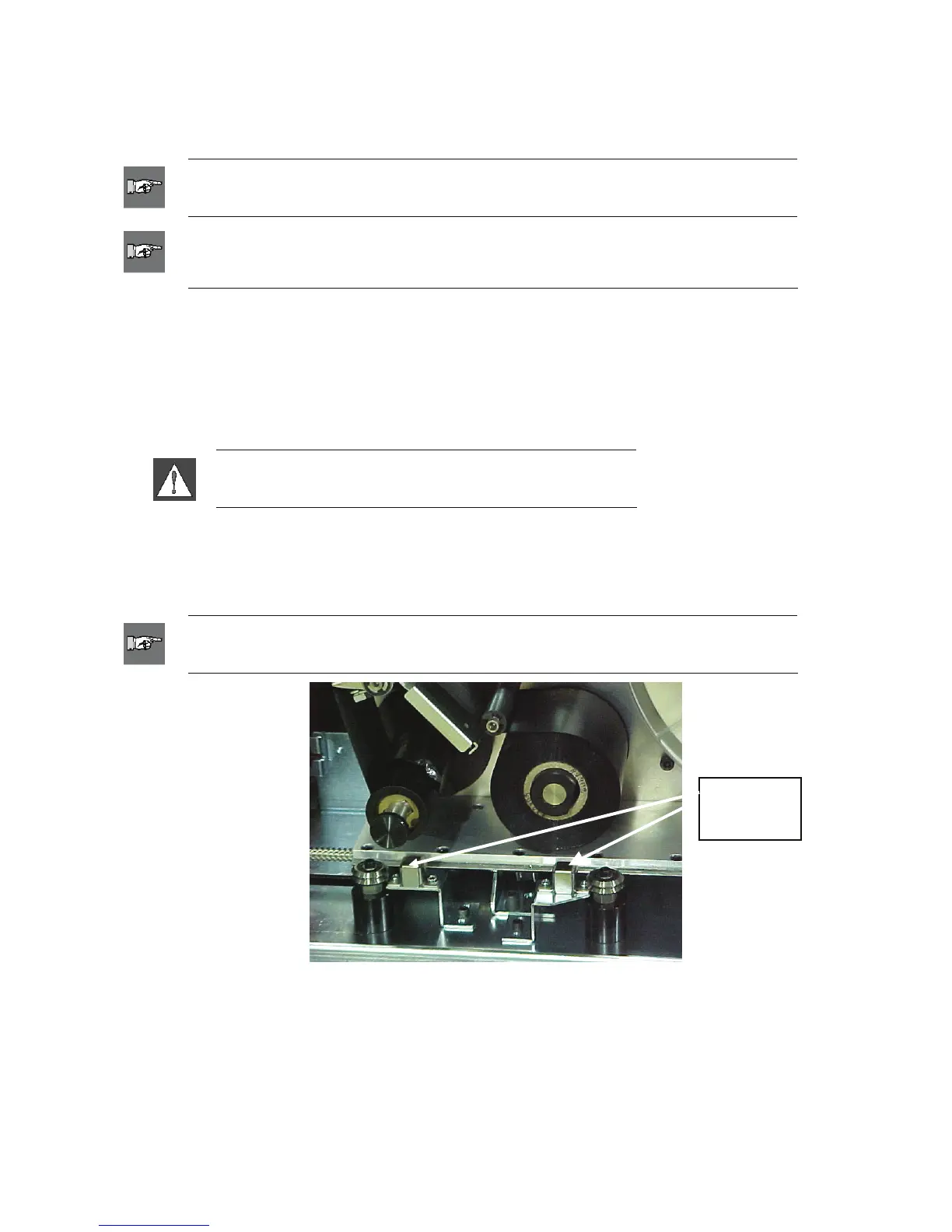
5. Inspect the two oilers (shown below) on the outside of the slide track.
6. If dry, add a few drops of light machine oil.
NOTE: There are four oilers. Two are on the outside of the slide track (shown below),
and two are located opposite these on the inside of the slide track.
Oilers
(Outside)
Figure 42. Oil Slide Track
7. Inspect the two oilers on the inside of the slide track: To access the inside oilers:
Manually shuttle the slide track back until the access hole (on the bottom of the track)
is aligned with the front/inside oiler.
Manually shuttle the slide track forward until the back/inside oiler is exposed.
8. Inspect and add a few drops of light machine oil to each oiler as needed.
9. Close the side door.
64 Wraptor™ User’s Guide



 To Next Page