7. ADJUSTMENTS
S-7300A
7-4. Adjusting the upper shaft reference position
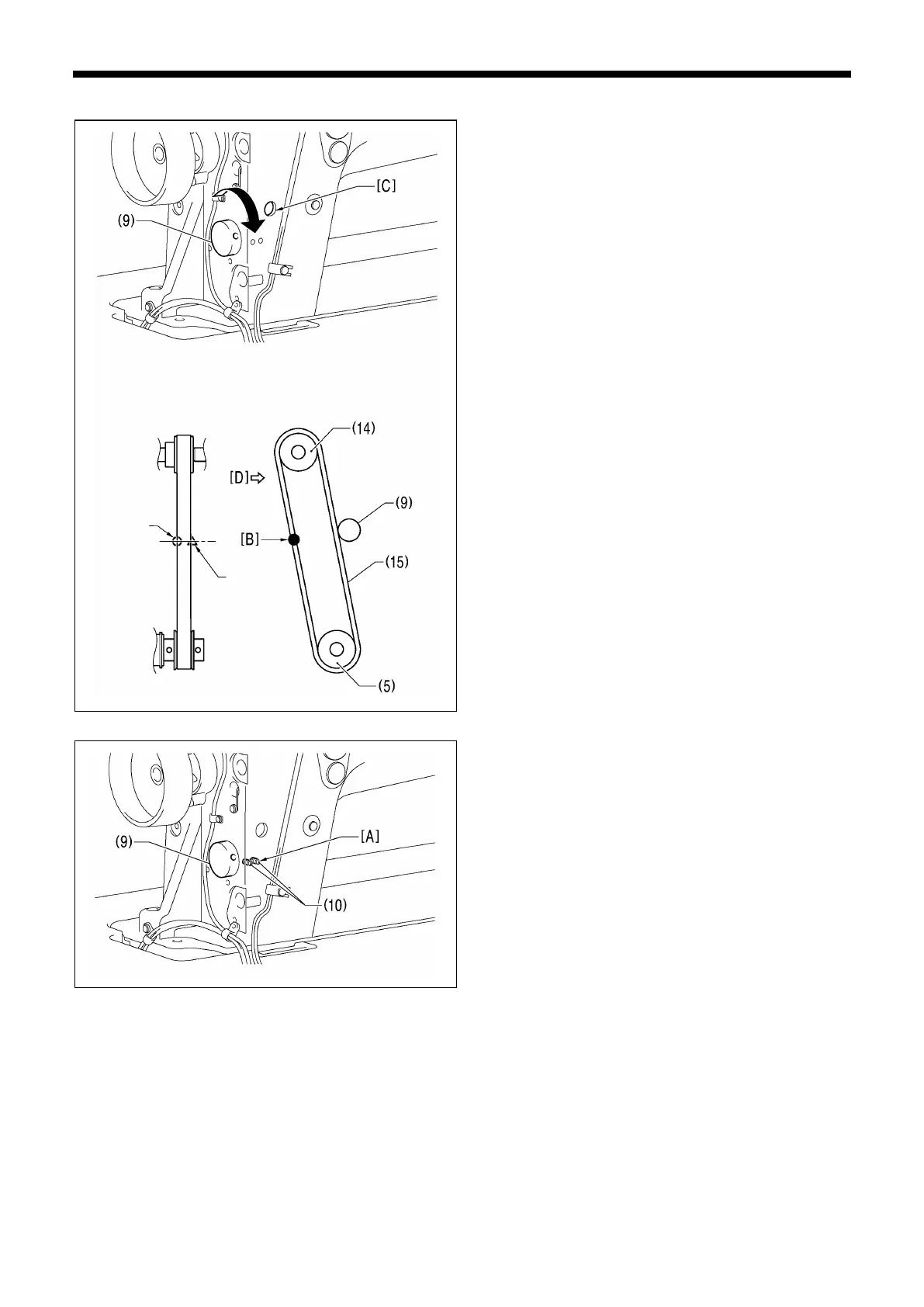
1. Turn the tension pulley (9) clockwise to adjust the tension
of the belt (15) which is fitted onto timing pulley U (14) and
timing pulley D (5).
2. Use a tension gauge to measure the belt tension near
point [B] while referring to "Measurement position" in the
illustration.
* To press the belt, insert a rod or similar through the hole
[C].
* Check that the value for the belt tension is within one of
the following value ranges. If it is not within the
corresponding value range, repeat steps 13) and 14).
[For a new belt: 95 ± 10 N; For a reused belt: 80 ± 20 N]
*
The tension gauge should be set to measure a unit weight
of 2.5 g/mm.m, a belt width of 15 mm and a span length of
220 mm.
* It is recommended that you use the Unitta U-508 tension
gauge.
3. Tighten the two set screws (10) of the tension pulley (9).
*
First tighten the set screw (10) at [A] shown in the
illustration.
tion



 To Next Page