7. ADJUSTMENTS
S-7300A
7-10-3. Adjusting the tension release wire position
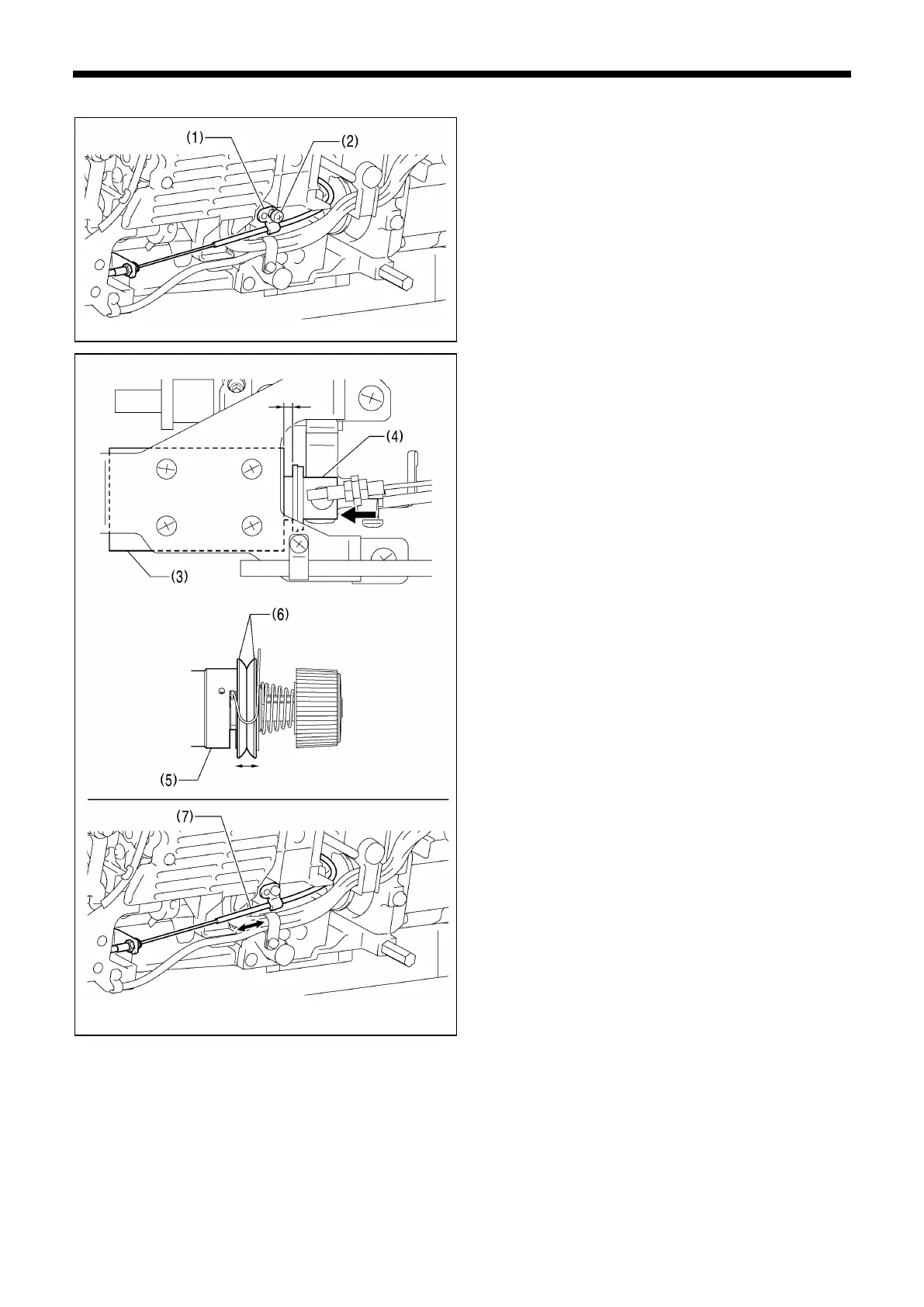
1. Loosen the screw (2) of wire holder D (1).
2. Push the plunger (4) of the thread trimming solenoid (3)
with your finger in the direction of the arrow.
3. Move the sheath (7) of the tension release wire to the left
or right to adjust so that the main tension discs (6) of the
tension stud bracket assembly (5) are at the position
where they are just starting to open when the clearance
between the thread trimmer solenoid (3) and the plunger
(4) is 4 mm.



 To Next Page