S-7300A
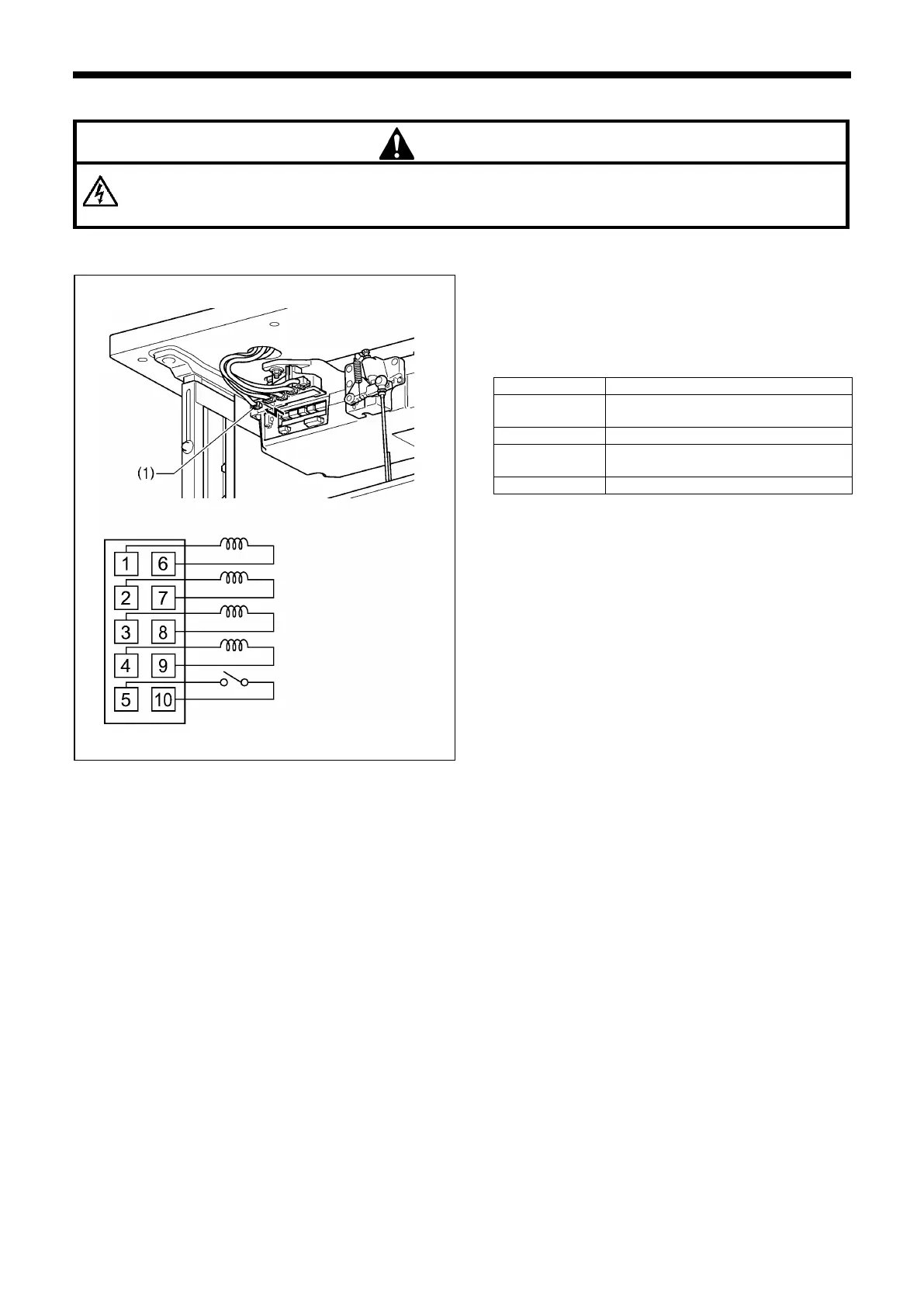
10-5. Checking the solenoids
Wait at least 5 minutes after turning off the power switch and disconnecting the power cord from the wall outlet
before opening the face plate of the control box. Touching areas where high voltages are present can result in
severe injury.
<Machine head>
1. Disconnect the solenoid connector 10P (1) from the
control box.
2. Measure the resistance of the solenoid connector (1)
using an ohmmeter in the x 1 range.
If the value is as shown in the table below, the connector
is normal.
Thread trimmer solenoid:
Approx. 7.6 Ω
Presser foot lifting solenoid (*1)
Thread wiper solenoid:
Approx. 10.1Ω
Presser foot lifter switch (*2)
(*1) Depends on which solenoid is installed
(*2) 0 Ω when switch is ON, ∞ Ω when switch is OFF
Presser foot lifting solenoid
Presser foot lifter switch



 To Next Page