7. ADJUSTMENTS
S-7300A
7-6. Adjusting the needle bar height
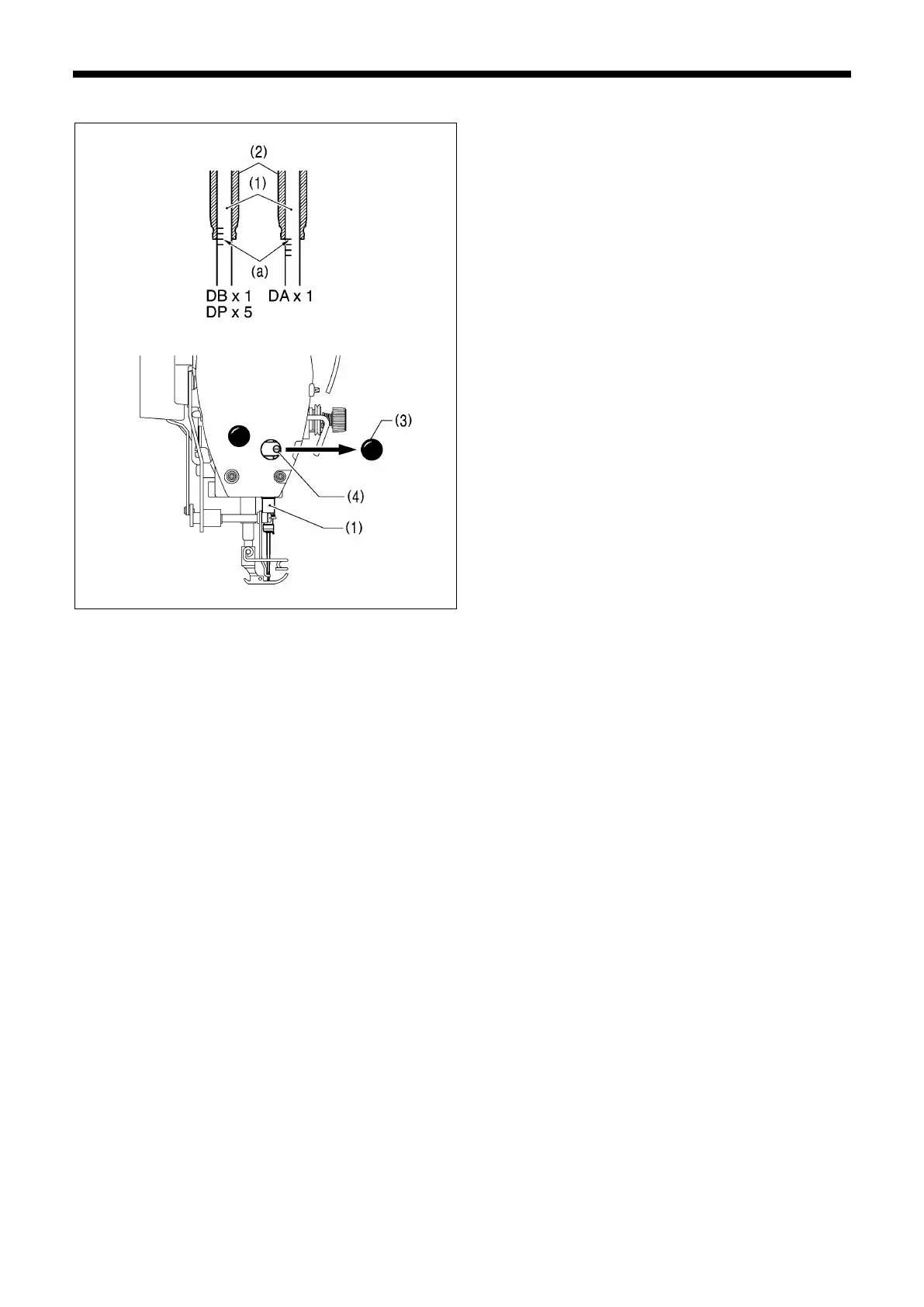
Reference line (a) on the needle bar (1) should be aligned
with the lower edge of the needle bar bush (2) as shown in
the illustration when the needle bar (1) is at its lowest
position.
1.
Turn the machine pulley to set the needle bar (1) to its
lowest position.
2.
Remove the rubber cap (3) from the face plate.
3.
Loosen the screw (4) and move the thread wiper (1) up or
down to adjust its position.
4.
Securely tighten the screw (4).
5.
Install the rubber cap (3).



 To Next Page