7. ADJUSTMENTS
S-7300A
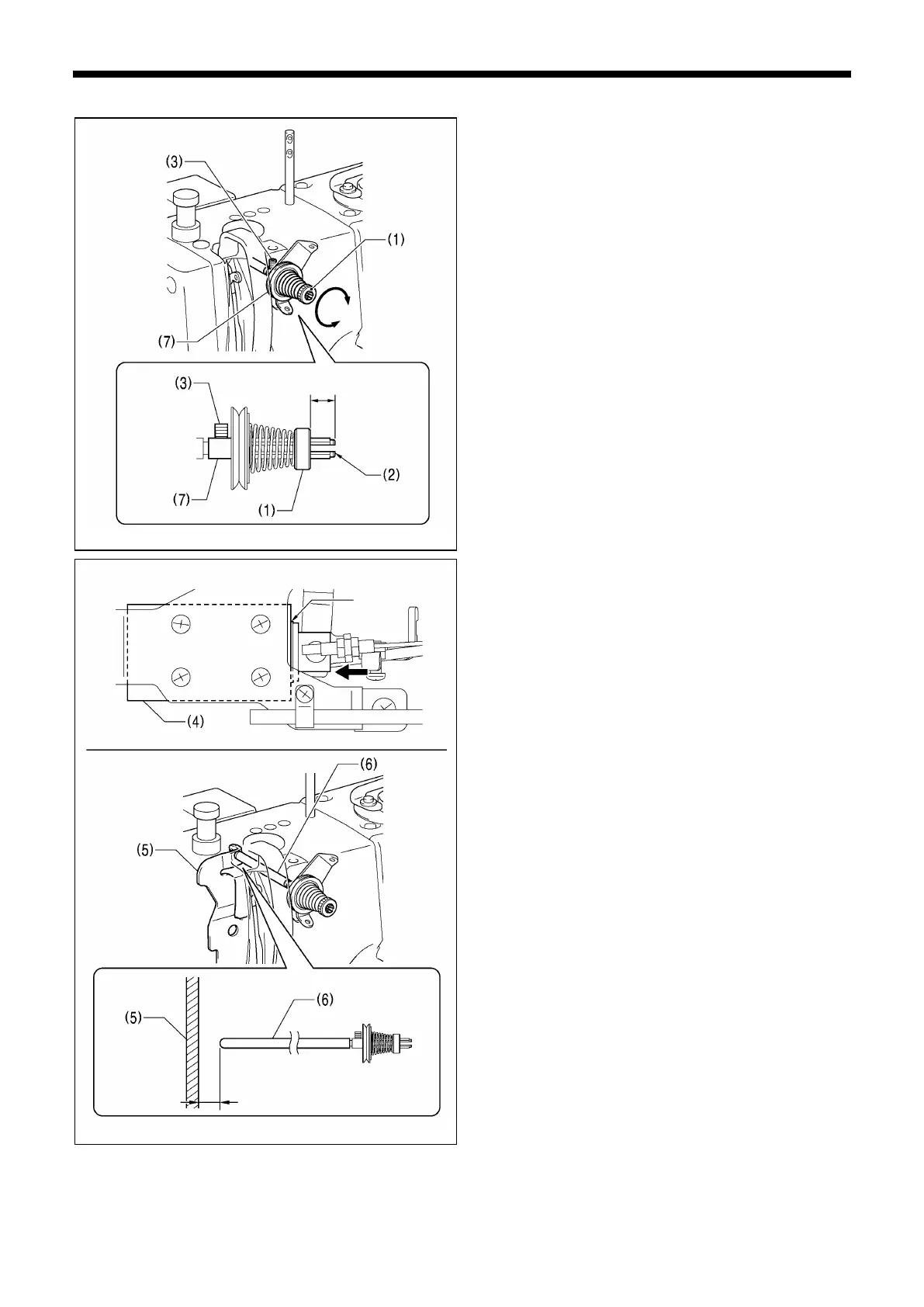
7-10-5. Adjusting the pre-tension assembly position (Premier specifications)
1. Tighten the tension nut (1) so that it is 11 mm from the
end of the screw (2).
2. Loosen the set screw (3).
3. Set the thread trimmer solenoid (4) to the ON position,
and then adjust the position of the pre-tension assembly
(7) so that the clearance between the tension release
plate (5) and tension release bar A (6) is 0.05 to 0.1 mm.
4. Tighten the set screw (3).
Thread trimmer solenoid ON position



 To Next Page