S-7300A
2. NOTES ON HANDLING
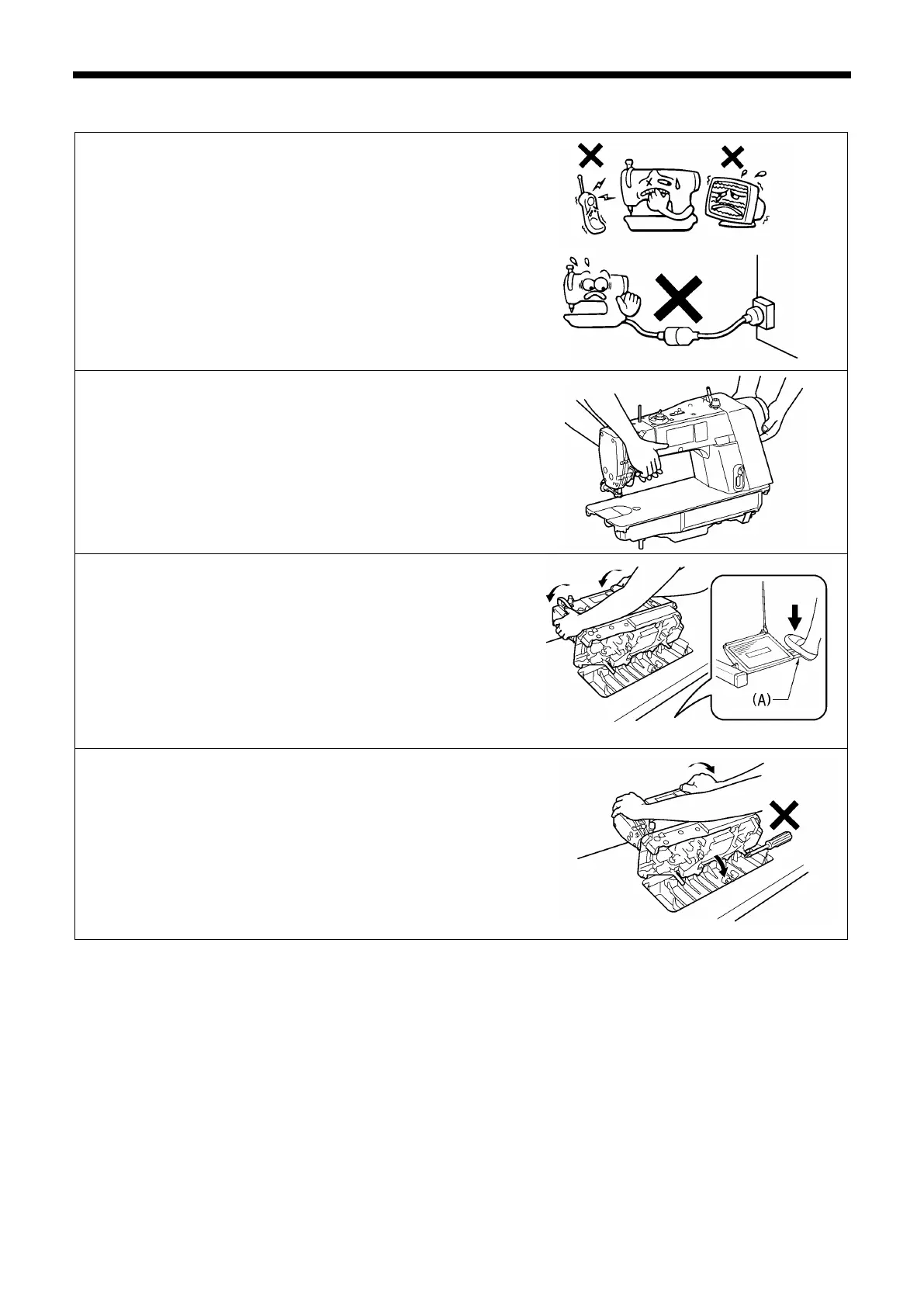
About the machine set-up location
・ Do not set up this sewing machine near other equipment such as
televisions, radios or cordless telephones, otherwise such
equipment may be affected by electronic interference from the
sewing machine.
・ The sewing machine should be plugged directly into an AC wall
outlet. Operation problems may result if extension cords are
used.
Carrying the machine
・ The sewing machine should be carried by the arm and the pulley
cover by two people as shown in the illustration.
* Do not hold by any part other than the pulley cover. If this is not
observed, it may result in damage to the sewing machine.
* Do not hold the operation panel.
Tilting back the machine head
・ Hold section (A) with your foot so that the table does not move,
and then push the arm with both hands to tilt back the machine
head.
* Do not push the operation panel.
Returning the machine head to the upright position
1. Clear away any tools, etc. which may be near the table holes.
2. While holding the face plate with your left hand, gently return the
machine head to the upright position with your right hand.
* Do not hold the operation panel.



 To Next Page