S-7300A
3-8. Error history
<Switching to error history mode and error history checking method>
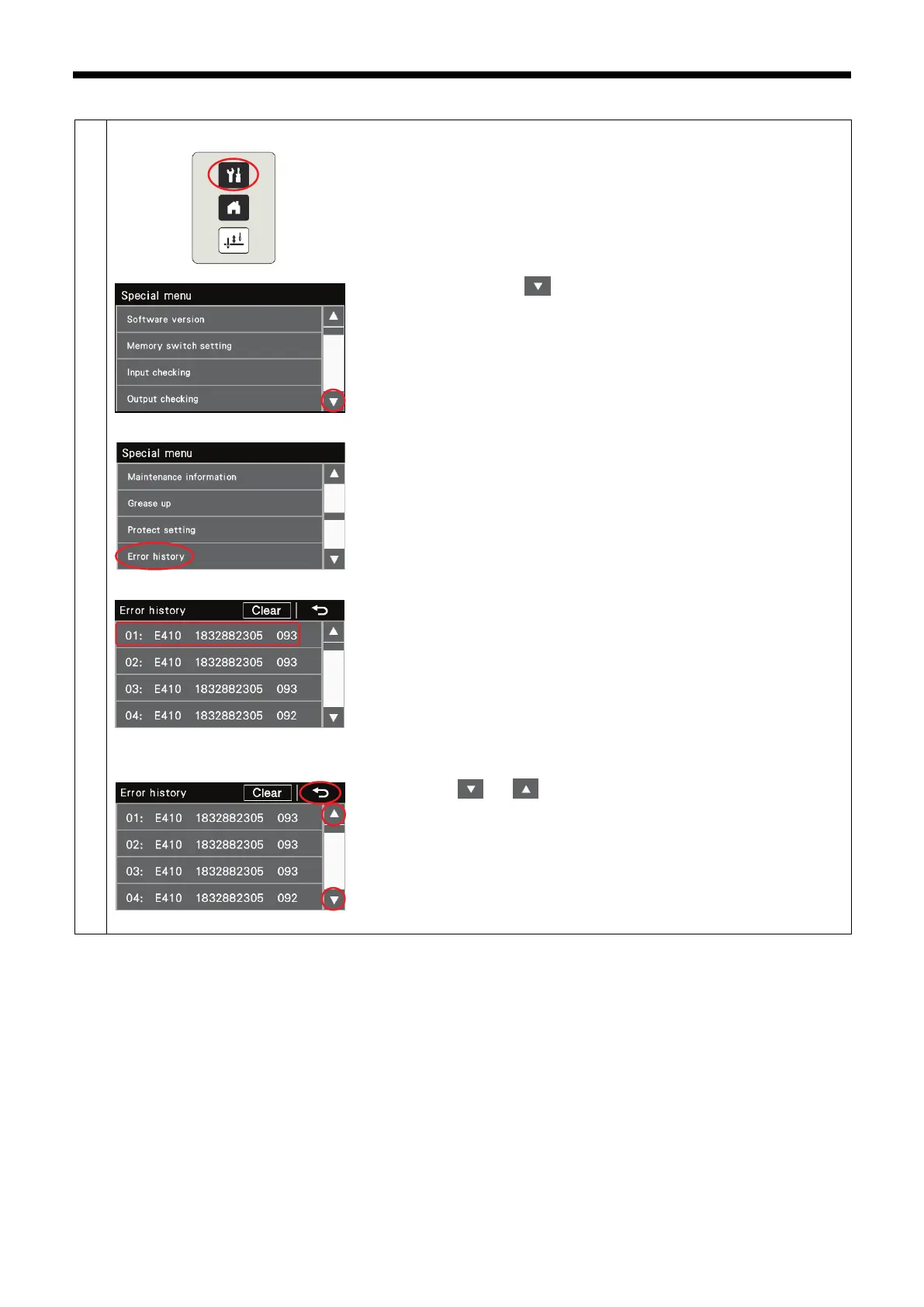
1. While pressing the menu key, turn on the power to switch to the special
menu screen.
2. Press the cursor key [ ] once to switch to the next menu screen.
3. Select "Error history".
4. Error items (1) are displayed on the screen four at a time. Starting from
the left, each error item contains a history number, an error code, the
accumulated motor running time in seconds (10 digits) and the power
supply voltage in the control box.
NOTE:
E064 - E067, E095, E400, E424, E440, E441, E705 and E880 - E889
do not remain in the error history, and so they are not displayed.
5. Press the [ ] or [ ] key (2)to change the screen one page at a time.
Up to 96 error items (01 - 96) are stored in order starting from the newest.
The error with history number "01" is the newest in the history.
Press the return key (3) to return to the special menu screen.



 To Next Page