S-7300A
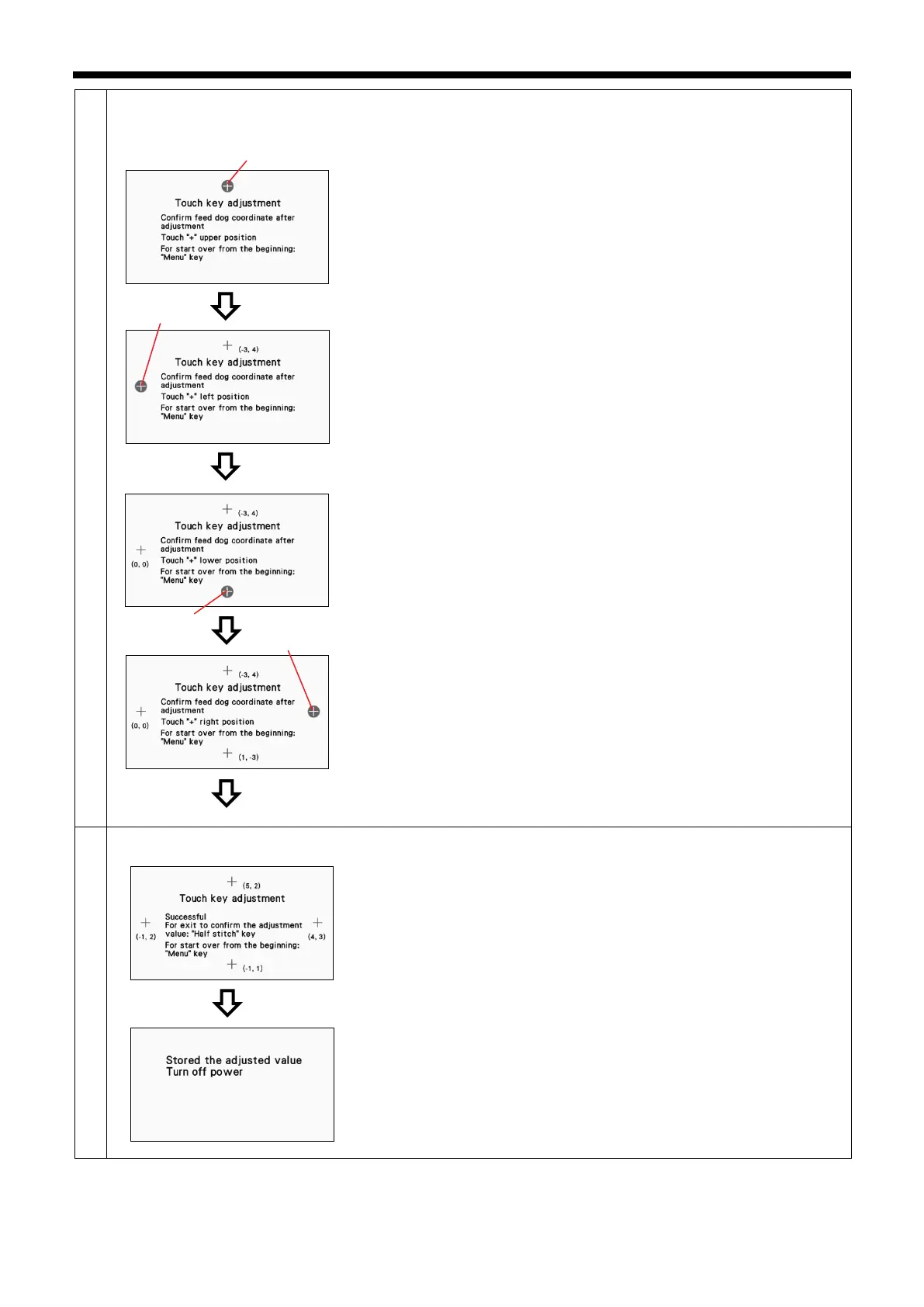
<Touch key adjustment mode (coordinate checking)>
This procedure measures the error between the coordinates at the centers of
the keys and the coordinates which are read at four places on the screen.
1. Press the center of the "+" mark (1) at the center-top.
2. If the error is within the allowable range (-5 to
displayed.
On the other hand, if the error is outside the allowable range, the buzzer
will sound twice, so repeat the operation.
3. Press the center of the "+" mark (2) at the center-left.
4. If the error is within the allowable range (-
5 to +5), the next screen is
displayed.
On the other hand, if the error is outside the allowable range, the buzzer
will sound twice, so repeat the operation.
5. Press the center of the "+" mark (3) at the center-bottom.
6. If the error is within the allowable range (-
5 to +5), the next screen is
displayed.
On the other hand, if the error is outside the allowable range, the buzzer
will sound twice, so repeat the operation.
7. Press the center of the "+" mark (4) at the center-right.
8. If the errors are within the allowable range (-5 to +5), the adjustment value
confirmation checking screen is displayed.
On the other hand, if the error is outside the allowable range, the buzzer
will sound twice, so repeat the operation.
<Adjustment value confirmation checking>
1. To confirm the adjustment values and exit, press the half stitch key.
On the other hand, if you would like to repeat the procedure from the
beginning, press the menu key.
* The procedure returns to step 2.
2. Once the adjustment values have been saved, turn off the power.
(1)
(2)
(3)
(4)



 To Next Page