147
Type 8692, 8693
english
DeviceNet
7.1 Explanations of the Menu Options in the BUS.COMM Menu
ENTER
Address X
BUS FAIL
BAUDRATE
INPUT
SELEC
+
-
OK
SafePos off
EXIT
ENTER
ENTER
125 kBd
Address: XXX
SafePos on
250 kBd
500 kBd
EXIT
EXIT
BUS.COMM
*
SELEC
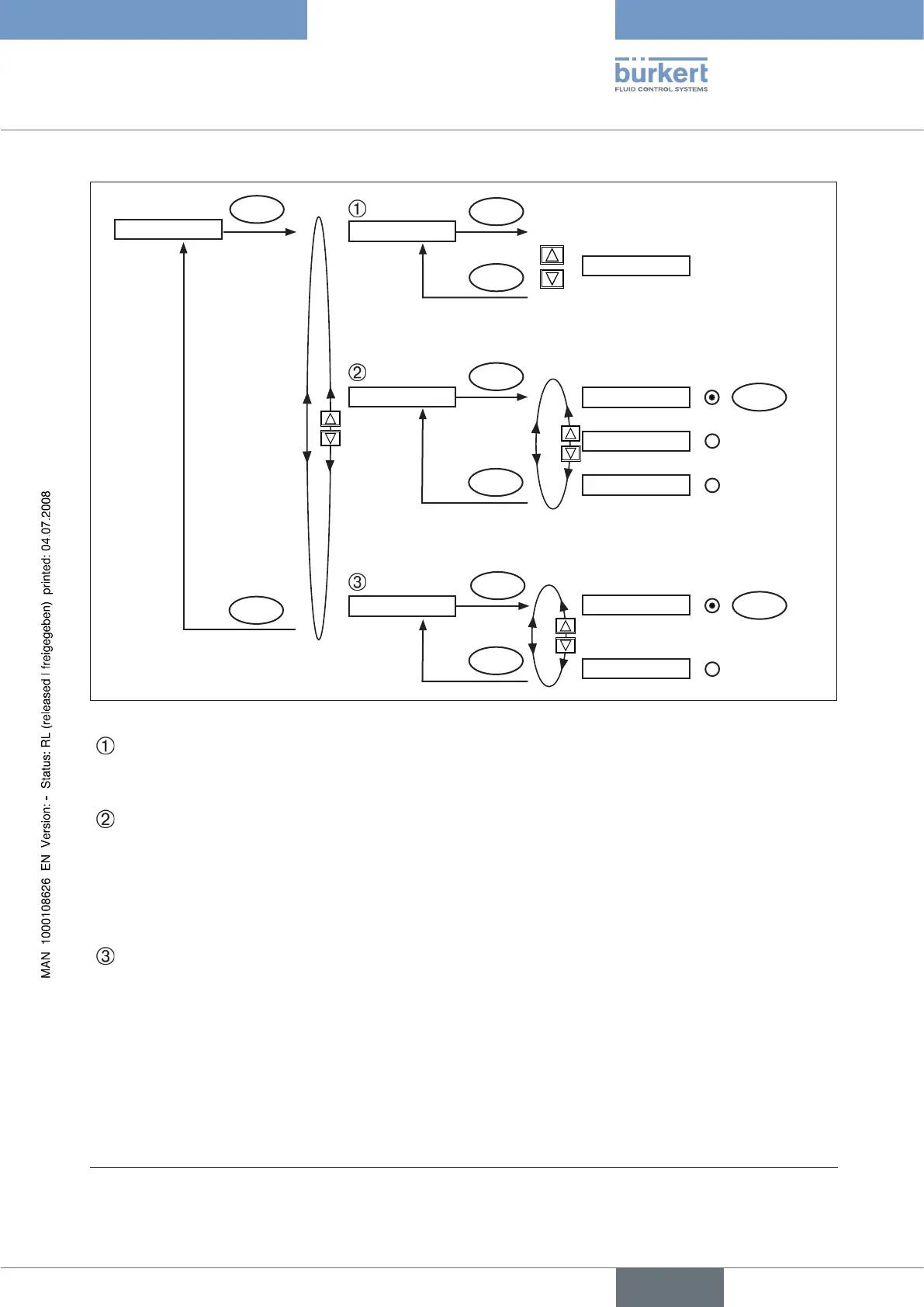
Fig. 6: Operating structure - BUS-COMM - DeviceNet
Address XXX
Input the device address
Press the arrow keys (+/-) to set values from 0 – 63;
Confirm by pressing the selection key on the right (OK).
BAUDRATE
SafePos off
SafePos on
The baudrate can be changed either by pressing the operator keys on the device or via the bus.
In either case a change has no effect until a reset (send a reset message to the identity object)
or power up is implemented. This means if the changed baudrate attribute is accessed before a
reset or power up, the read (changed) value does not agree with the still current baudrate
(to be changed) of the network.
Select 125 kbit/s, 250 kbit/s or 500 kbit/s
BUS FAIL
SafePos off
SafePos on
Activate to approach the safety position if the bus communication fails.
The position is approached which corresponds to the set-point value last transferred.
(Default setting)
If SafePos on is set, the following configurations may occur:
Active • SAFEPOS
menu option If a fault is detected in the bus communication, the actuator moves to the lower
SAFEPOS set position.
Inactive • SAFEPOS
menu option If a fault is detected in the bus communication, the actuator moves to the end
position which it would specify in the isolated state.
* If the sub-menu is left by pressing the selection key on the left (ESC), the value remains unchanged.



 To Next Page