38
Type 8692, 8693
english
Control and display elements,
operating modes
3 OPERATING LEVELS
The menu structure in the control module of the positioner contains 2 operating levels:
Level 1: Operate process•
Operating mode AUTOMATIC → Process / input data displayed
MANUAL → Actuator opened and closed manually
Level 2: Parameterization and Configuration•
Input operating parameters
Supplement the menu with optional menu options
3.1 Switching between the Operating Levels
If AUTOMATIC operating mode has been set when switching from level 1 (Operate process) to level 2 (Parameterization
and Configuration), the process continues running while positioner settings are implemented on level 2.
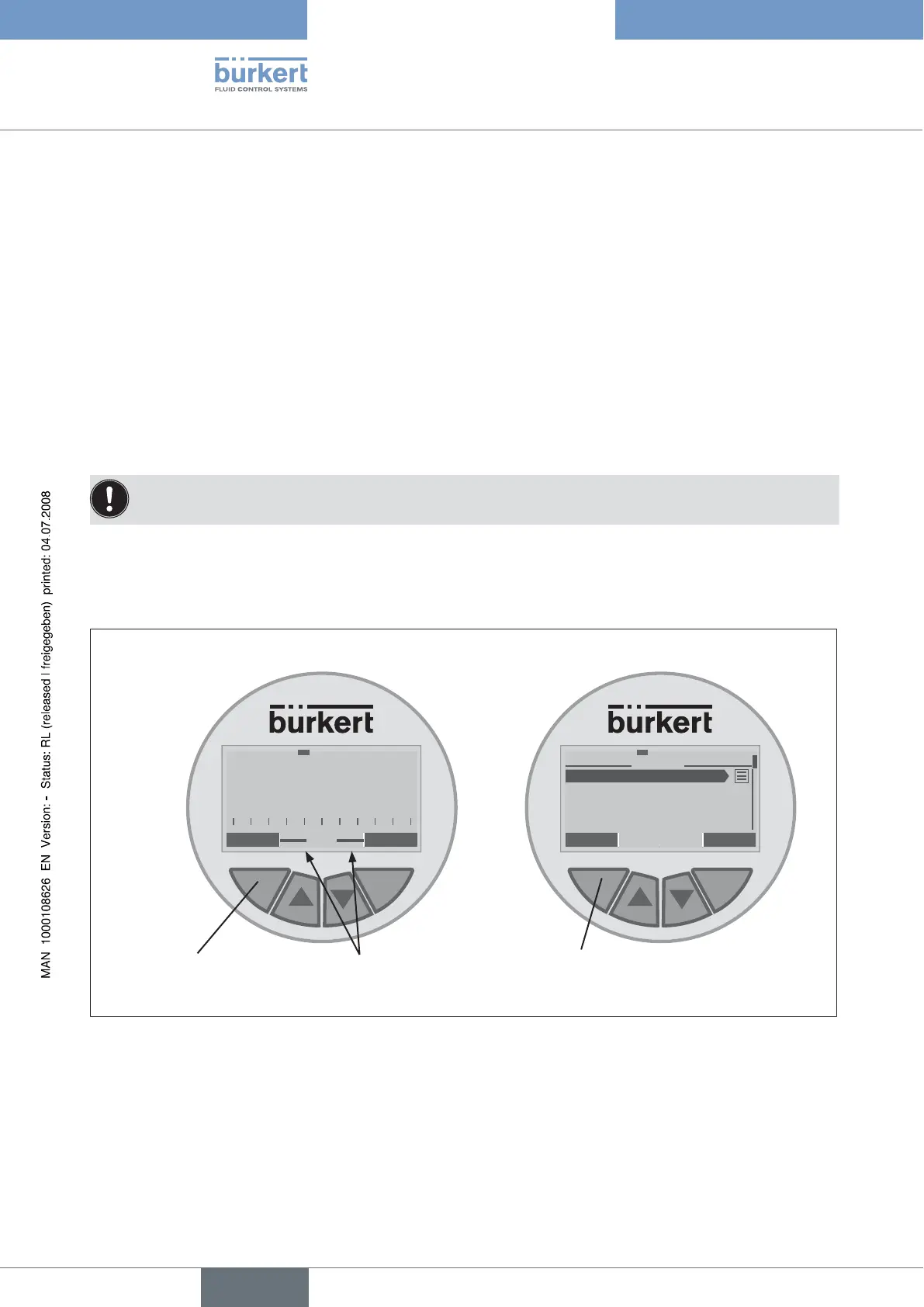
To switch from level 1 (Operate process) to level 2 (Parameterisation), press the selection key on the left (MENU) for ap-
→
prox. 3 seconds.During these 3 seconds (Countdown) 2 bars converge (see Fig. 3).
To switch back from level 2 (Parameterization and Configuration) to level 1 (Operate process), press the selection key on
→
the left (EXIT).
MENU
MANU
Press selection key on
left for approx. 3 sec-
onds
2 bars which converge-
Countdown
EXIT ENTER
1
M A I N
ACTUATOR
INPUT
X. TUNE
ADD. FUNCTION
Switch to level 2: Parameterisation Switch back to level 1: Operate process
Press selection key
on left
Fig. 3: Switch operating level



 To Next Page