135Premio/Averso - 13/14 - Ausgabe 09/13 - 2354619 - BUE-0048-12EN
Appliances
9
Gas operation
Switching on:
Open the regulator tap on the gas bottle and the gas isolator tap "Refriger-
ator".
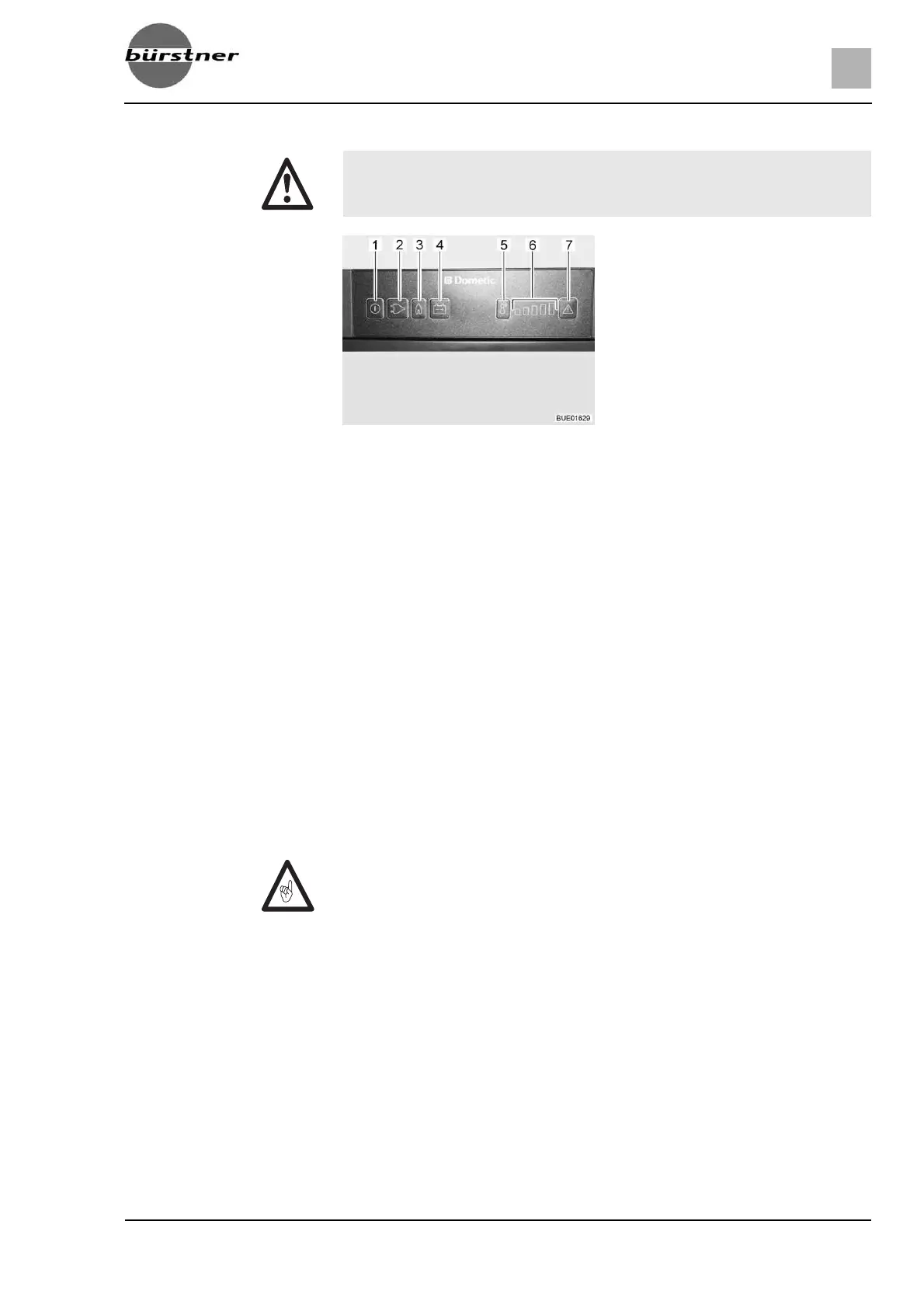
Press and hold the On/Off button (Fig. 171,1) for about 2 seconds. The
refrigerator switches itself on. The button of the operating mode chosen
most recently lights up.
If necessary, press the button for the operating mode "Gas" (Fig. 171,3).
The button lights up. Gas supply is open. Ignition will take place automati-
cally. A ticking sound can be heard until ignition has been completed suc-
cessfully.
Use the temperature range selection button (Fig. 171,5) to set the refriger-
ating temperature.
Switching off:
Press and hold the On/Off button for about 2 seconds. Refrigerator is
switched off.
Close the gas isolator tap "Refrigerator" and the regulator tap on the gas
bottle.
Electrical operation
The refrigerator can be operated with the following voltages:
z 230 V AC
z 12 V DC
Switching the 230 V
operation on:
Press and hold the On/Off button (Fig. 171,1) for about 2 seconds. The
refrigerator switches itself on. The button of the operating mode chosen
most recently lights up.
If necessary, press the button for the operating mode "230 V" (Fig. 171,2).
The button lights up.
Use the temperature range selection button (Fig. 171,5) to set the refriger-
ating temperature.
X Never let gas escape unburned due to danger of explosion.
Fig. 171 Operating controls for the
refrigerator (Dometic 8 series
with MES)
1 On/Off button
2 Illuminated button for "230 V" mode
3 Illuminated button for "Gas" mode
4 Illuminated button for "12 V" mode
5 Temperature range selection button
6 Temperature ranges display
7 Illuminated "Fault" button
Z Close the gas isolator tap "Refrigerator" when the refrigerator is operated
electrically.



 To Next Page