54 Premio/Averso - 13/14 - Ausgabe 09/13 - 2354619 - BUE-0048-12EN
Living
6
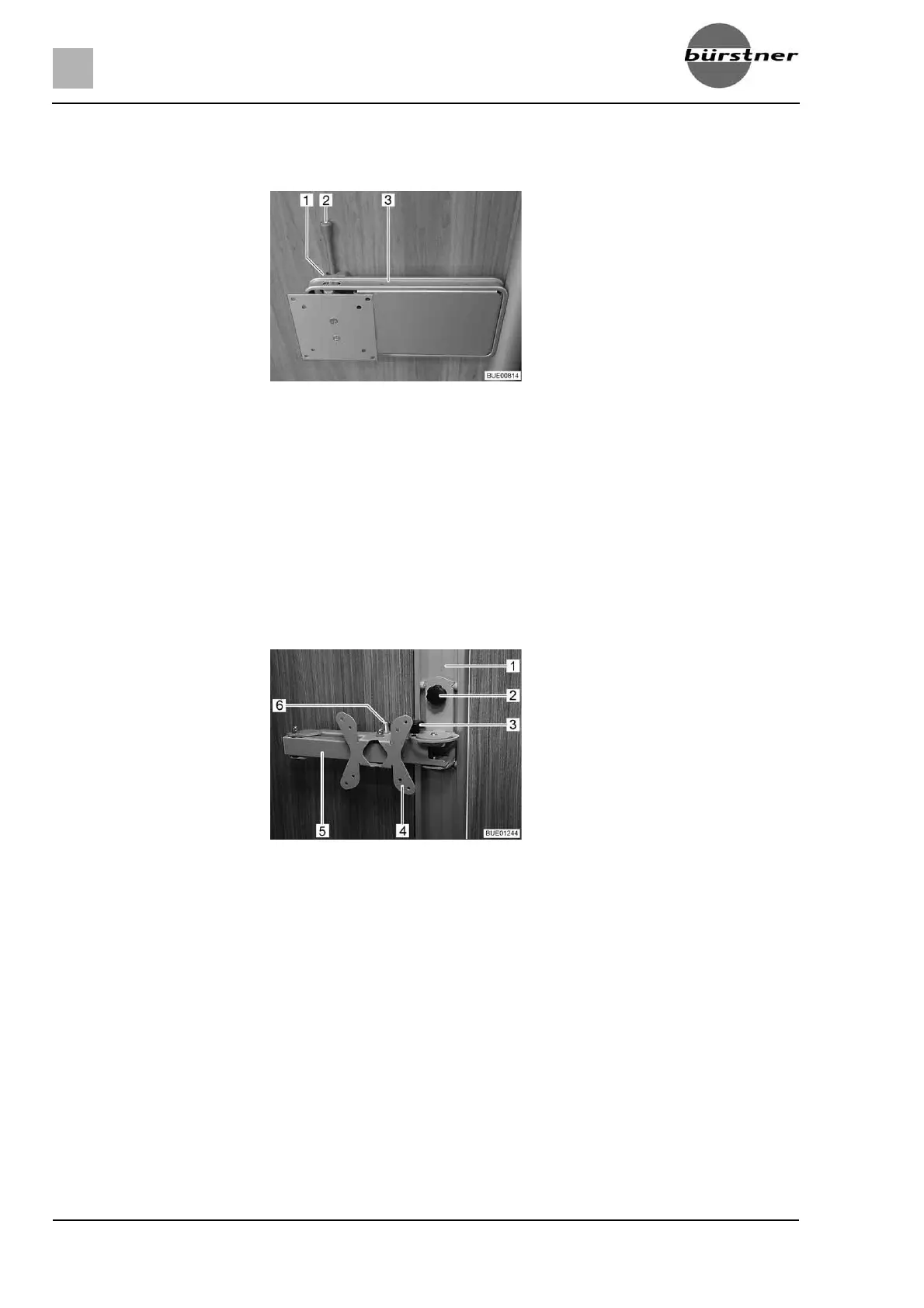
6.7.1 Holder on the column
The holder for the flat screen is attached to a column.
Positioning:
Push the release lever (Fig. 52,2) to the side and turn the holder (Fig. 52,3)
with the flat screen to the desired position.
Press flat screen slightly upward and swivel it to the desired position. Three
different inclination angles may be used.
Storing away:
Turn flat screen back until the holder (Fig. 52,3) engages in the lock
(Fig. 52,1).
6.7.2 Rail-mounted holder
The holder for the flat screen is fixed to a rail.
Positioning:
Undo the tommy screw (Fig. 53,2) and adjust the holder (Fig. 53,4) in the
rail (Fig. 53,1) until it is at the desired height.
Re-tighten the tommy screw.
Undo the tommy screw (Fig. 53,3).
Pull the release knob (Fig. 53,6). The jointed arm (Fig. 53,5) is unlocked.
Swivel flat screen into desired position.
Re-tighten the tommy screw (Fig. 53,3).
Storing away:
Undo the tommy screw (Fig. 53,3).
Swing the flat screen back into its original position until you hear the jointed
arm (Fig. 53,5) lock into position.
Re-tighten the tommy screw (Fig. 53,3).
Undo the tommy screw (Fig. 53,2), adjust the holder (Fig. 53,4) to the
desired height and re-tighten the tommy screw.
Fig. 52 Holder on the column
Fig. 53 Rail-mounted holder



 To Next Page