96 Premio/Averso - 13/14 - Ausgabe 09/13 - 2354619 - BUE-0048-12EN
Electrical system
8
When the vehicle is connected to the 230 V power supply, the living area bat-
tery is charged by the power supply unit.
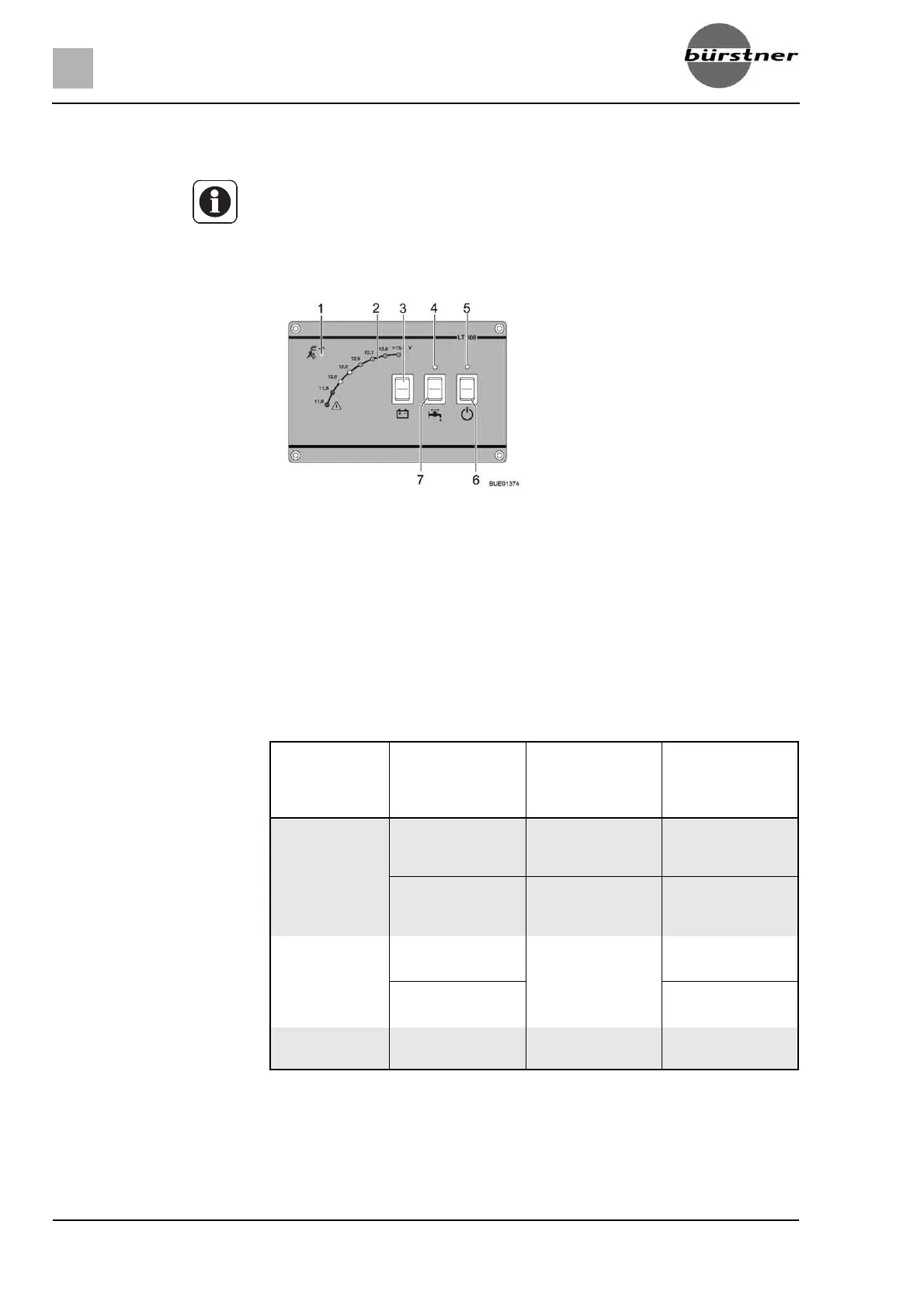
8.4.3 Panel LT 408
230 V indicator lamp The yellow 230 V indicator lamp (Fig. 122,1) is on whenever line voltage is
available at the power supply unit input.
Display V for battery
voltage
The LEDs for display V (Fig. 122,2) indicate the battery voltage of the living
area battery.
Displays:
Press the button (Fig. 122,3) at the top or bottom:The battery voltage of the
living area battery is displayed.
The tables below will help you correctly interpret the displayed battery voltage
of the living area battery.
Z The power supply unit is not used to charge the starter battery of the towing
vehicle.
Fig. 122 Panel LT 408
1 230 V indicator lamp
2 Display V
3 Button for reading the battery voltage
of the living area battery
4 Indicator lamp for water pump
5 Indicator lamp for the 12 V power
supply for the living area
6 12 V main switch
7 Rocker switch for water pump
Battery volt-
age
(values during
operation)
Mobile operation
(vehicle moving,
no 230 V connec-
tion)
Battery operation
(vehicle station-
ary, no 230 V
connection)
Power operation
(vehicle station-
ary, 230 V con-
nection)
Less than 11 V
Danger of total
discharge
No charging via
the alternator
If appliances are
switched off: Bat-
tery flat
No charging by the
CSV
12 V power supply
overload
If appliances are
switched on: Bat-
tery overload
12 V power supply
overload
11.5 V to 13 V No charging via
the alternator
1)
1)
If the voltage does not exceed this range for several hours.
Normal range No charging by the
CSV
1)
12 V power supply
overload
1)
12 V power supply
overload
1)
13.5 V or more Battery being
charged
Occurs only briefly
after charging
Battery being
charged



 To Next Page