22 Premio/Averso - 13/14 - Ausgabe 09/13 - 2354619 - BUE-0048-12EN
Before the journey
3
Remote control
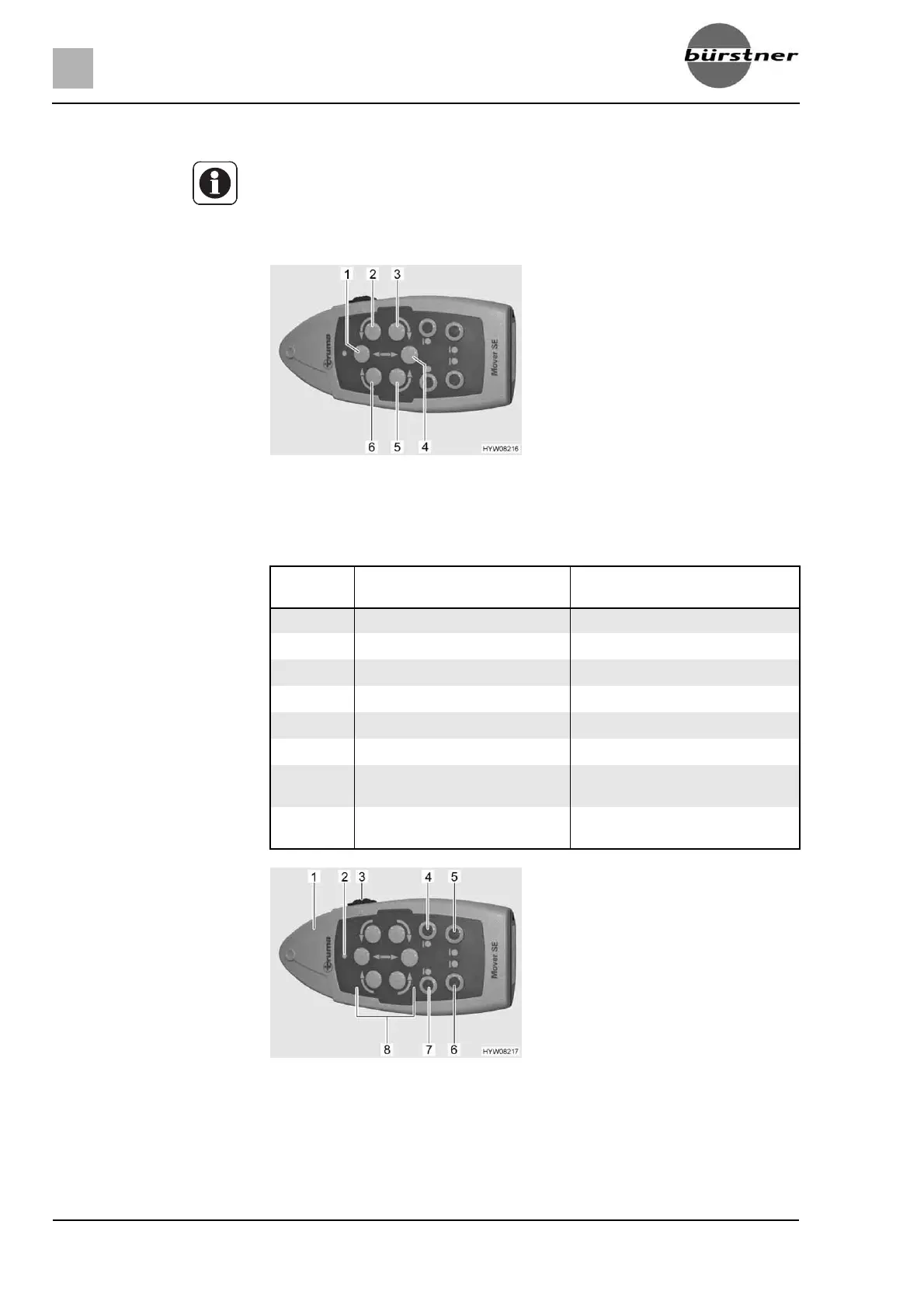
The vehicle is steered using the direction buttons on the remote control
(Fig. 6). The following table describes the function of the individual direction
buttons:
Manoeuvring:
Detach vehicle (see section 3.4).
Insert 13-pole plug into the safety socket of the manoeuvring system.
Z If the remote control is switched on and no button is pressed for approx.
2 minutes, or a button is pressed and held down for approx. 7 minutes, the
remote control switches itself off.
To reactivate the remote control, push the sliding switch to "OFF" (0), wait
approx. 2 seconds and then push the sliding switch back to "ON" (I).
Fig. 6 Direction buttons
No. in
Fig. 6
Movement Function
1 Vehicle forwards Both wheels turn forwards
2 Vehicle forwards to the left The right wheel turns forwards
3 Vehicle backwards to the left The right wheel turns backwards
4 Vehicle backwards Both wheels turn backwards
5 Vehicle backwards to the right The left wheel turns backwards
6 Vehicle forwards to the right The left wheel turns forwards
3+6 The vehicle turns on the spot
clockwise
The left wheel turns forwards and
the right wheel turns backwards
2+5 The vehicle turns on the spot
anti-clockwise
The left wheel turns backwards
and the right wheel turns forwards
Fig. 7 Remote control



 To Next Page