65Premio/Averso - 13/14 - Ausgabe 09/13 - 2354619 - BUE-0048-12EN
Living
6
Opening: Press the safety knob (Fig. 70,2) and pull the bar (Fig. 70,1) down with both
hands.
Pull the bar (Fig. 71,1) in the guides (Fig. 71,2) to the rearmost position
(Fig. 71,3).
Closing:
Use both hands to push the bar (Fig. 71,1) slightly upwards.
Push the bar back in the guides.
Push the bar upwards with both hands until it is above the safety knob
(Fig. 70,2).
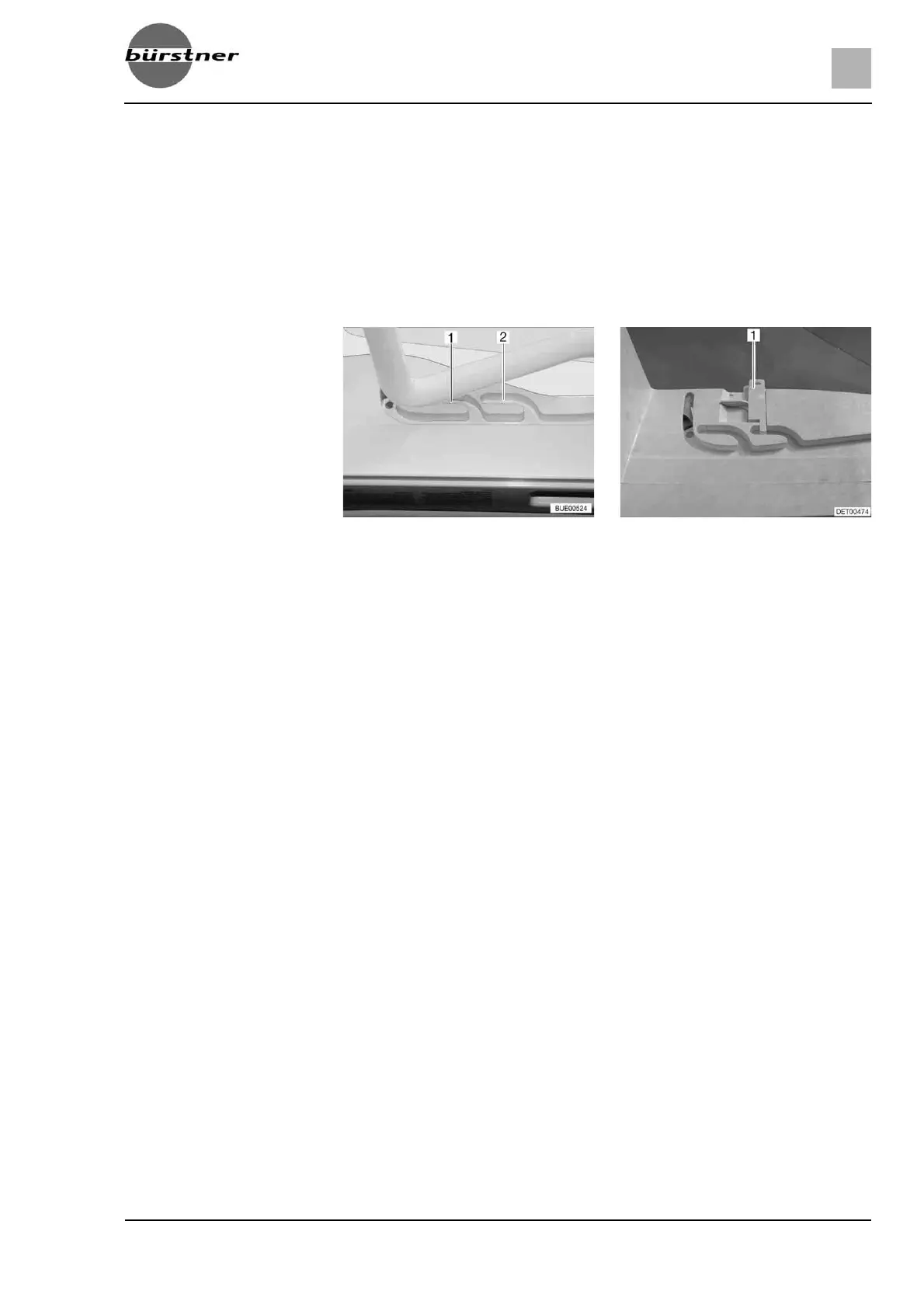
Ventilation position The Heki skylight can be put in two ventilation positions: Bad weather position
(Fig. 72,1) and central position (Fig. 72,2). Depending on the model, the sky-
light can be locked in the central position with both left and right latches
(Fig. 73,1) on the skylight frame.
Press the safety knob (Fig. 70,2) and pull the bar (Fig. 70,1) down with both
hands.
Pull the bar in the guides (Fig. 71,2) to the desired position.
Push the bar slightly upwards and into the selected guide (Fig. 72,1 or 2)
and lock if necessary.
Roman shade To close and open the Roman shade:
Closing:
Pull out Roman shade at the handle and release in the required position.
The Roman shade will stay in that position.
Opening:
Slowly push the Roman shade at the handle to its initial position.
Insect screen To close and open the insect screen:
Closing:
Pull the insect screen by the handle to the opposite handle of the Roman
shade.
Opening:
Press the rear part of the handle of the insect screen. The latch is released.
Use handle to return the insect screen slowly to its initial position.
Fig. 72 Heki skylight in ventilation
position
Fig. 73 Ventilation position locking
mechanism



 To Next Page