What to Prepare
• Machine where the problem has occurred
• USB Cable (Connector shape: A-B)
• PC that meets the following conditions:
• USB port is usable
• One of the following OS should be running.
• Windows 7
• Windows 8
• Windows 8.1
• Windows 10
• Tool (CanonLogCollector.zip)
*1
■ Log Collection Procedure
1. Connect the machine and the PC using the USB Cable while both of them are in operation.
2. Decompress the tool (CanonLogCollector.zip) on a directory with write permission on the PC.
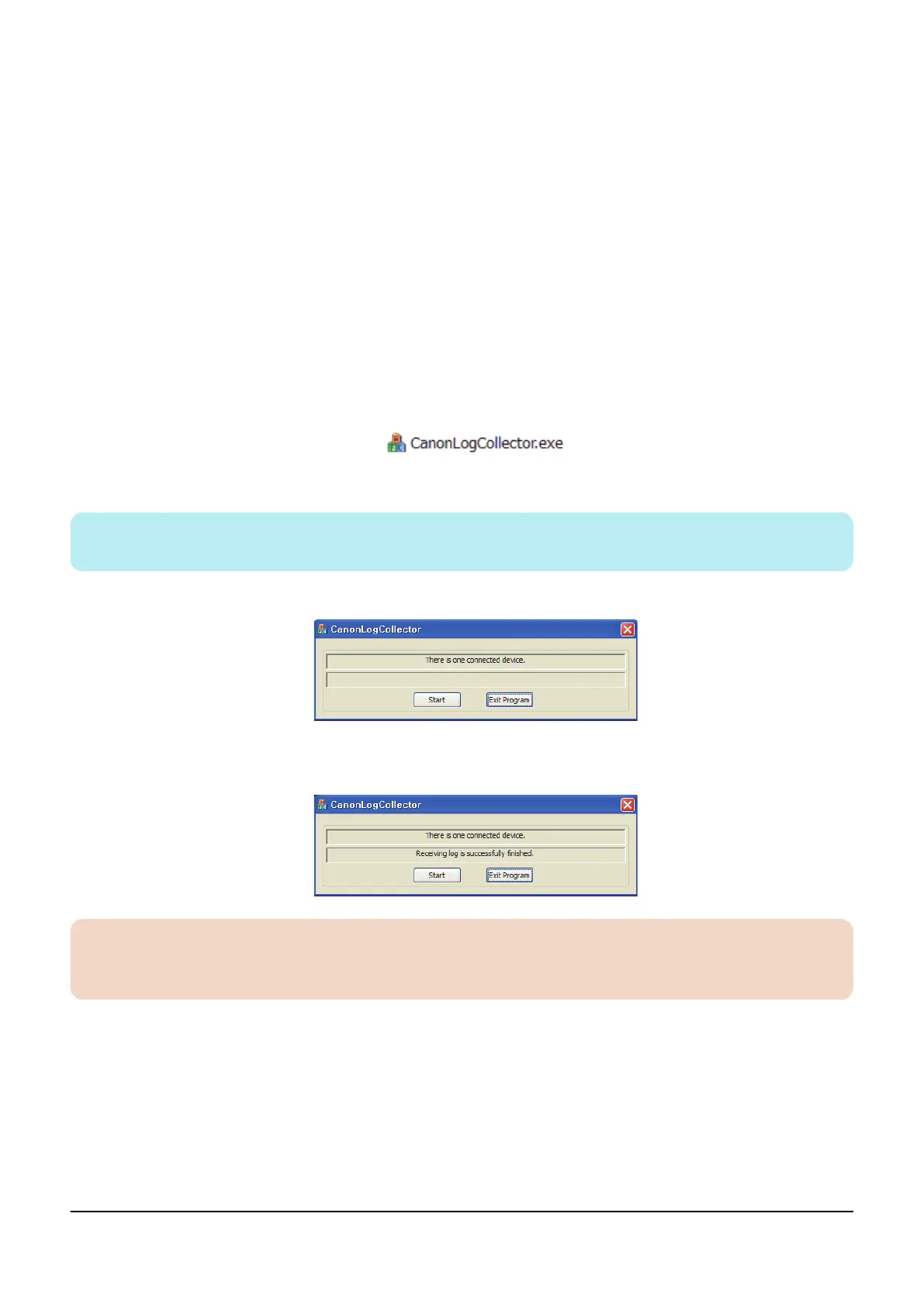
CanonLogCollector.exe is extracted in the decompressed folder.
3. Double-click to start CanonLogCollector.exe.
NOTE:
It is not necessary to install this tool and it can be executed in any location.
The CanonLogCollector screen appears and "There is one connected device." is displayed.
4. Press the [Start] button.
"Receiving log is successfully finished." is displayed.
CAUTION:
If the machine is in sleep mode, time-out may occur when collecting logs.
If time-out occurs, press the [Start] button again to collect logs.
5. Press the [Exit Program] button to quit the tool.
*1. Follow the instruction of the Support Dept. of the sales company to obtain the tool.
6. Troubleshooting
229










 To Next Page