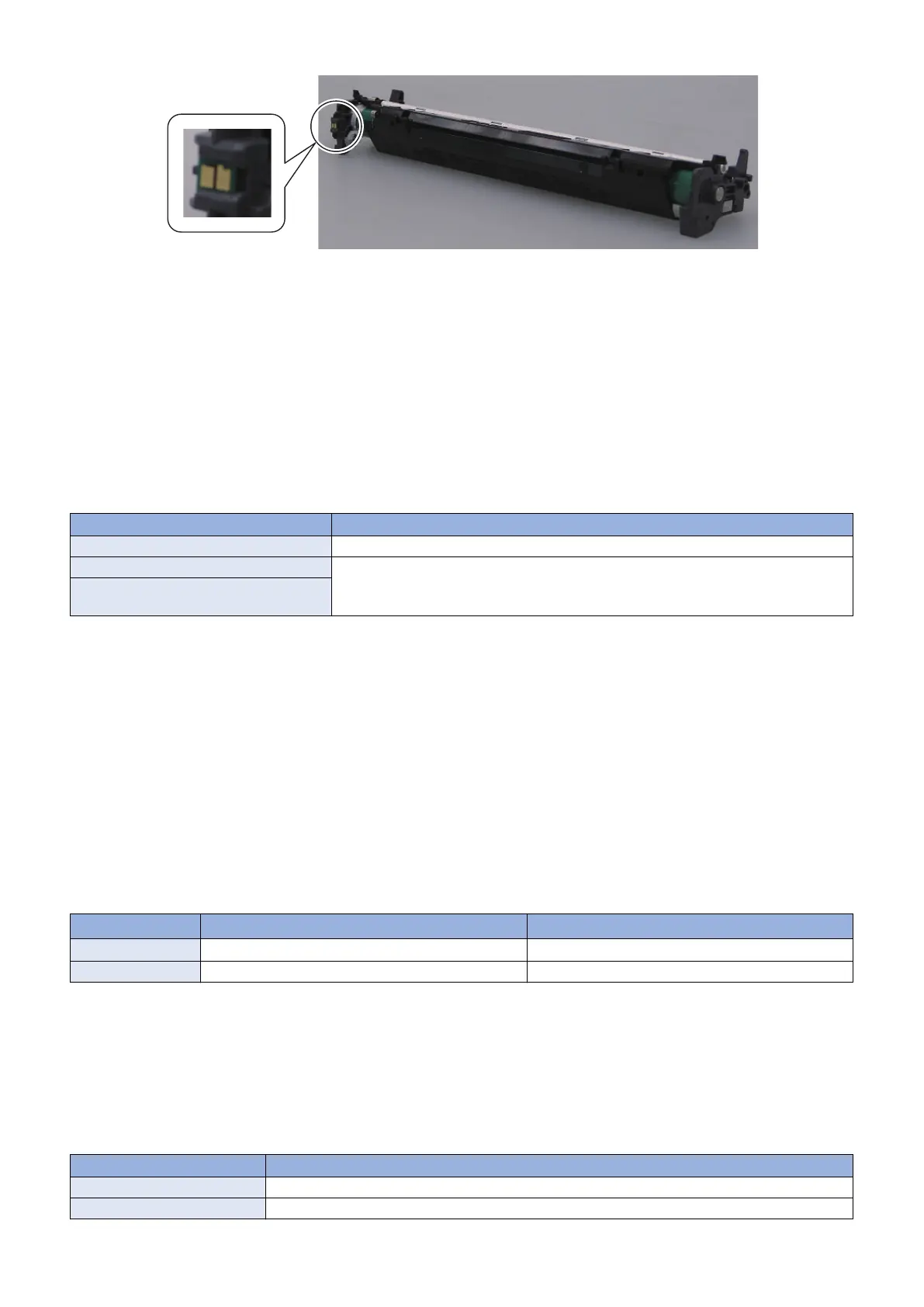
Location of the cartridge memory (Drum Cartridge)
■ Cartridge Detection
Execution Condition/Timing
• At power-on
• When the Toner cover is closed
Description
The DC Controller detects whether a cartridge is installed according to the cartridge memory. When the DC Controller judges
that there is no cartridge, it notifies the Main Controller and displays a warning message on the Control Panel.
Message displayed when cartridge is not installed
Cartridge type Message
Toner Cartridge Insert the Toner Cartridge.
Drum Cartridge Insert the Drum Cartridge.
Both the Toner Cartridge and the Drum Car-
tridge
■ Cartridge Life Detection
Execution Condition/Timing
Toner Cartridge/Drum Cartridge:
• At power-on
• When the engine operation is completed after the Toner cover is closed
• At completion of printing
• When the reference value of cartridge life is changed
Description
The DC Controller notifies the Main Controller when cartridge consumption reaches the specified value.
Upon receipt of the notification, the Main Controller displays a warning or a message that the cartridge has reached the end of
its life.
Warning display
End of life display
*3
Toner/Drum level
*1
When the Cartridge level reached X(%)
*2
0%
Detected to (location) Cartridge Memory Cartridge Memory
*1: Remaining toner/drum level can be checked with the Status Monitor.
Refer to "Checking remaining toner/drum level" in "Settings/Registration Mode/Menu" shown below.
*2 : Threshold value to display a warning (1 to 99%) can be specified .
Refer to "Setting of the threshold value to display a warning" in "Settings/Registration Mode/Menu" shown below.
*3: The operation when the cartridge has reached the end of life can be specified in service mode.
Refer to "Setting of the behavior when the cartridge reaches the end of life" in "Service Mode" shown below.
Messages indicating the cartridge warning
Cartridge type Massage
Toner Cartridge Preparing a Toner cartridge is recommended.
Drum Cartridge Preparing a Drum Cartridge is recommended.
2. Technology
44










 To Next Page