Chapter 3
3-4
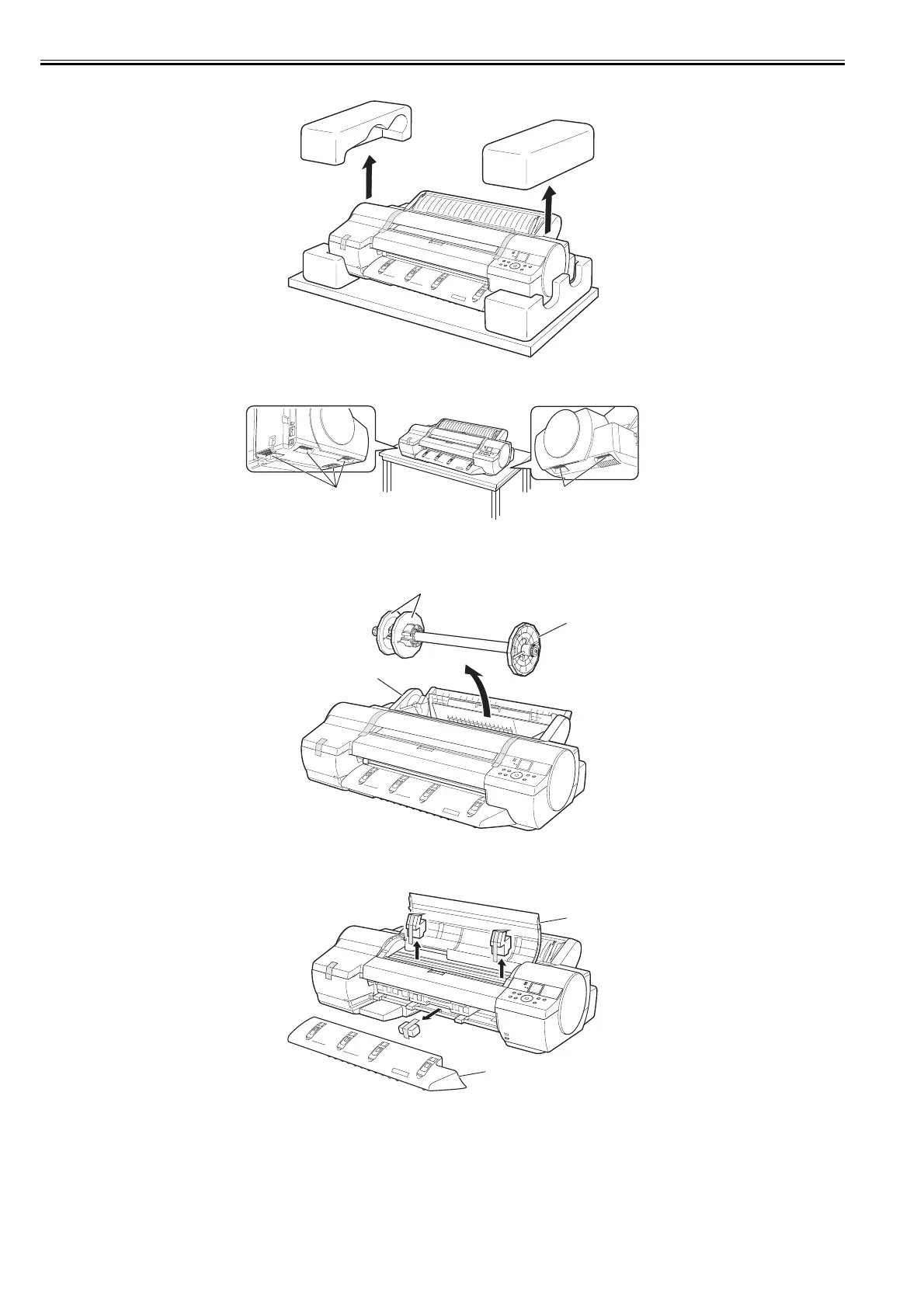
(2) Unpack the printer and remove the packaging material.
F-3-5
(3) Grasaping the carrying handles [1] on the left and right side of the bottom, place the printer on a level place such as a table.
F-3-6
(4) The Roll Feed Unit [1] is preinstalled on the printer. Peel away the tape and remove the Roll Holder [2] and protective material from the Roll Feed Unit. Also
remove the tape on the two Holder Stoppers attached to the Roll Holder, and then remove the Holder Stoppers [3] from the Roll Holder.
F-3-7
(5) Remove the tape and other packaging material used to secure the printer and accessories. Remove the tape and protective material on the Top Cover [1] and
Ejection Guide [2]. After removing the tape and protective material on the Ejection Guide, reinstall it.
F-3-8
[1]
[1]
[1]
[2]
[3]
[2]
[1]














 To Next Page