Chapter 4
4-59
4.3.16 Ink Tank Unit
0024-9202
iPF6300 / iPF6350 / iPF6300S
a) Removing the ink tank unit
1) Drain the ink. Refer to DISASSEMBLY/REASSEMBLY > Points to Note on Disassembly and Reassembly > Draining the ink.
2) Remove the output guide, left and right circle covers, tank cover, left and right covers, left and right front covers, right upper cover, operation panel, mist filter,
filter cover, filter, lower rear cover, upper front cover, and lower front cover.
Refer to DISASSEMBLY/REASSEMBLY > Points to Note on Disassembly and Reassembly > External Cover.
3) Move the carriage unit to the center. Refer to "Removing the Purge Unit".
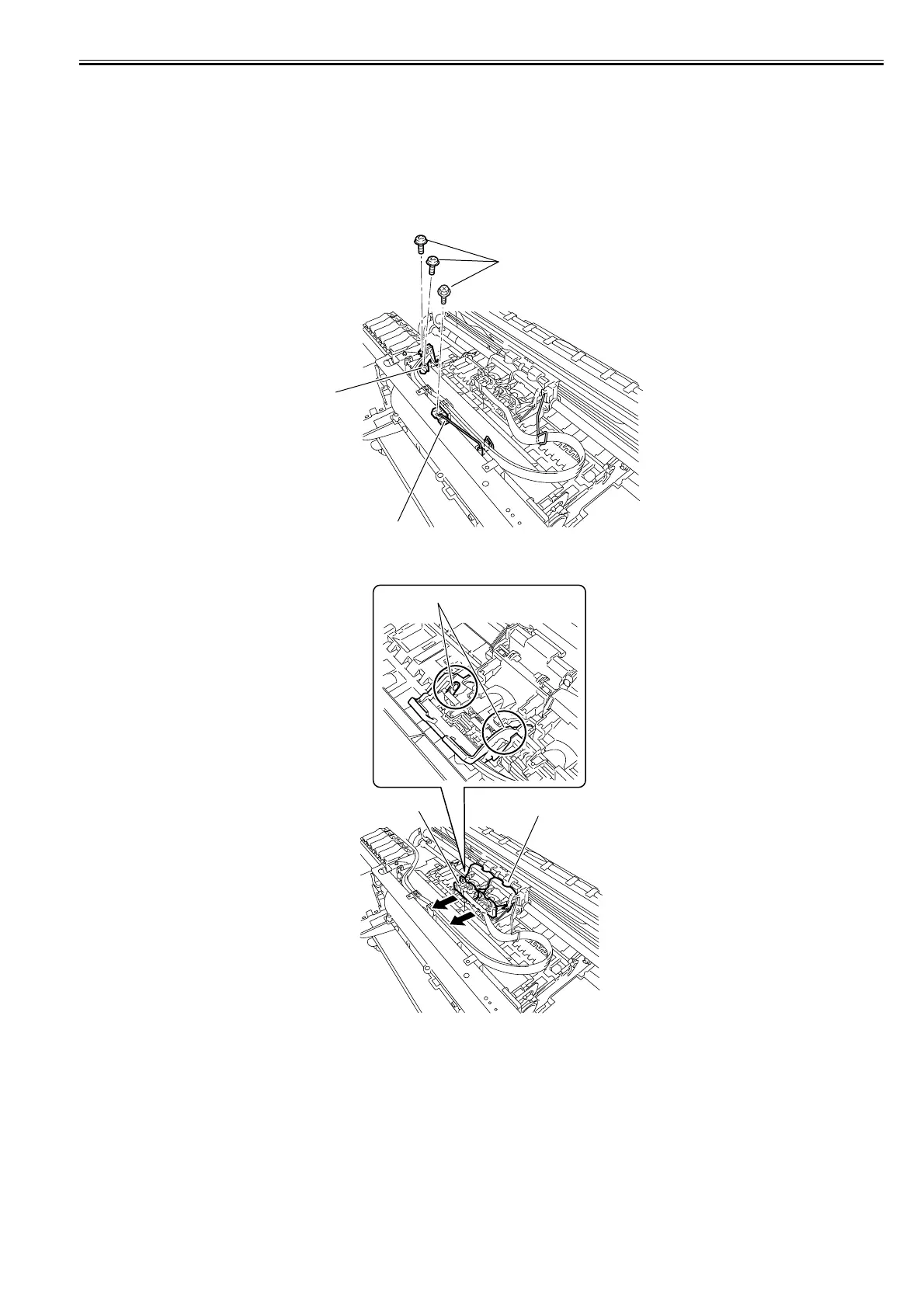
4) Remove the three screws[1], and then remove the tube guide[2] and wire guide[3].
F-4-132
5) Remove the four link levers[2] from the carriage unit[1], and then remove the joint base[3].
F-4-133
[1]
[3]
[2]
[2]
[1]
[3]














 To Next Page