Chapter 1
1-43
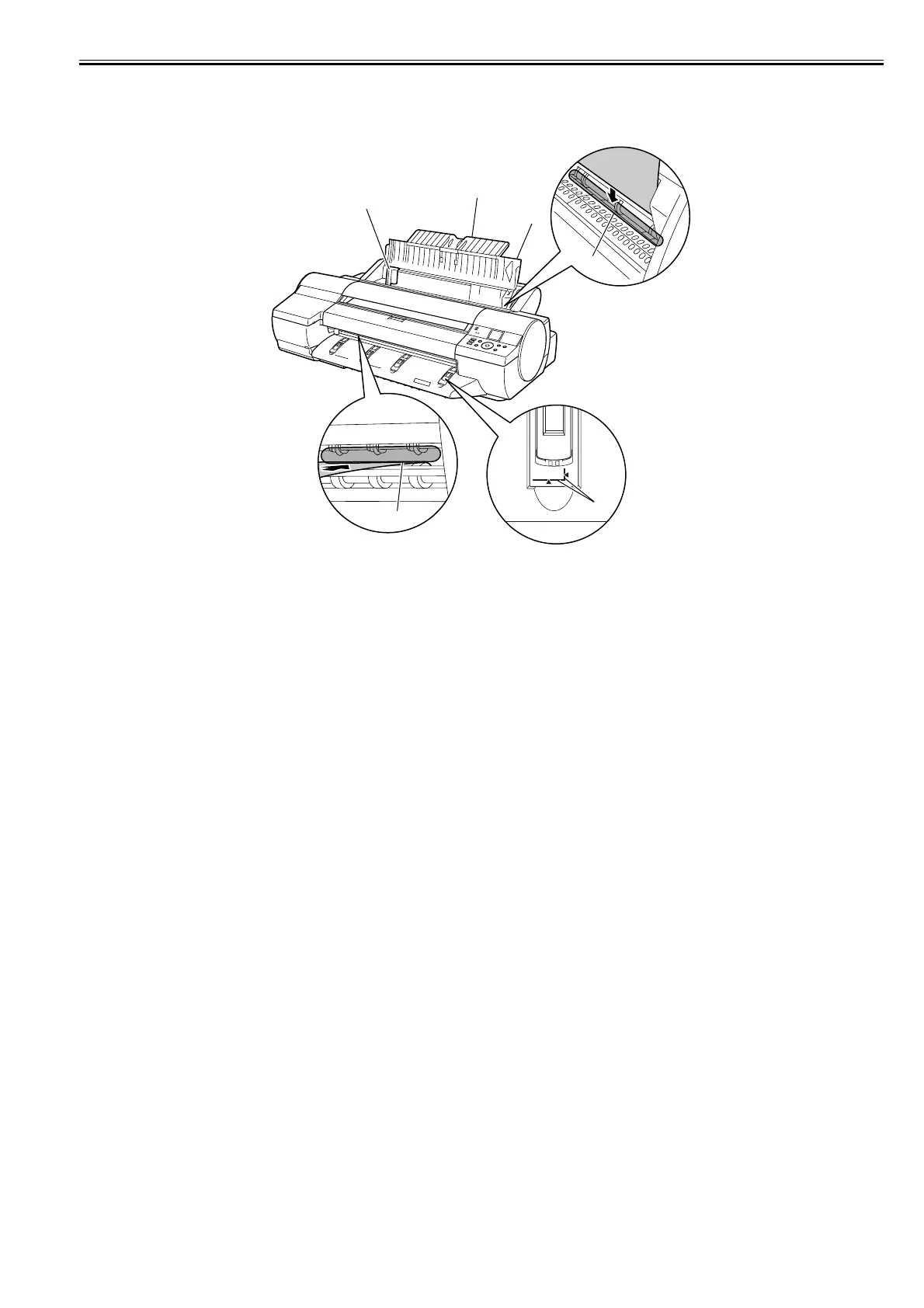
1.5.8 Manual Loading Area
0024-8338
iPF6300 / iPF6350 / iPF6300S
F-1-42
[1] Paper tray cover
In loading paper in a paper tray, open this cover.
[2] Paper support
In loading paper in a paper tray, open the paper tray cover and then this tray.
[3] Width guides
In loading cut sheet, move the guide to adjust to the paper size.
[4] Paper tray front loading port (Paper eject slot)
In loading thick paper, insert it into this port. All printed matter is ejected from this port.
[5] Paper tray top loading port
In loading cut sheet, insert them into this port.
[6] Paper alignment line
Load heavyweight sheets parallel to this line.
[5]
[1]
[2]
[3]
[4]
[6]














 To Next Page