Chapter 4
4-79
4.3.24 Opening the Cap/Moving the Wiper Unit
0024-9205
iPF6300 / iPF6350 / iPF6300S
This section explains how to open the cap and ink supply valve.
To move the carriage with the power off, you need to release the carriage lock pin and cap.
a) Opening the Cap/Releasing the Carriage Lock Pin by service mode
After entering the service mode, execute the following mode.
Service mode: SERVICE MODE > FUNCTION > CR UNLOCK
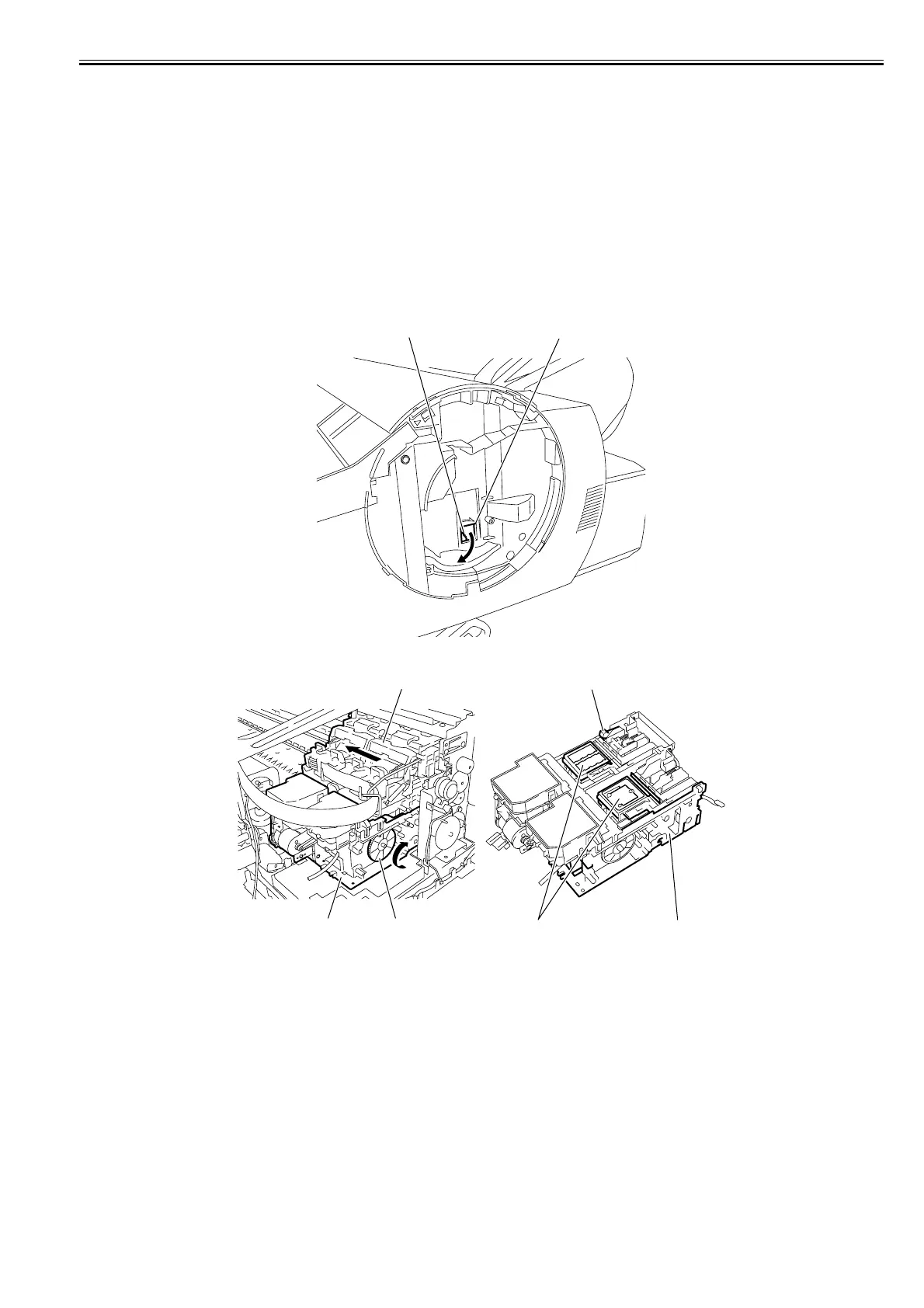
b) Opening the Cap/Releasing the Carriage Lock Pin manually.
1) Remove the right circle cover and mist filter.
Refer to DISASSEMBLY/REASSEMBLY > points to Note on Disassembly and Reassembly > External Cover.
2) Turn the gear[1] of the purge unit[3] in the direction of the arrow from the hole[6] of the right cover. The cap[5] and lock pin[4] move down, allowing you to
move the carriage[2].
F-4-171
F-4-172
[1] [6]
[1][3]
[2]
[5] [3]
[4]














 To Next Page