Chapter 1
1-41
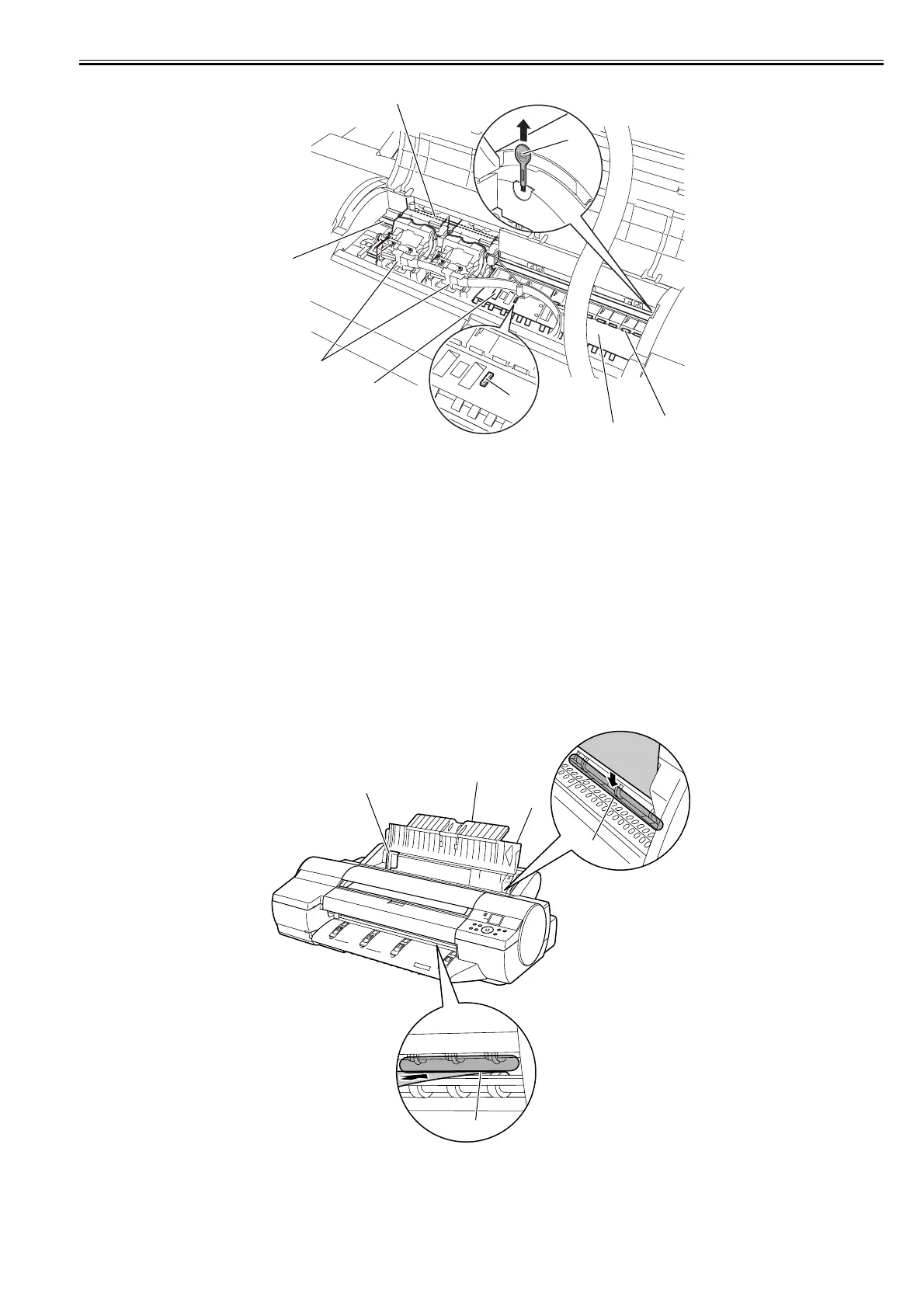
F-1-40
[1] Carriage shaft
The carriage travels in this area.
[2] Carriage
Moves the printheads.
[3] Borderless printing ink receiving channel
Receives inks overflowing the edges of the paper during borderless printing.
[4] Platen
Paper and the printheads travel over the platen to execute printing. Suction holes on the surface prevent the paper from lifting.
[5] Pinch roller
A vital part needed to feed paper.
[6] Cleaner brush
Use this brush to wipe off chad over the plant when cleaning the inside of the top cover.
[7] Linear scale
This is an important component used to detect the carriage position. Never touch it when cleaning the parts or removing jammed media inside the upper cover.
[8] Switch
Set the switch to the side opposite of the circle mark if the edges of printed images are blurred. Set the switch to the circle mark side before borderless printing.
1.5.7 Manual Loading Area
0016-8152
iPF6100 / iPF6200 / iPF6000S
F-1-41
[1] Paper tray cover
In loading paper in a paper tray, open this cover.
[2] Paper support
In loading paper in a paper tray, open the paper tray cover and then this tray.
[3] Width guides
[8]
[1]
[2]
[3]
[4]
[5]
[6]
[7]
[5]
[1]
[2]
[3]
[4]














 To Next Page