Chapter 4
4-40
4.3.10 Feeder Unit
0016-8509
iPF6100 / iPF6200 / iPF6000S
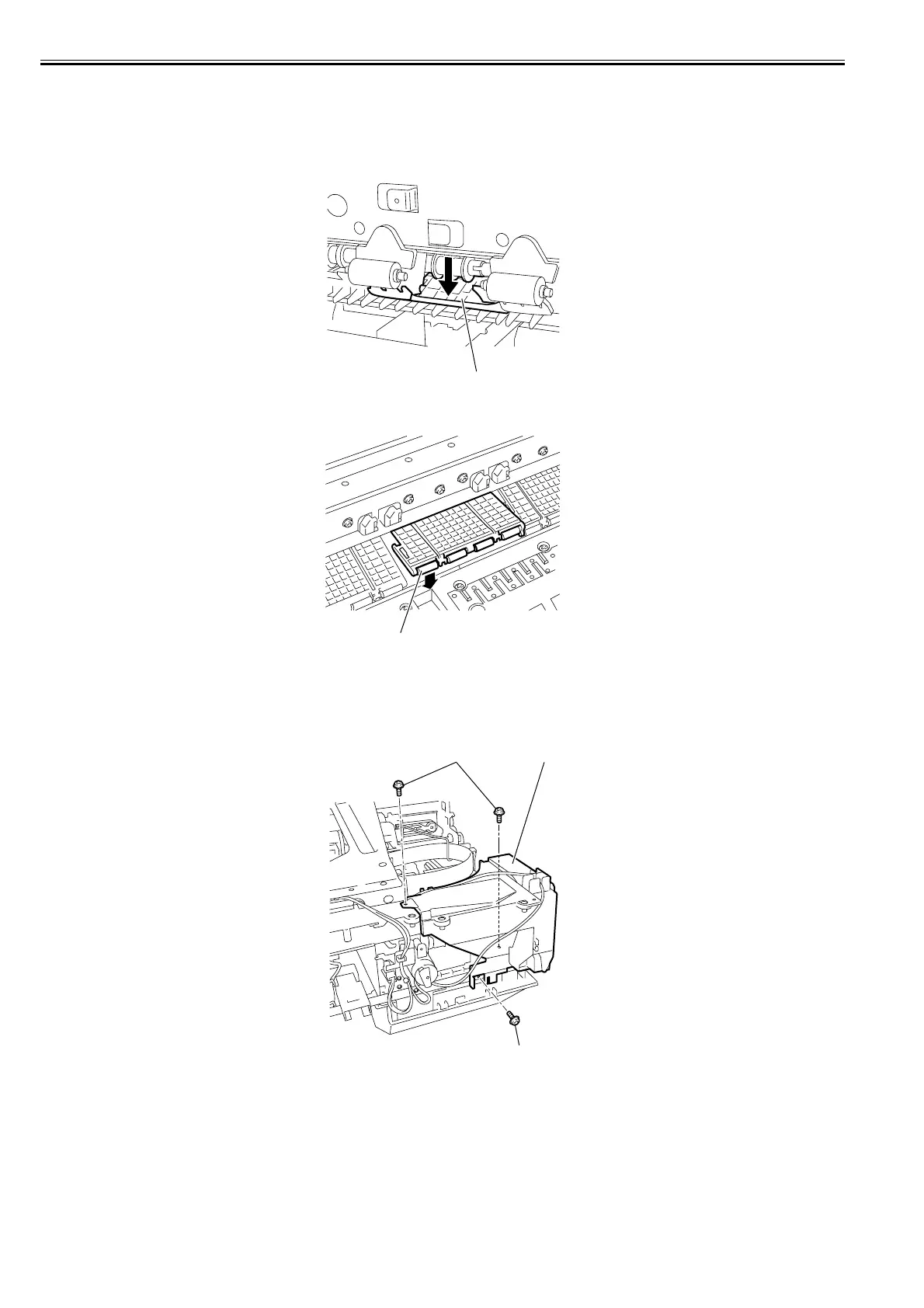
a) Removing the pinch roller
1) Remove the rear cover.
2) When removing the pinch roller, press down the pinch roller unit[1] in the direction of the arrow.
F-4-86
3) Remove the pinch roller[1].
F-4-87
b) Removing the spur unit
1) When removing the spur unit, first open the top cover, and then remove the roll feed unit, left and right circle covers, tank cover, right upper cover, operation
panel, lower rear cover, right cover, right front cover, upper front cover, lower front cover, cover guide, upper rear cover, and left and right cover mounting plates.
Refer to DISASSEMBLY/REASSEMBLY > Points to Note on Disassembly and Reassembly > External Covers.
2) Remove the three screws[1], and then remove the mist fan[2].
F-4-88
[1]
[1]
[1]
[1]
[2]














 To Next Page