Chapter 3
3-17
d. Installing the Printer
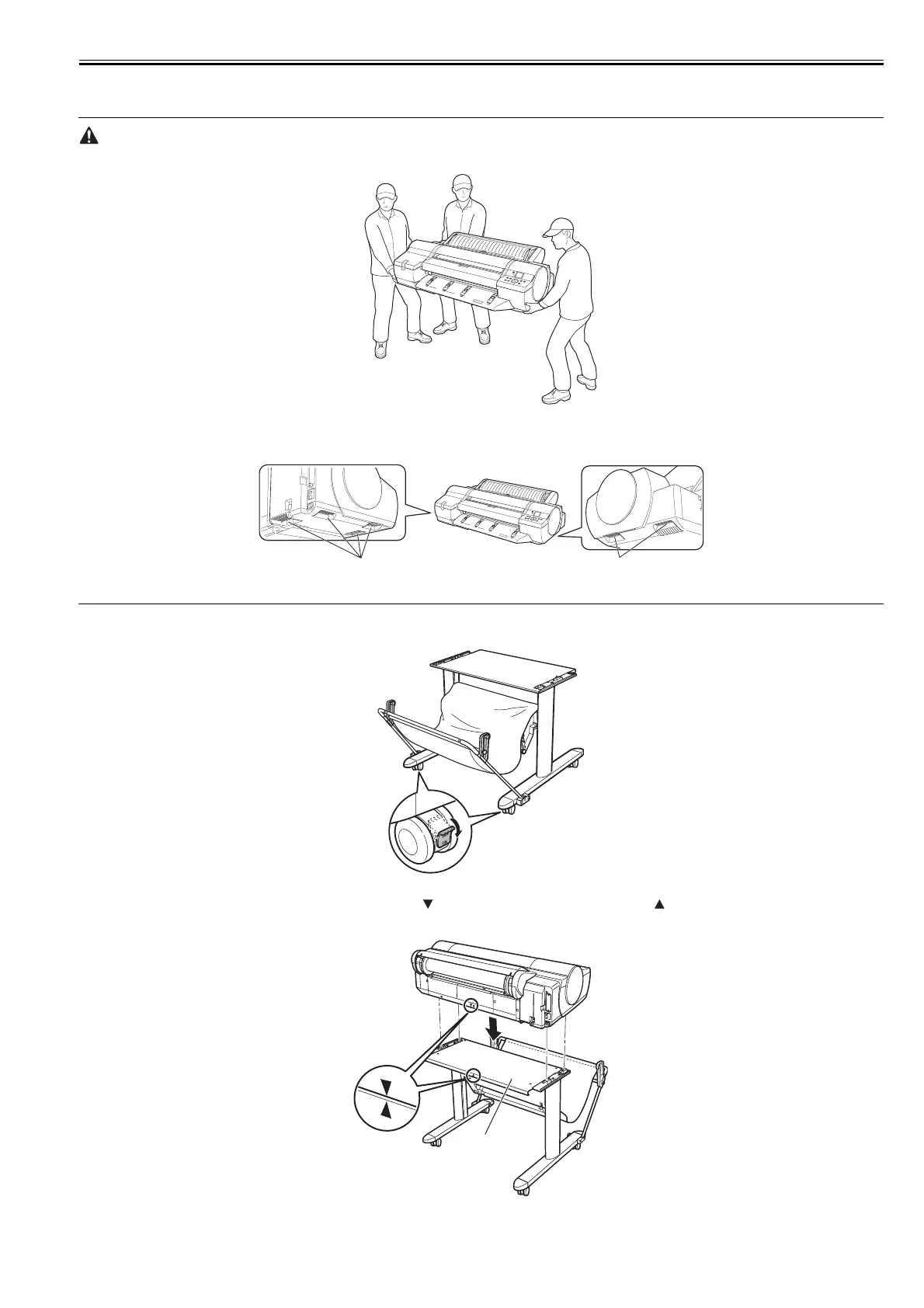
- Moving the printer requires at least three people. Be careful to avoid back strain and other injuries.
F-3-50
- When moving the printer, grasp the carrying handles [1] on the left and right side of the bottom.
Holding other portions can drop the printer and you may be injured.
F-3-51
(1) Move the Stand into position and make sure the front casters are locked.
F-3-52
(2) With three people holding the printer carrying handles, align the symbol on the back of the printer with the symbol on the back of the Stand Board [1]
as you set the printer down on the Stand.
F-3-53
[1]
[1]
[1]














 To Next Page