Chapter 4
4-15
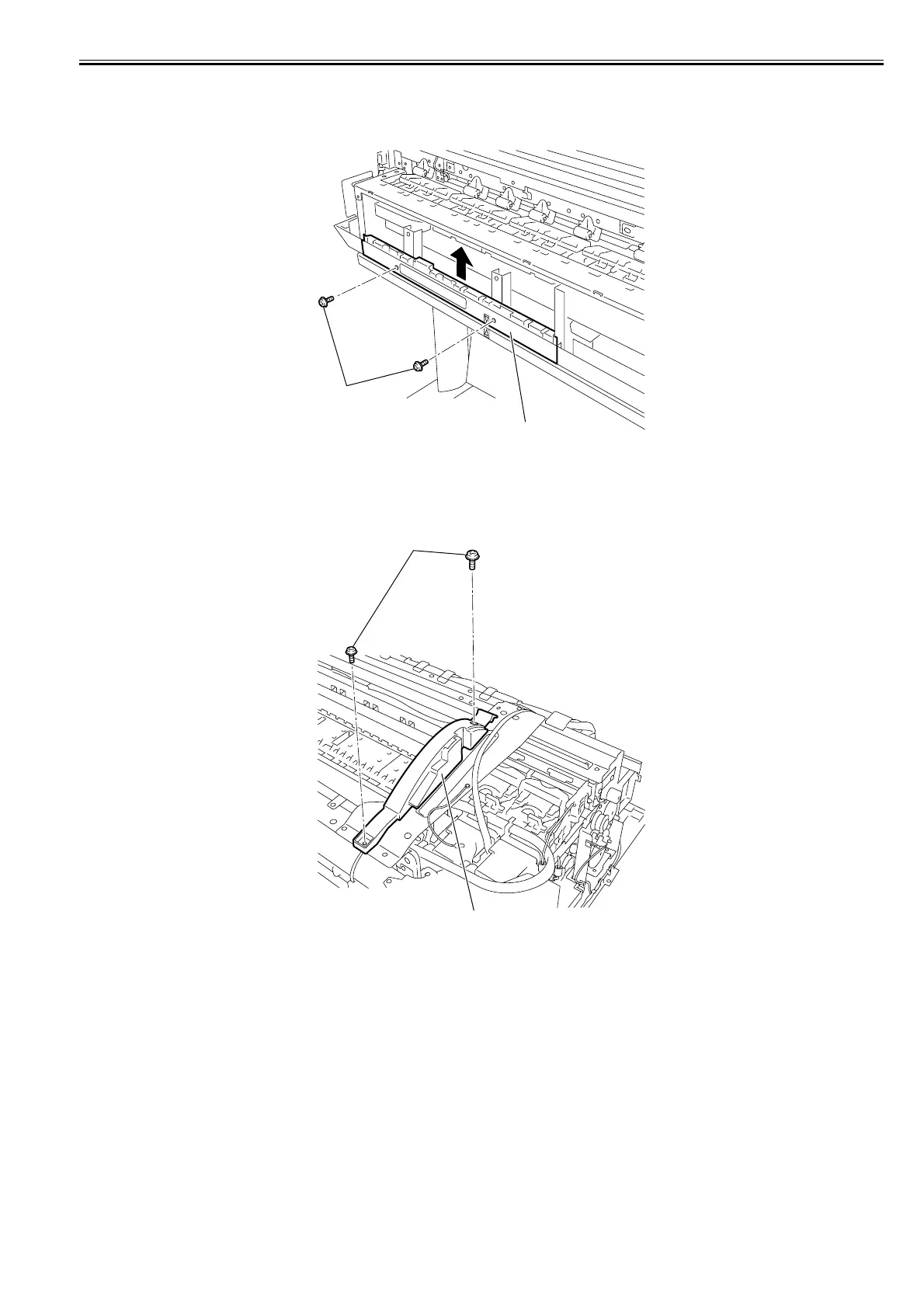
v) Lower back cover
Removing the lower back cover
1) When removing the lower back cover[2], open the top cover, and then remove the roll feed unit, left circle cover, tank cover, left cover, lower rear cover, lower
rear left cover, left rear cover, right circle cover, right upper cover, operation panel, exhaust filter, and right cover.
2) Remove the two screws[1], and then remove the lower back cover[2].
F-4-30
w) Cover guide
Removing the cover guide
1) When removing the cover guide[2], open the top cover, and then remove the roll feed unit, left circle cover, tank cover, left cover, right circle cover, right upper
cover, operation panel, exhaust filter, lower rear cover, lower rear left cover, left lower cover, rear cover, upper rear cover, upper front cover.
2) Remove the two screws[1], and then remove the cover guide[2].
F-4-31
[1]
[2]
[1]
[2]














 To Next Page