Chapter 4
4-19
b) Removing the cutter unit
1) When removing the cutter unit, open the top cover, and then remove the roll feed unit, output guide, left and right circle covers, tank cover, left front cover, right
upper cover, operation panel, exhaust filter, lower rear cover, right cover, right front cover, upper front cover, lower front cover. Refer to DISASSEMBLY/REAS-
SEMBLY > Points to note on Disassembly and Reassembly > External Covers.
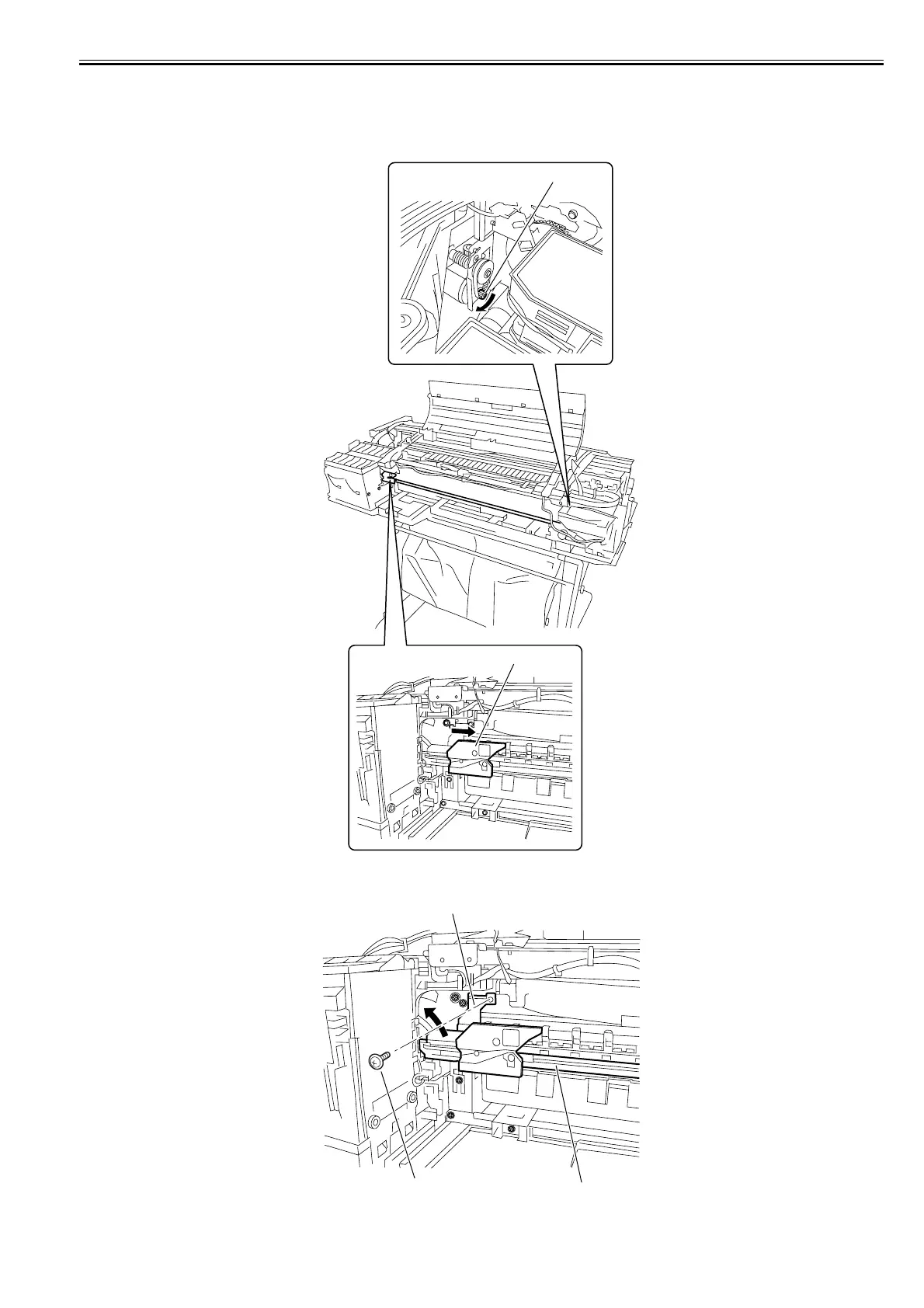
2) Turning the motor pulley[1] in the arrow direction, move the cutter[2] about 2cm to the right of the left most end.
F-4-36
3) Remove the screw[1] and clamp[2] and slide cutter unit[3] to left obliquely upward out of position.
F-4-37
[1]
[2]
[1]
[2]
[3]














 To Next Page