Chapter 4
4-23
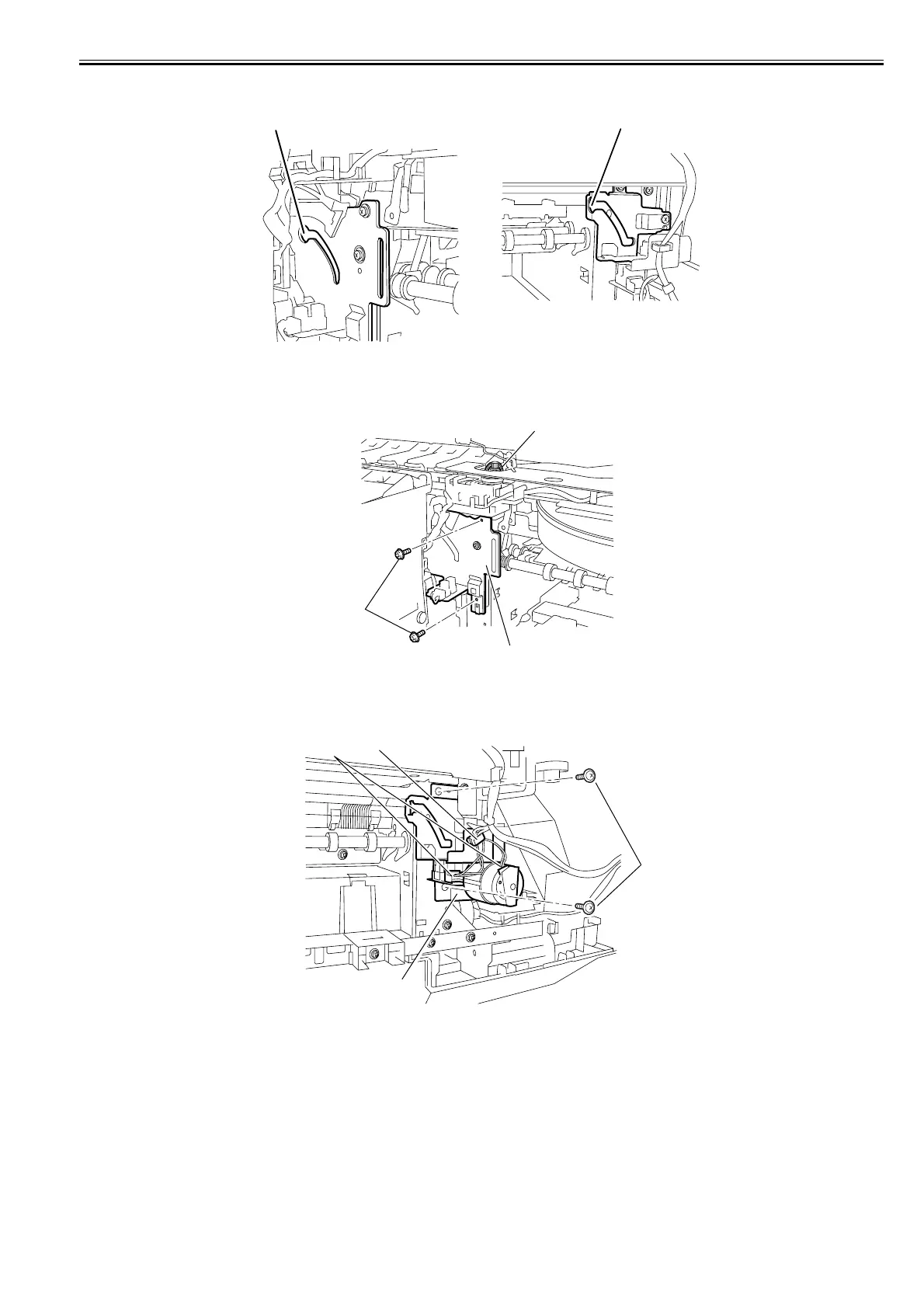
c) Points to note on Disassembly an Reassembly of Cutter unit
1) When disassembling or reassembling the cutter unit, align the cutter unit roller with the grooves[1] in the cutter lifter unit and cutter drive unit.
F-4-45
d) Removing the cutter lifter unit
1) Remove the cutter unit.
2) Remove the belt[1], two screws[2], and harness, and then remove the cutter lifter unit[3].
F-4-46
e) Removing the cutter drive unit
1) Remove the cutter unit.
2) Remove the two screws[1] and two connectors[2] and free the harness from harness guide [3] to remove the cutter drive unit[4].
F-4-47
[1]
[1]
[1]
[3]
[2]
[1]
[2]
[3]
[4]














 To Next Page