Chapter 4
4-47
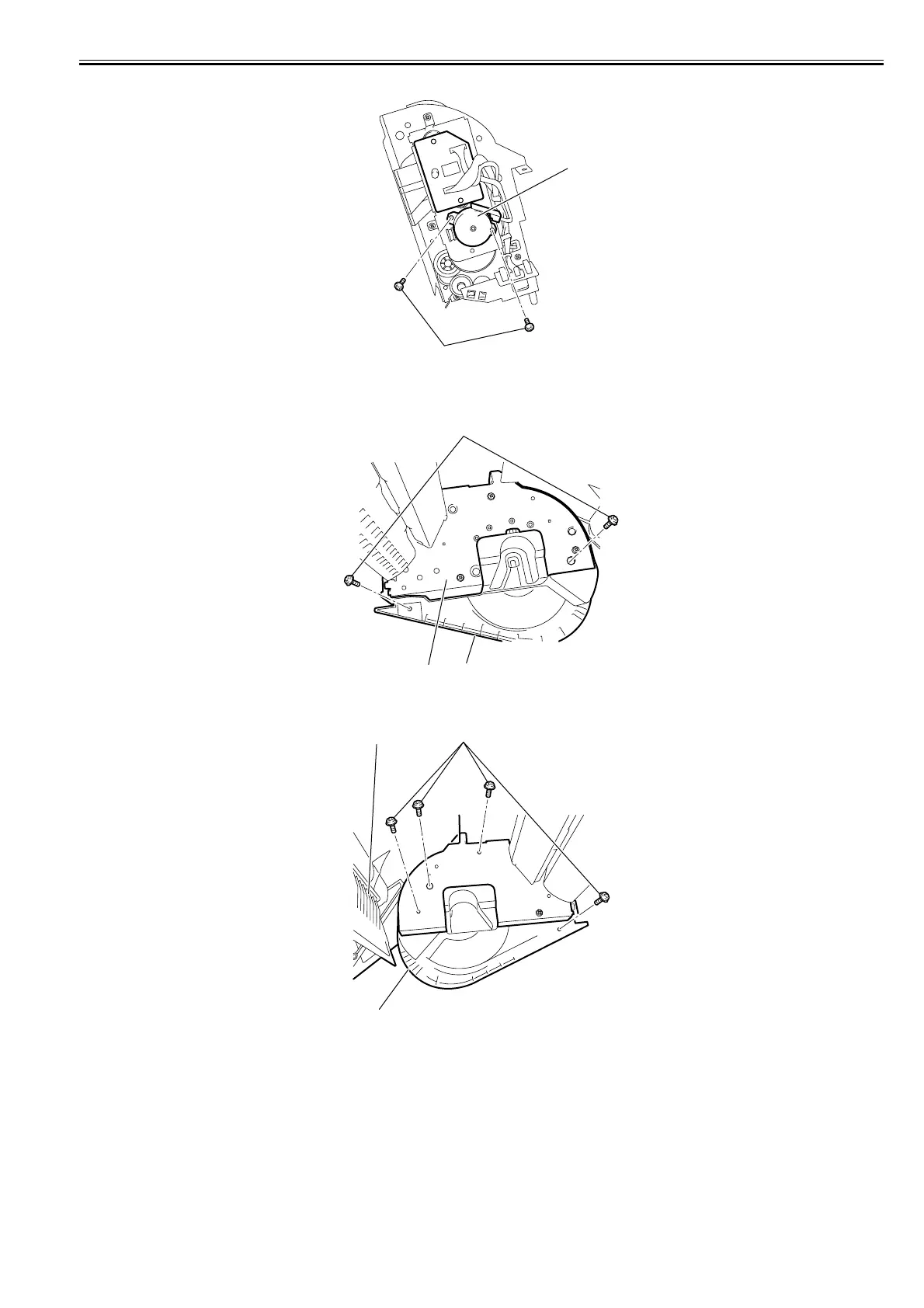
4) Remove the two screws[1], and then remove the roll motor[2].
F-4-104
b) Removing the roll feed unit
1) When removing the roll motor, remove the roll feed unit[2] from the main body, and then remove the right cover[3] by removing the two screws[1].
F-4-105
2) Remove the four screws[1], and then remove the left cover[2] and paper tray[3].
F-4-106
[1]
[2]
[1]
[2]
[3]
[1]
[2]
[3]














 To Next Page