Chapter 4
4-68
4) Remove all connectors from the main controller PCB.
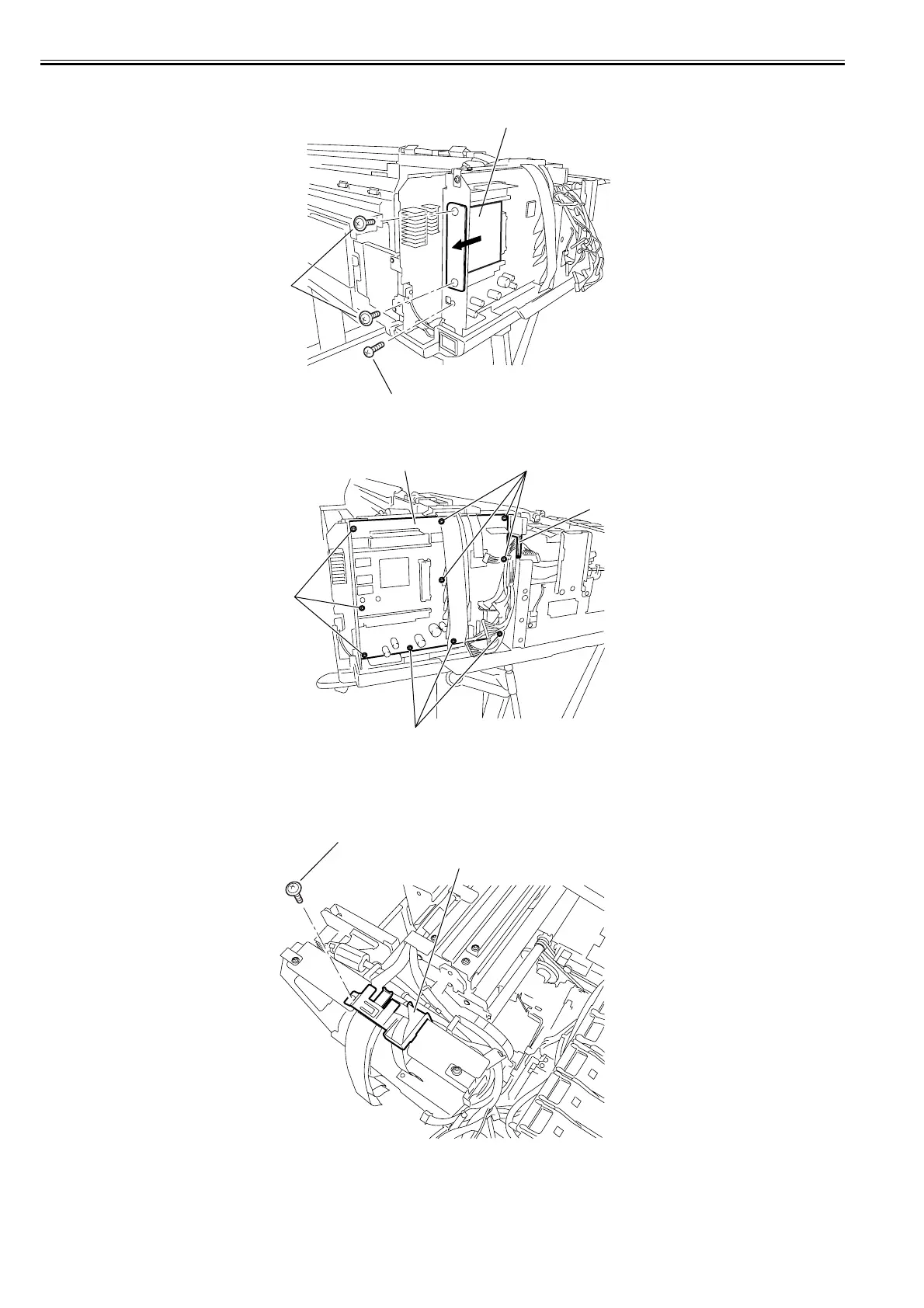
5) Remove the two screws[1] to remove the HDD expansion PCB[2], and then remove the screw[3].
F-4-150
6) Remove the ten screws[1] and free the harness from harness guide[2] to remove the main controller PCB[3].
F-4-151
b) Removing the main controller mounting plate
1) Remove the main controller PCB.
2) Free the harness from the harness guide.
3) Remove the screw [1] and remove the flexible guide [2].
F-4-152
[1]
[2]
[3]
[1]
[2]
[3]
[1]
[1]
[1]
[2]














 To Next Page