Chapter 5
5-8
b) Spur cleaning
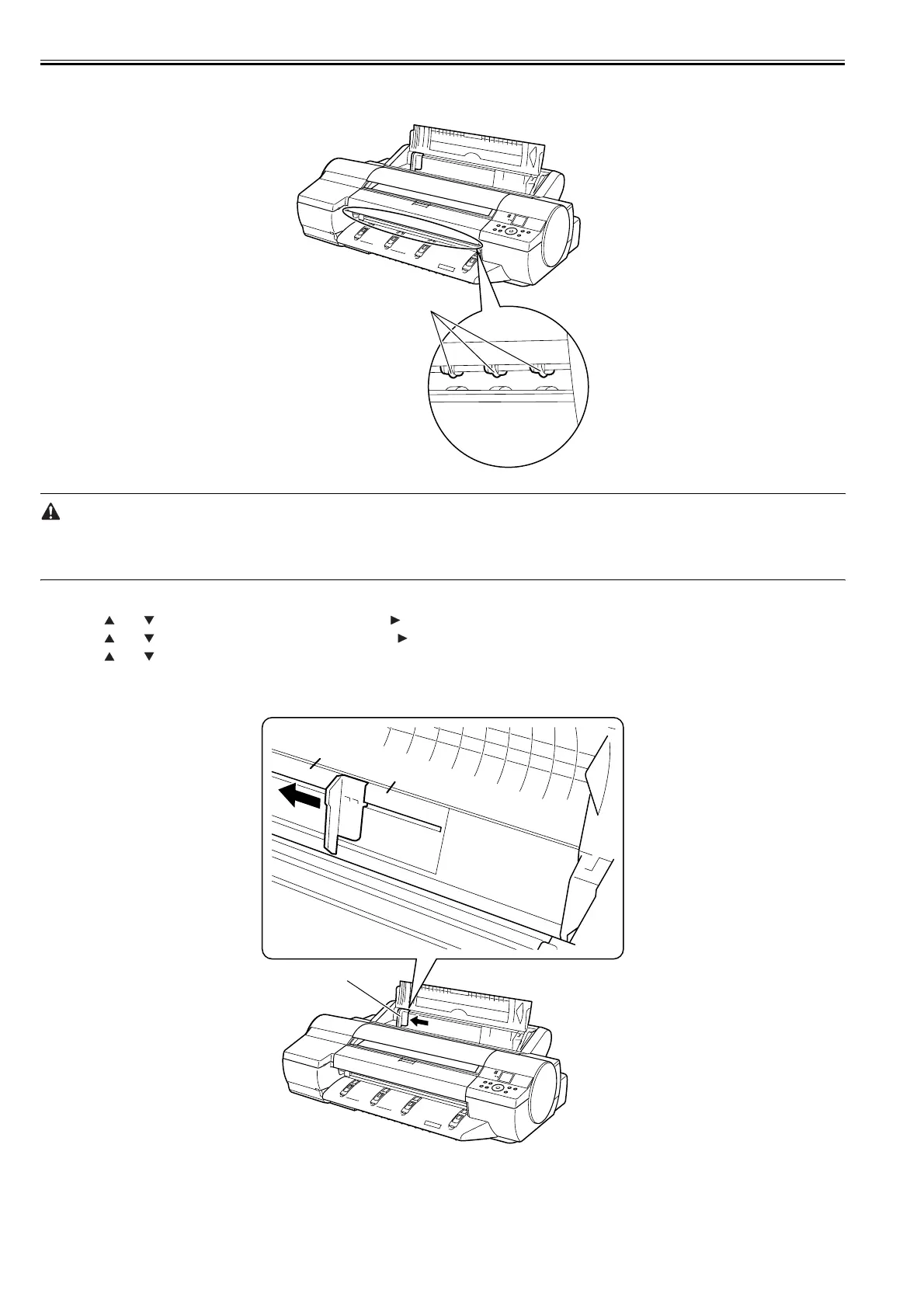
If white dots appear about 1mm apart in the paper feed direction, clean the spur[1].
To clean the spur[1], use the cleaning sheet bundled with the unit.
F-5-6
- Do not fold the cleaning sheet.
- Do not use a cleaning sheet with rugged edges or a significantly folded cleaning sheet.
- If the cleaning sheet is warped, flatten it before use.
- To cancel cleaning, press the [STOP] button.
1) Press the [MENU] button to display the main menu.
2) Press the and buttons to select [Maintenance] and press the button.
3) Press the and buttons to select [Spur Cleaning] and press the button.
4) Press the and buttons to select [Yes] and press the [OK] button.
If roll media are fed, they are ejected automatically.
5) Open the paper tray cover.
6) Pinching width guide [1], move it to the leftmost end.
F-5-7
7) Take the cleaning sheet out of the bag.
[1]
A4
A3
[1]














 To Next Page