Chapter 7
7-97
2) UGW Address [UGW-ADDRESS] and UGW port [UGW-PORT]
Usually, the default values set in advance are used for the setting value of [UGW-ADDRESS] and [UGW-PORT]. Unless there is a special instruction, the default
value should not be changed. If it should be changed, the communication with UGW may have an error. If [UGW-ADDRESS] and [UGW-PORT] are changed, the
new setting will be enabled after power OFF/ON.
Therefore, usually, the setup is not necessary.
* If you change under a special instruction, perform the following procedure.
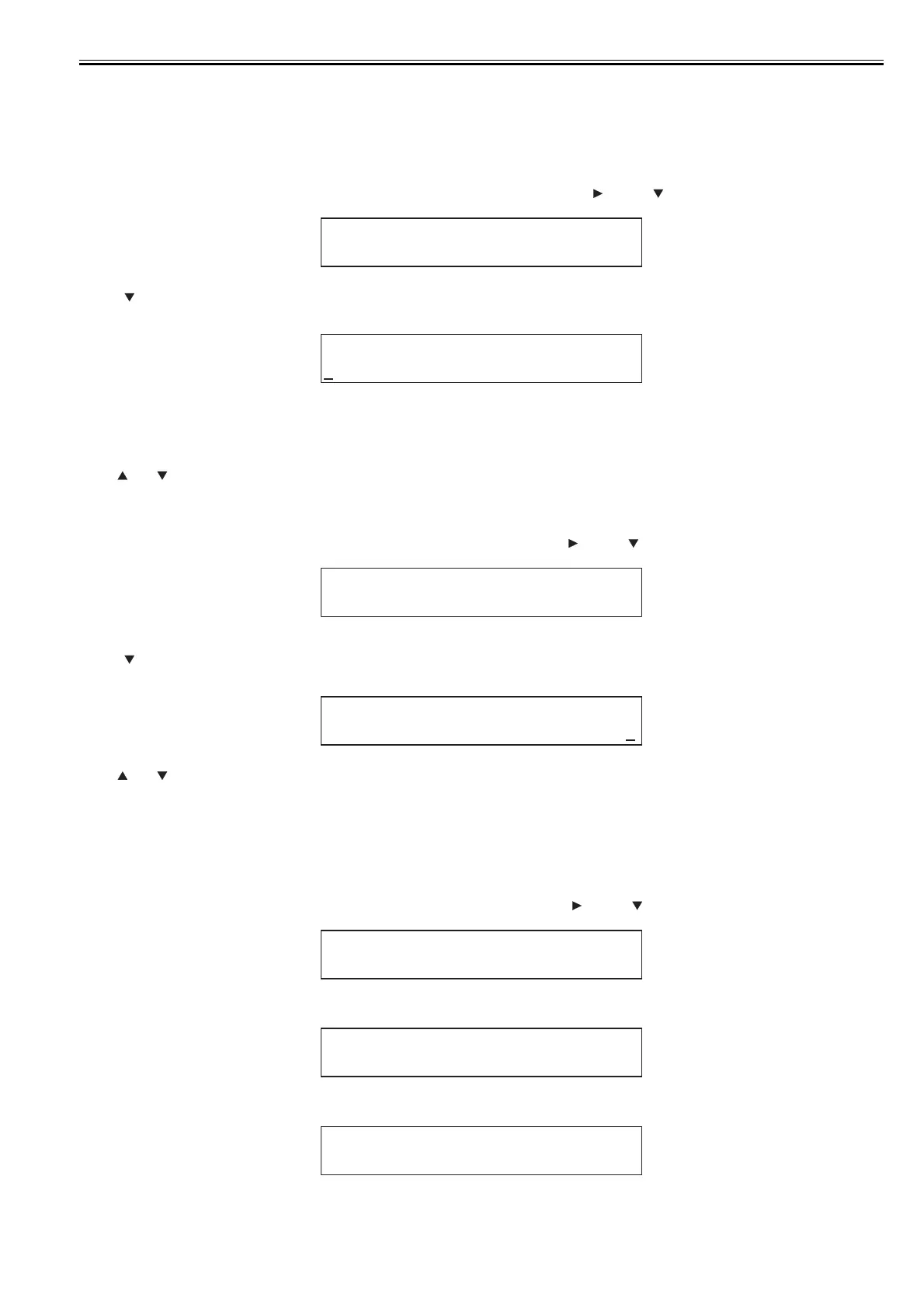
(1) Setting address for UGW
- In service mode, referring to the "Service Mode Menu Tree", go to [UGW-ADDRESS] menu using key and key.
F-7-55
- Press key to enter the Setup Mode. (A character indicating the input mode (in the upper right corner of the screen) and the cursor are displayed.)
Enter UGW address (URL).
F-7-56
Display to indicate an input mode
A:Alphabet capital letter
a:Alphabet small letter
1:Numerical character
- The cursor is shown at the first letter.
- Use and keys to select characters to enter.
- Press [Back] key to cancel what you entered and go back to the previous screen.
- Press [OK] key to determine what you entered and go back to the previous screen.
(2) Setting up the GW Port Number
- In service mode, referring to the "Service Mode Menu Tree", go to [UGW-PORT] menu using key and key.
F-7-57
- Press key to enter the Setup Mode. (A cursor is displayed.)
Enter a port number.
F-7-58
- Use and keys to select characters to enter.
- Press [Back] key to cancel what you entered and go back to the previous screen.
- Press [OK] key to determine what you entered and go back to the previous screen.
* The actual setting value of UGW address [UGW-ADDRESS] and UGW port [UGW-PORT] are categorized as confidential information, so they are not described
in this manual.
3) Communication Test [COM-TEST]
(1) In service mode, referring to the "Service Mode Menu Tree", go to [COM-TEST] menu using key and key.
F-7-59
(2) Press [OK] key to start the test. ("=" is displayed at the start of the test.)
F-7-60
(3) During the communication test, "CHECK NOW" is displayed.
F-7-61
- Once the communication test is started, it cannot be cancelled.(Other operation won't be accepted until the result is obtained.)
UGW ADDRESS
E- RDS
UGW A D DR ES S
http://
:a-
UGW PORT
E- RDS
UGW PO RT
00000
-
YES
COM-TEST
=YES
COM-TEST
CHECK NOW. .
COM-TEST














 To Next Page