<Canon HDTV gamma 1.5> to <Canon HDTV gamma 2.4>
When you want a brightness adjustment after making comparison between the printed colors and the colors
displayed on the monitor, make a necessary setting here. The higher the value, the darker the printed colors.
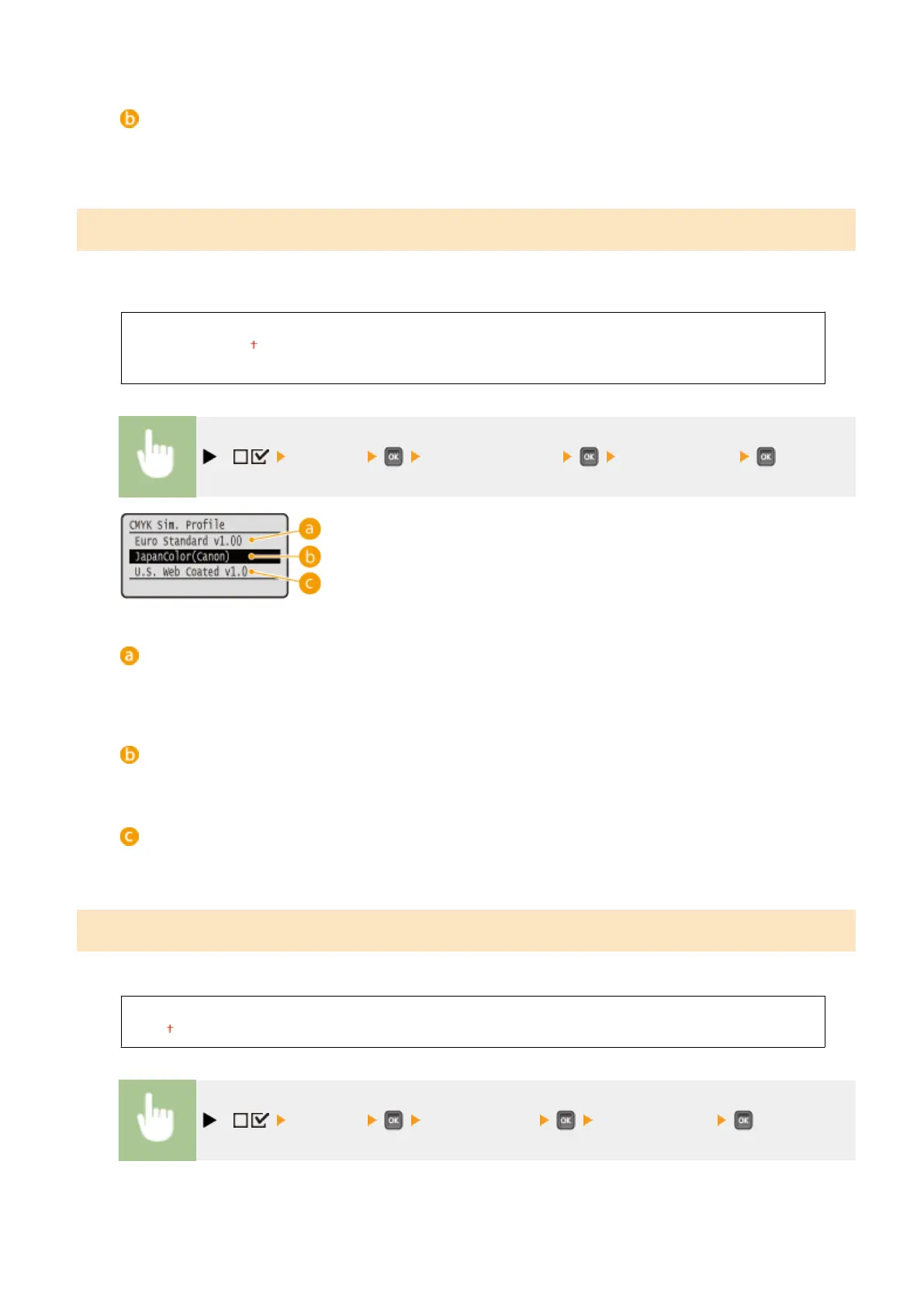
CMYK Sim. Prole
You can select a simulation target when printing CMYK data. The machine converts CMYK data to a device-dependent
CMYK color model in accordance with the selected simulation target.
Euro Standard v1.00
JapanColor(Canon)
U.S. Web Coated v1.0
( ) <Imaging> <CMYK Sim. Prole> Select the prole
<Euro Standard v1.00>
Use the Euro Standard prole. Printing is performed in colors that are close to the European printing
standards.
<JapanColor(Canon)>
Use the JapanColor prole. Printing is performed in colors that are close to the Japanese printing standards.
<U.S. Web Coated v1.0>
Use the U.S. Web Coated prole. Printing is performed in colors that are close to the U.S. printing standards.
Output Prole
You can select suitable proles for data that you are going to print.
Normal
Photo
( ) <Imaging> <Output Prole> Select the prole
Setting Menu List
451



 To Next Page