Selecting the Receive Mode
0UWX-02E
Select the receive mode that suits your intended use beforehand ( Deciding Which Fax Receive Mode to
Use(P. 141) ).
1
Tap <Next>.
● The screen shown here is displayed after the unit name has been registered ( Registering the Fax
Number and Unit Name(P. 142) ).
2
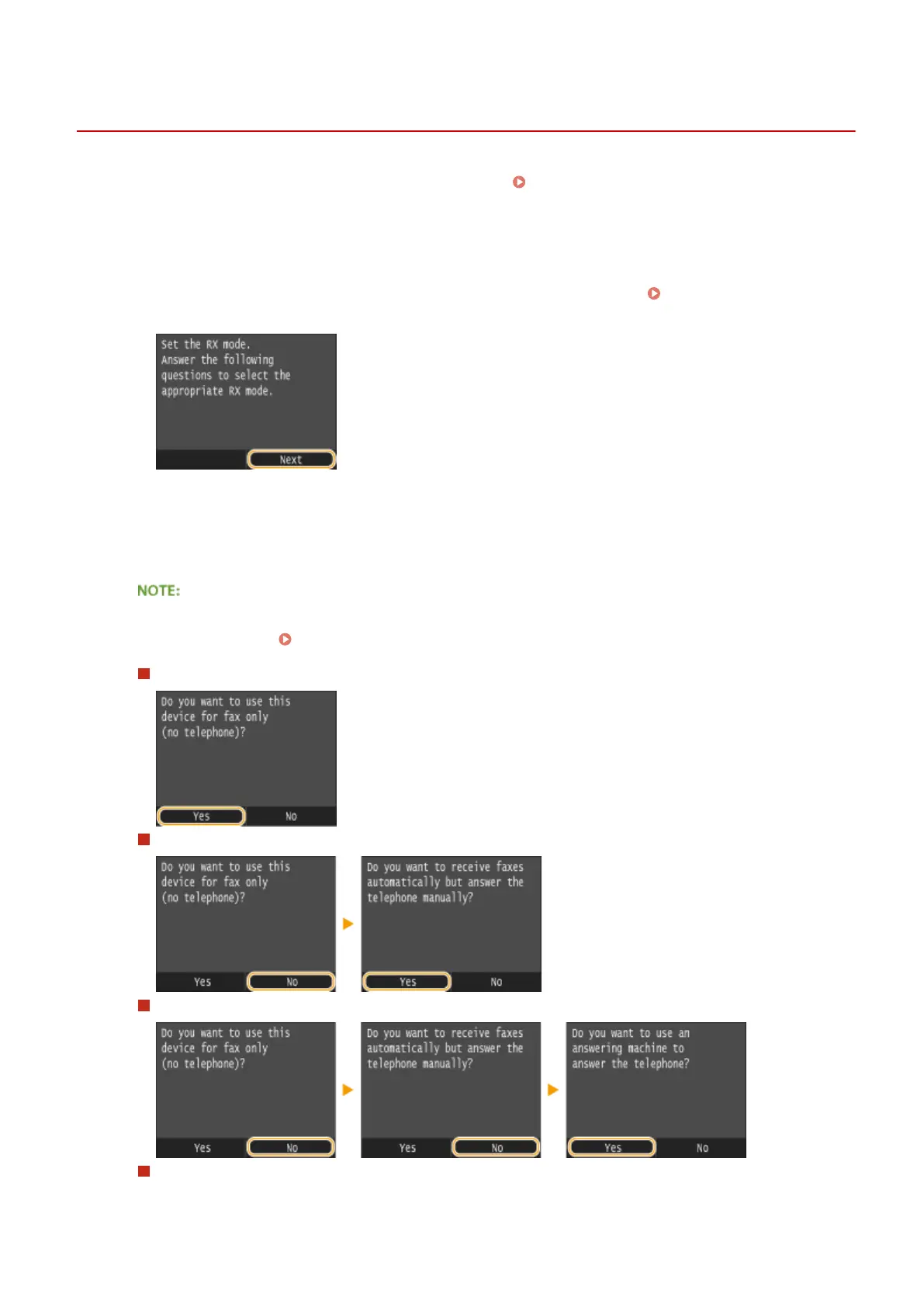
Select the receive mode that suits your intended use.
● Tap <Yes> or <No> to select the receive mode.
● You may be able to manually set a receive mode other than those described below, depending on your
country or region. Receiving Faxes (MF419x / MF416dw)(P. 179)
To set the receive mode to <Auto>
To set the receive mode to <Fax/Tel Auto Switch>
To set the receive mode to <Answering Machine>
To set the receive mode to <Manual>
Faxing
144











 To Next Page