Specifying Other Settings
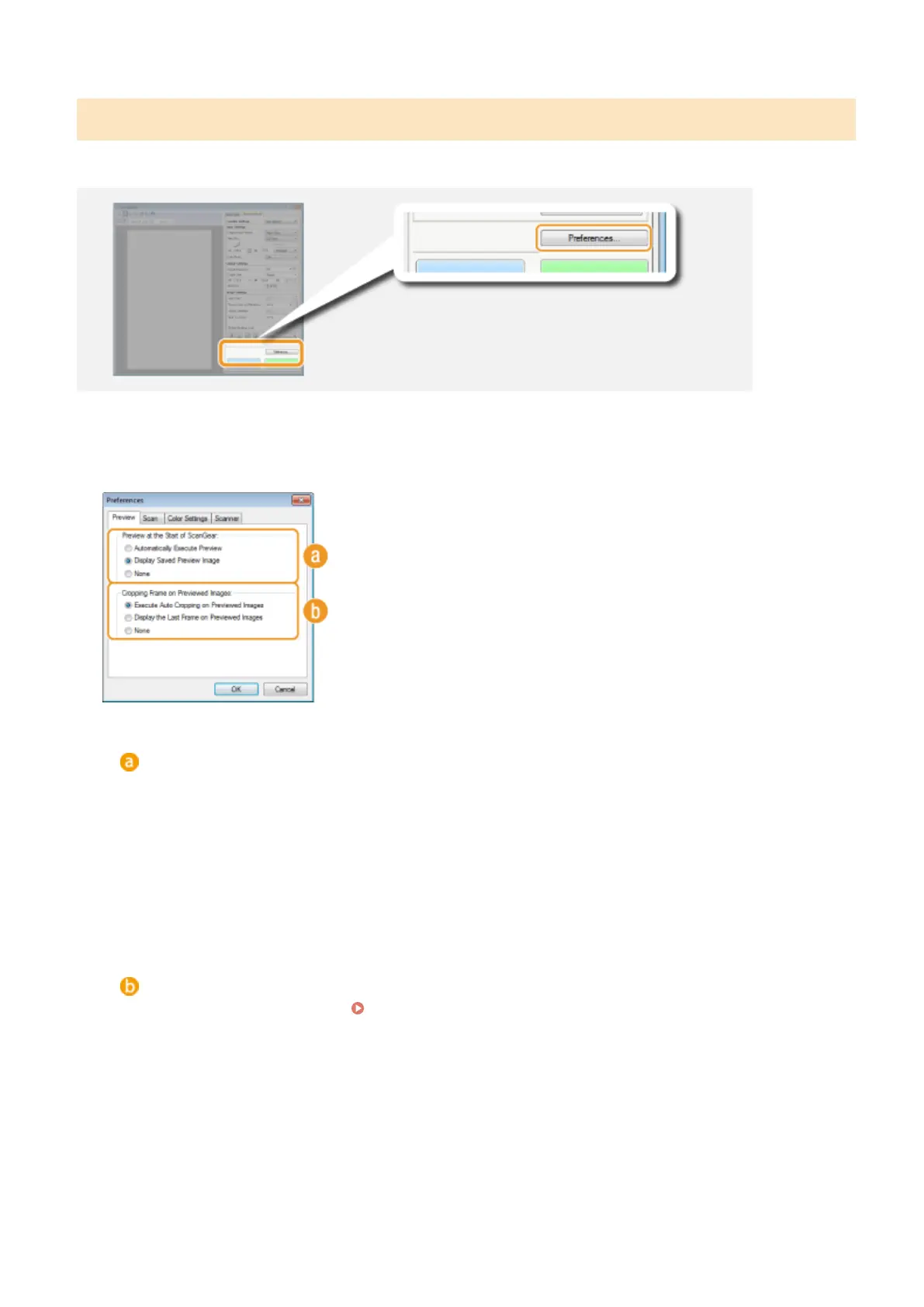
Click [Preferences] to congure various settings, including the operation when scanning.
◼
[Preview] Tab
Congure the preview and auto crop operations.
[Preview at the Start of ScanGear]
Select the preview operation when you start ScanGear MF.
[Automatically Execute Preview]
Scanning of the preview image starts automatically when you start ScanGear MF.
[Display Saved Preview Image]
Preview does not start automatically, and the most recently saved preview image is displayed.
[None]
Preview does not start automatically, and no preview image is displayed.
[Cropping Frame on Previewed Images]
Select how the cropping frame (
Operating Preview Images(P. 317) ) is displayed on the preview image.
[Execute Auto Cropping on Previewed Images]
Auto Crop is performed based on the scanned document.
[Display the Last Frame on Previewed Images]
Auto Crop is not performed, and the most recently set cropping frame is displayed.
[None]
Auto Crop is not performed, and no cropping frame is displayed.
Using the Machine as a Scanner
325











 To Next Page