Clearing Jams
0UWX-0C0
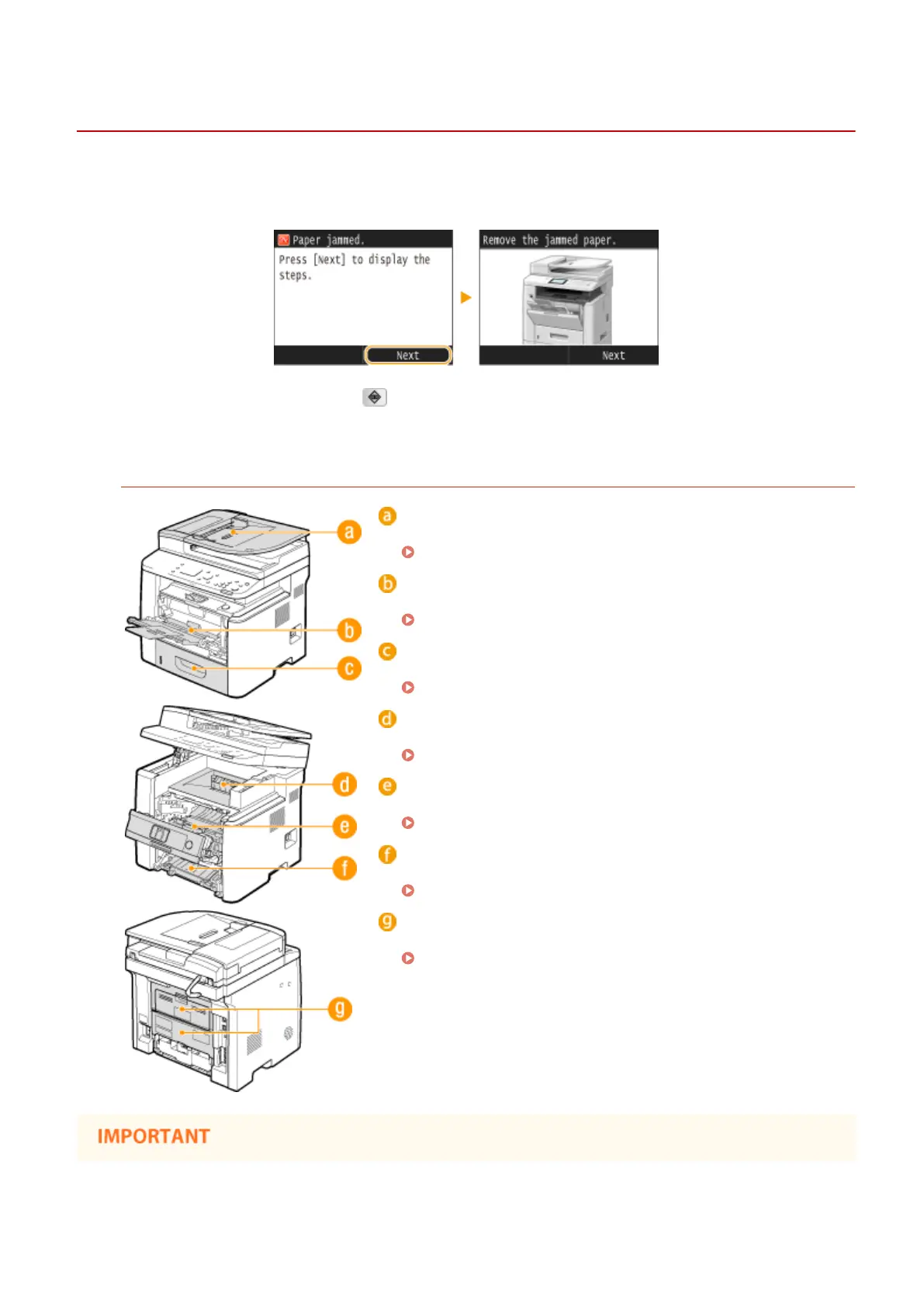
If a paper jams, <Paper jammed.> is displayed on the screen. Tap <Next> to display simple solutions
*
. If it is dicult to
understand the procedures on the display, see the following sections to clear jams.
*
If the solution is not displayed, press and then select <Error Information/Notication> to display the
solution.
Paper Jam Locations
Feeder
Document Jams in the Feeder(P. 724)
Multi-purpose tray
Paper Jams in the Multi-Purpose Tray(P. 726)
Paper drawer
Paper Jams in the Paper Drawer(P. 727)
Output area
Paper Jams in the Output Area(P. 727)
Interior
Paper Jams inside the Machine(P. 728)
Duplex transport guide
Paper Jams at the Duplex Transport Guide(P. 730)
Back side
Paper Jams in the Back Side(P. 732)
Troubleshooting
723











 To Next Page