Interior
0UWX-00A
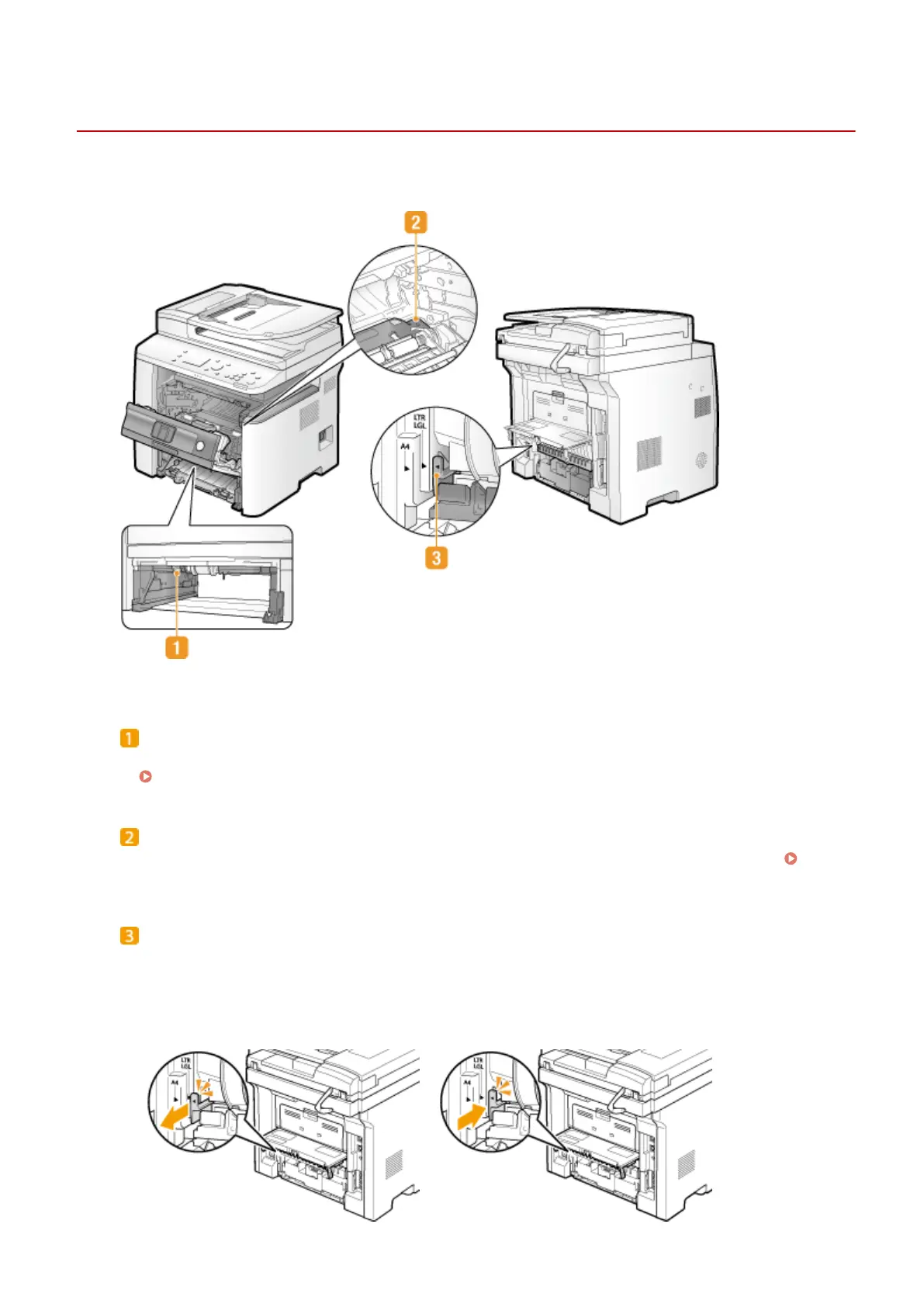
Duplex transport guide
If paper has jammed during 2-sided printing, lower the duplex transport guide to remove the jammed paper.
Clearing Jams(P. 723)
Transport guide
If there is a paper jam inside the machine, raise the transport guide to remove the jammed paper.
Clearing Jams(P. 723)
Paper size switch lever
Before starting 2-sided printing, change the position of this lever properly to match the size of the paper to
print on.
A4 size
Pull the lever towards you.
Letter/Legal size
Push the lever away from you.
Basic Operations
22











 To Next Page