5
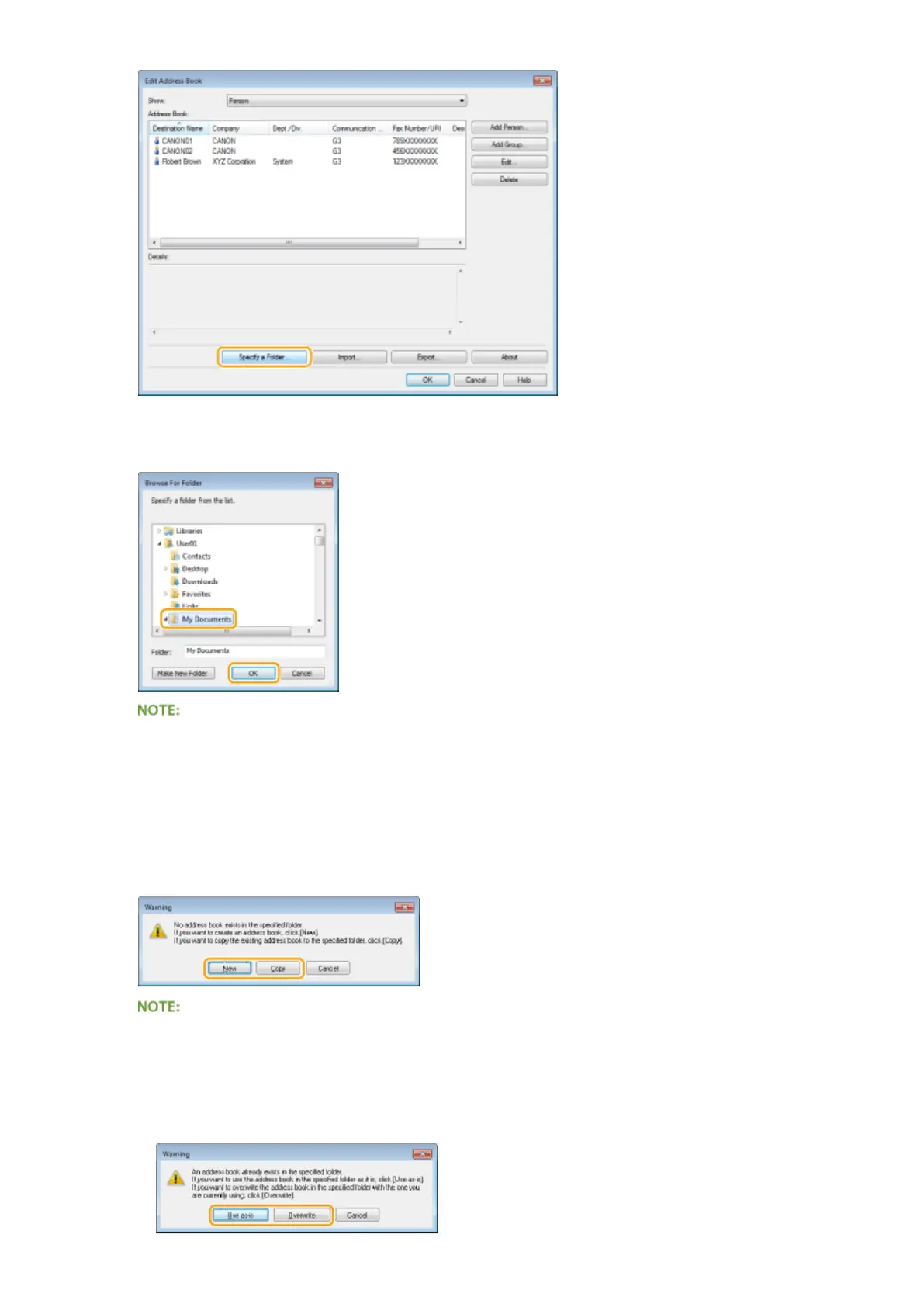
Specify the location to save the Address Book data, and click [OK].
● Save the Address Book data in a folder, such as the [My Documents] folder, where you have write
permission.
6
Click [New] or [Copy].
● To create a new and empty Address Book, click [New], and to just change the save location while keeping the
present Address Book content as is, click [Copy].
● Even if you change the Address Book save location, it does not result in deletion of the Address Book data
in the original folder.
● If Address Book data already exists in the save location specied in step 5, the following message is
displayed. If you want to use the existing Address Book, click [Use as-is], and if you want to overwrite it
with the present Address Book, click [Overwrite].
Faxing
212


 To Next Page
 Loading...







