[Acquire DNS Server Address]
Select the check box to enable Option 23 to obtain a DNS server address from the DHCP server.
[Acquire Domain Name]
Select the check box to enable Option 24 to obtain a domain name from the DHCP server.
3
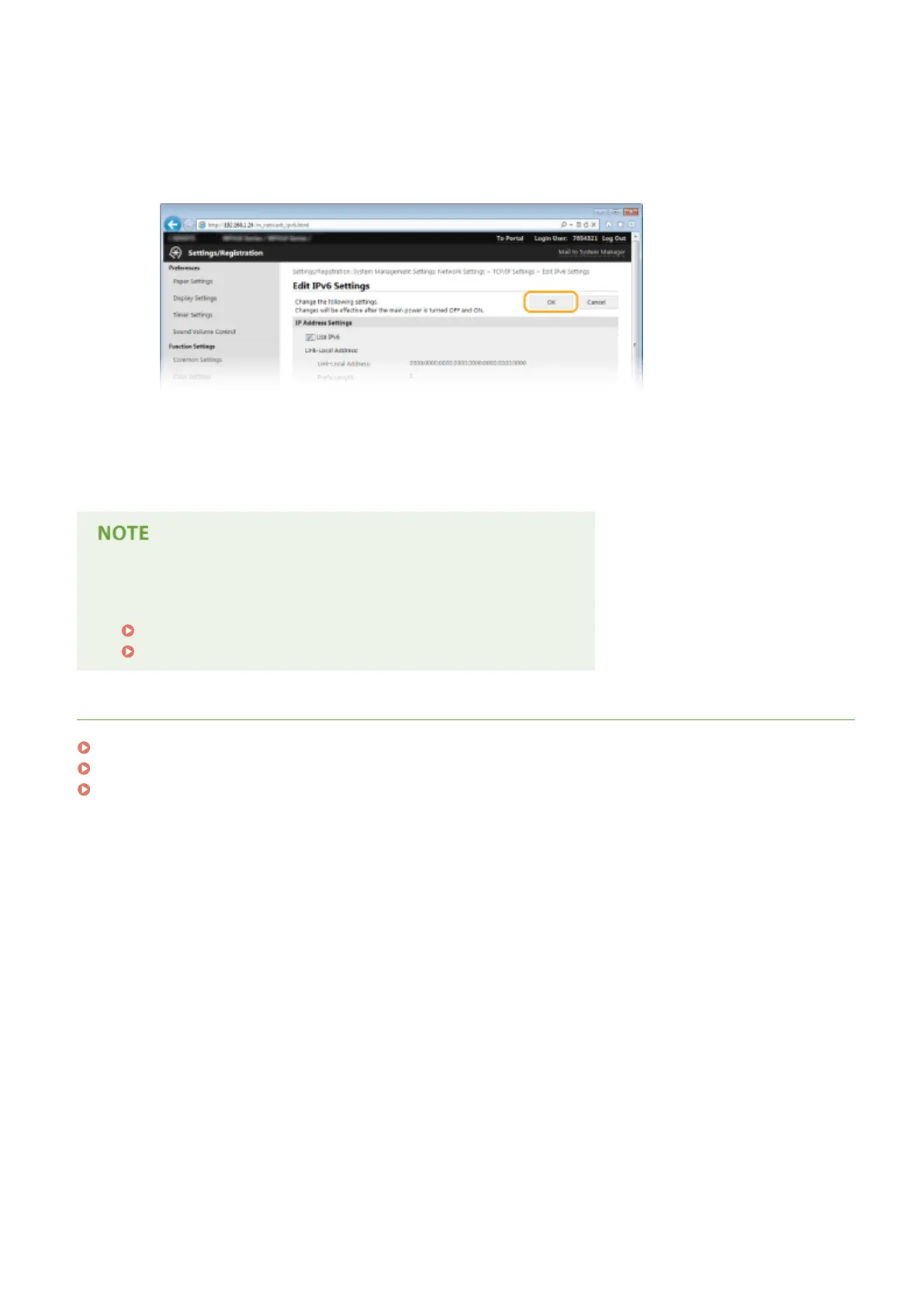
Click [OK].
5
Restart the machine.
● Turn OFF the machine, wait for at least 10 seconds, and turn it back ON.
Using the operation panel
● DNS settings can also be accessed from <Menu> in the Home screen.
IPv4 Settings(P. 632)
IPv6 Settings(P. 634)
LINKS
Setting IPv4 Address(P. 437)
Setting IPv6 Addresses(P. 441)
Viewing Network Settings(P. 445)
Network
492



 To Next Page