Type of image
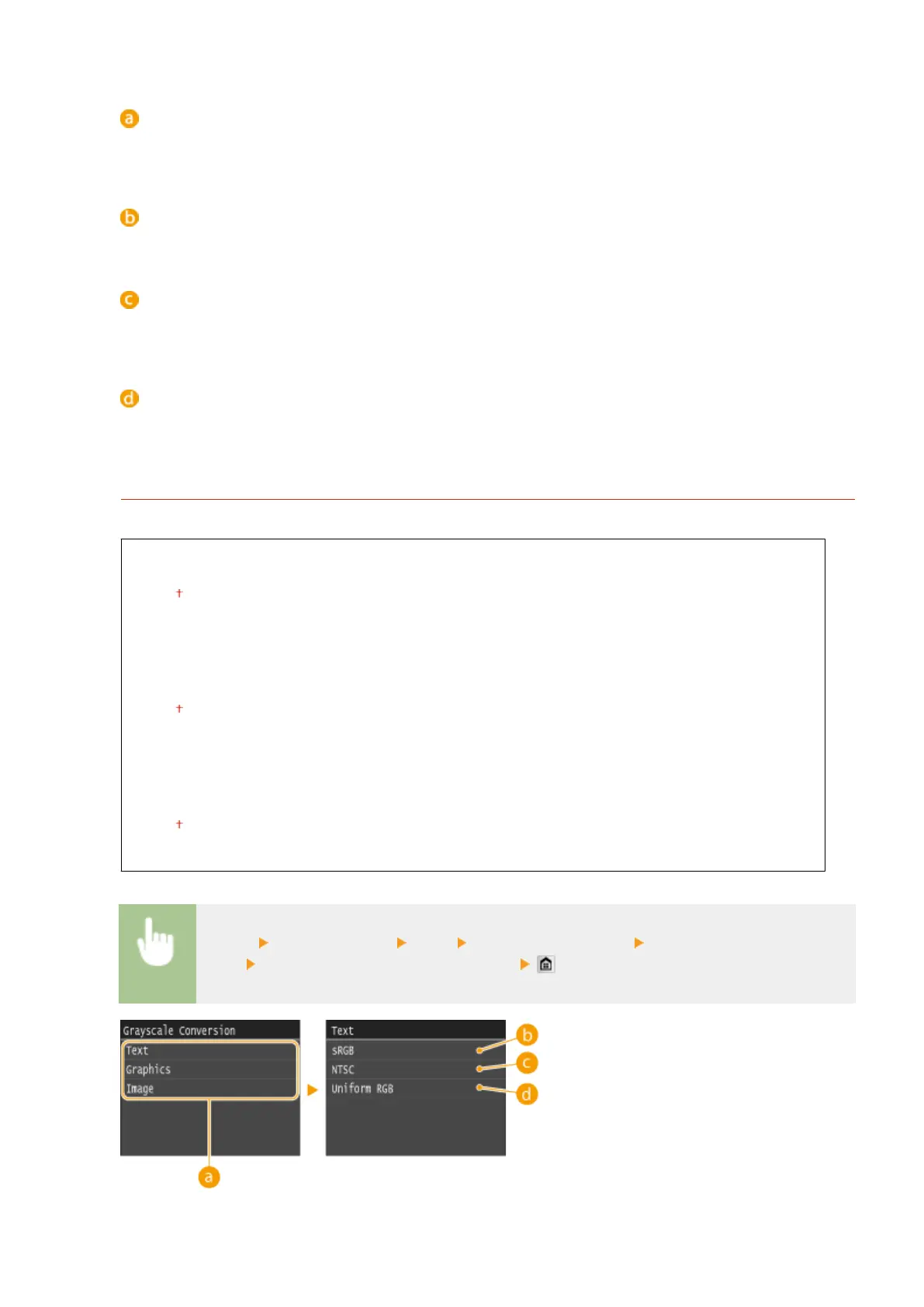
Select the object for which to change the setting. <Text> represents letters and characters, <Graphics>
represents lines and gures, and <Image> represents photos and images.
<Resolution>
Produces a ne print with clear edges of text. It is suitable for printing characters and ne lines.
<Gradation>
Produces a print with smooth gradation or smooth edges. It is suitable for printing gures or graphs
containing gradation areas.
<High Resolution>
As compared to <Resolution>, this produces a ner print but quality stability is slightly lower. It is suitable to
obtain a print of character data or ne line data or CAD data with sharp edges.
Grayscale Conversion
Specify the type of grayscale conversion of color print data.
Text
sRGB
NTSC
Uniform RGB
Graphics
sRGB
NTSC
Uniform RGB
Image
sRGB
NTSC
Uniform RGB
<Menu> <Printer Settings> <XPS> <Grayscale Conversion> Select the type of
image
Select the type of grayscale conversion
Setting Menu List
699











 To Next Page