143
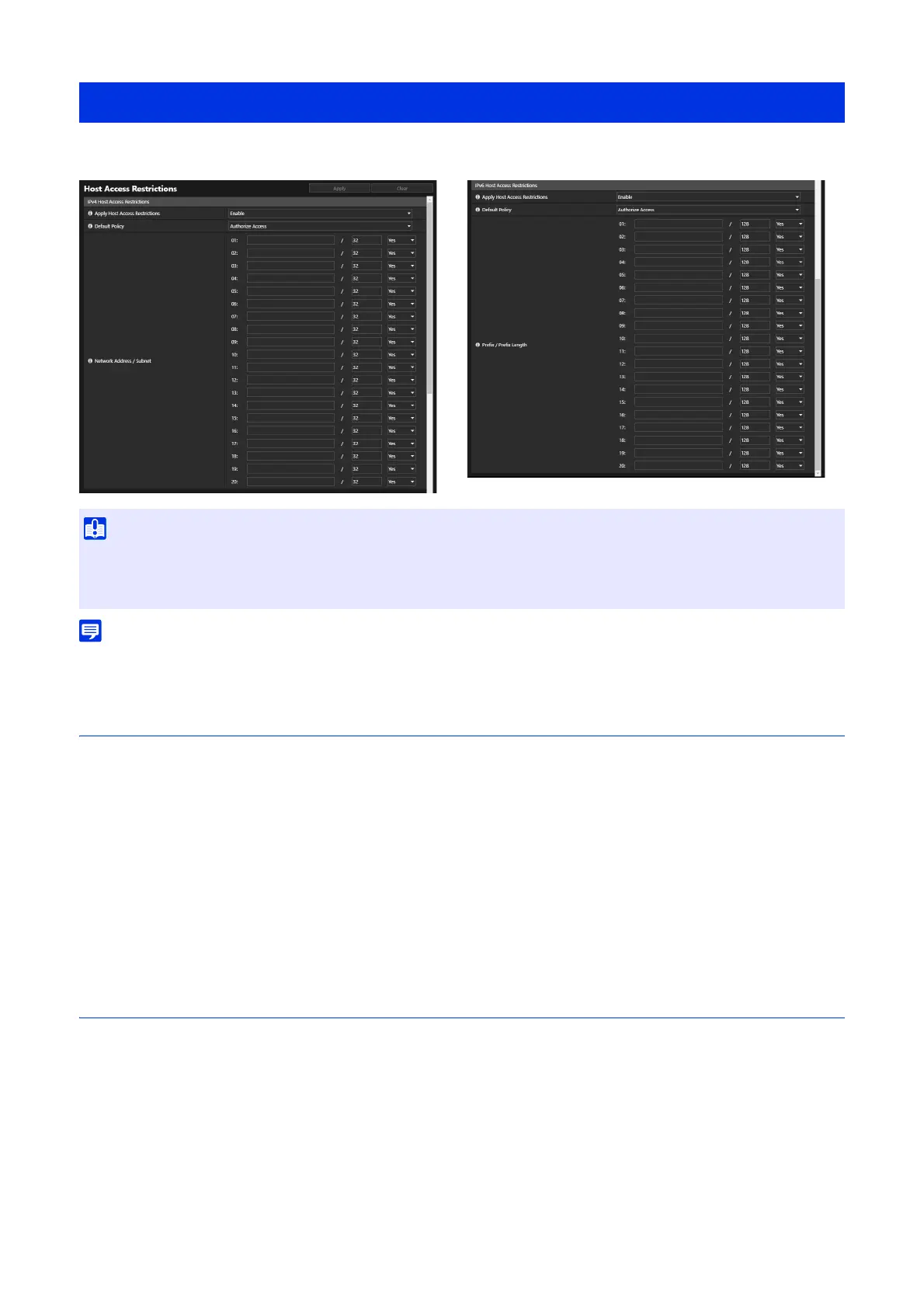
Separate access control from IPv4 and IPv6 addresses can be set.
• If the same address is set, the address set higher in the list will be applied.
IPv4 Host Access Restrictions
Specify the hosts from which IPv4 access is permitted and prohibited.
[Apply Host Access Restrictions]
Select whether to apply IPv4 host access restrictions.
[Default Policy]
Select whether to allow or prohibit access from IPv4 addresses that have not been specified in [Network Address / Subnet].
[Network Address / Subnet]
Enter IPv4 network addresses into the list and select [Yes] or [No] for access for each address.
Able to specify the subnet to set access restrictions by network or host.
If set to [No], access to all ports is prohibited.
IPv6 Host Access Restrictions
Specify the hosts from which IPv6 access is permitted and prohibited.
[Apply Host Access Restrictions]
Select whether to apply IPv6 host access restrictions.
[Default Policy]
Select whether to allow or prohibit access from IPv6 addresses that have not been specified in [Prefix/Prefix Length].
[Prefix / Prefix Length]
Enter IPv6 addresses (prefixes) into the list and select [Yes] or [No] for access for each address.
Able to specify the prefix length to set access restriction by network or host.
If set to [No], access to all ports is prohibited.
[Security] > [Host Access Restrictions]
• To prohibit access via a proxy server in HTTP connection, a proxy server address must be set.
• If host access restriction is set mistakenly, access to the Settings pages themselves may be prohibited, in which case restoring the
factory default settings will become the only means of recovery.



 To Next Page