44
Cropping and Displaying Part of the Video (Digital PTZ)
Able to crop and display part of a camera video in the video display area by using the Digital PTZ panel.
• Digital PTZ can be operated only in the optical zoom area. Click the [Digital PTZ] button to hide the digital zoom and enhanced
digital zoom area. When zoom slider knob is in the digital zoom or enhanced digital zoom area, starting a digital PTZ moves the knob
position to the optical zoom area.
• [Digital PTZ] cannot be clicked depending on the setting of [Video] > [Video] > [Digital PTZ] > [Video Compression Method] on the
Settings page or the Viewer’s environment.
– When [Video Compression Method] is set to H.265 and the Viewer is connected via HTTP.
– When [Video Compression Method] is H.264 or H.265 and using a web browser that cannot display H.264/H.265 video.
Cropping Video With Digital PTZ Panel
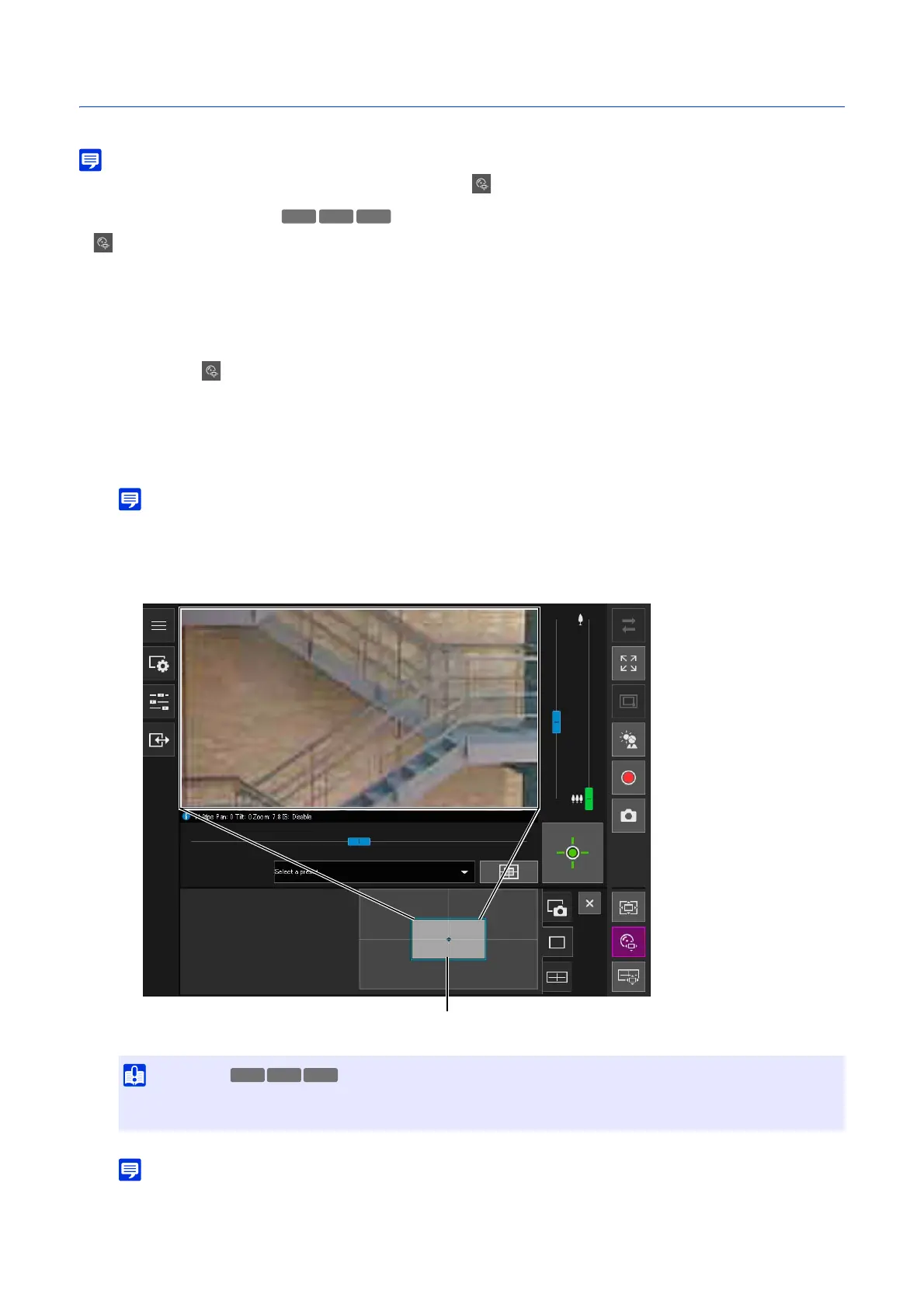
The [Digital PTZ] button turns active (purple), and the Digital PTZ panel is shown in the control display area.
The preview frame operations are the same as with the Viewer PTZ (P. 43).
• The entire gray frame displayed on the digital PTZ panel corresponds to the entire image that can be taken.
• The preview frame will move in steps. Fine-tuned movement is not possible.
The video of the area inside the manipulated preview frame is magnified to fill the video display area.
• For the Digital PTZ, the higher the magnification ratio, the lower the image quality.
S32D
1
Click the [Digital PTZ] button.
2
In the Digital PTZ panel, move and resize the preview frame.
• Even if the camera angle is changed due to a slider operation or preset, the position of the preview frame on the Digital PTZ
panel is fixed.



 To Next Page